Get VisualCron
Download VisualCron from the VisualCron download page. Sign in to your visualcron.com account first. The download options appear after you sign in.
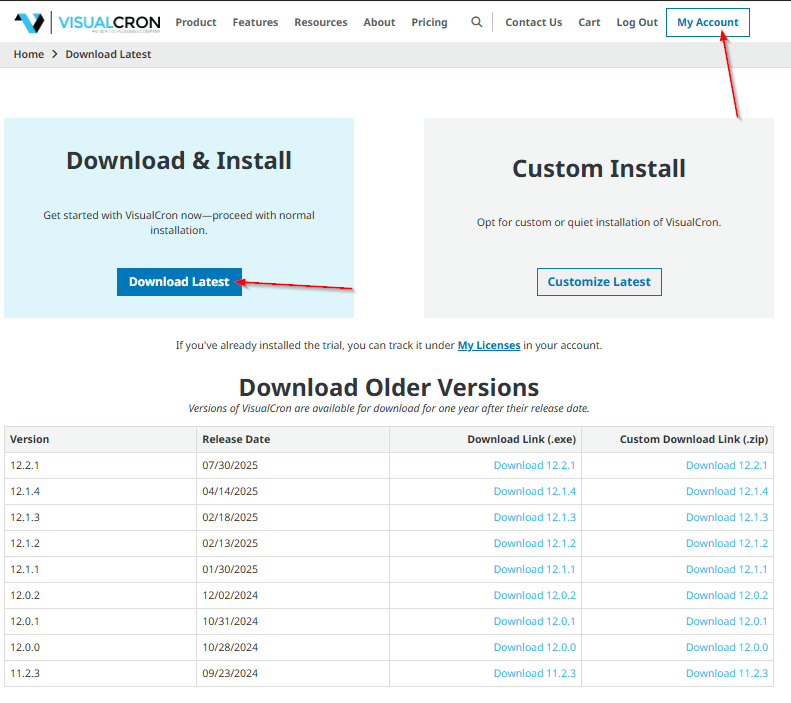
The download page offers:
- Download Latest: the setup program (.exe) for the latest version, for a normal installation
- Customize Latest: the custom installation package (.zip) for the latest version, for silent and scripted installations
- Download Older Versions: the setup program and the custom installation package for earlier versions
If the version you need is not listed, contact support@visualcron.com.
Use the setup program unless you need an unattended or scripted installation. The setup program runs the same MSI package for you, and it also starts VisualCron and handles an upgrade over an installed version.
To install with the setup program, see Download, Install, Upgrade, and Uninstall. To install with the MSI package from the custom installation package, see Remote, Silent, and Customized Installation.