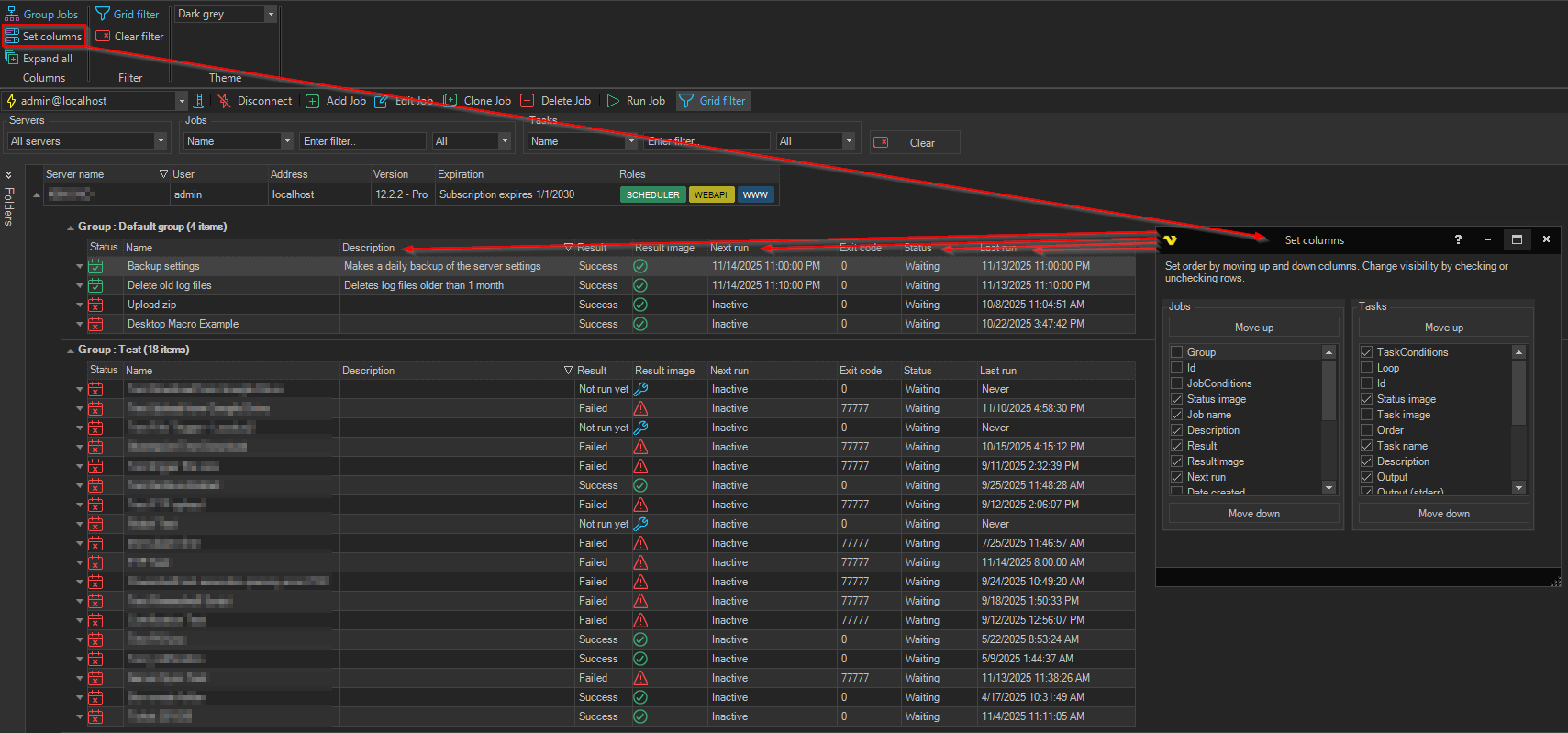
Columns - Set Columns
The Interface -> Columns -> Set columns option opens the Set columns window, where you choose which columns the main grid shows and in what order.
The window has a list for Jobs and one for Tasks. Check a column to show it or clear it to hide it, and select a column and click Move up or Move down to change its position. Changes show in the main grid at once.