Configure roles and features on the domain and storage server
This is Part 1, step 1 of 5 in Install the Windows failover cluster. In this step you add the iSCSI Target Server role service, which hosts the shared disks, to the domain and storage server. You can also add the Failover Clustering feature, to manage the cluster from this server. This server must already run Active Directory Domain Services and DNS.
Select the roles
To select the roles, complete the following steps:
-
Sign in to the domain and storage server.
-
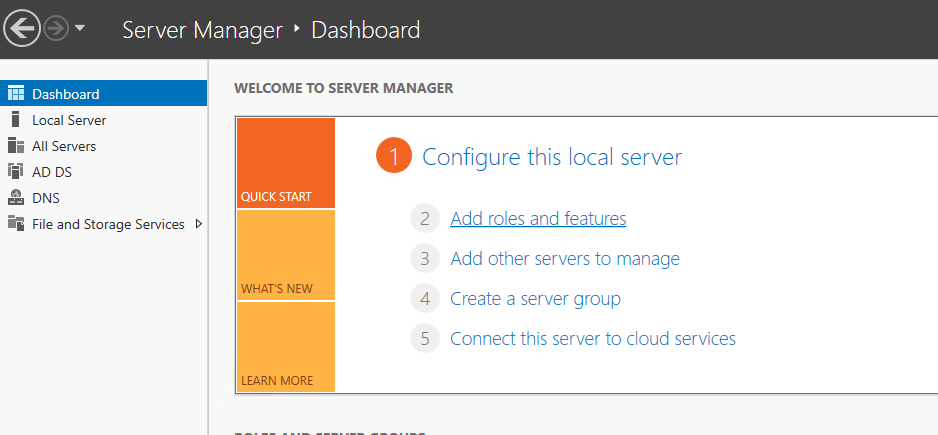
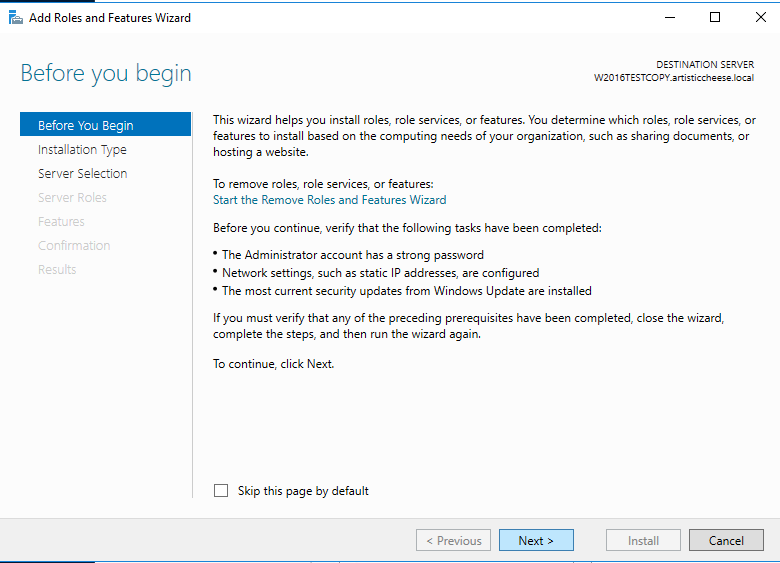
In Server Manager -> Dashboard, click Add roles and features. The Add Roles and Features Wizard opens on Before you begin.
-
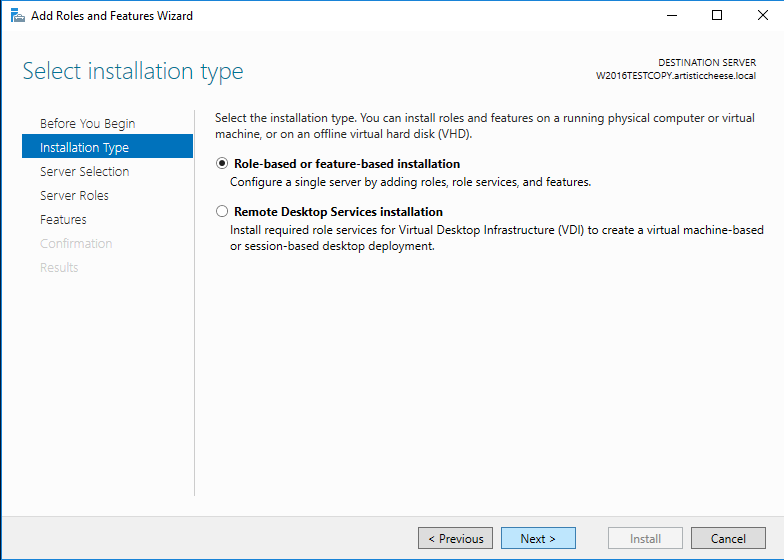
Click Next. The Select installation type page opens.
-
Select Role-based or feature-based installation.
-
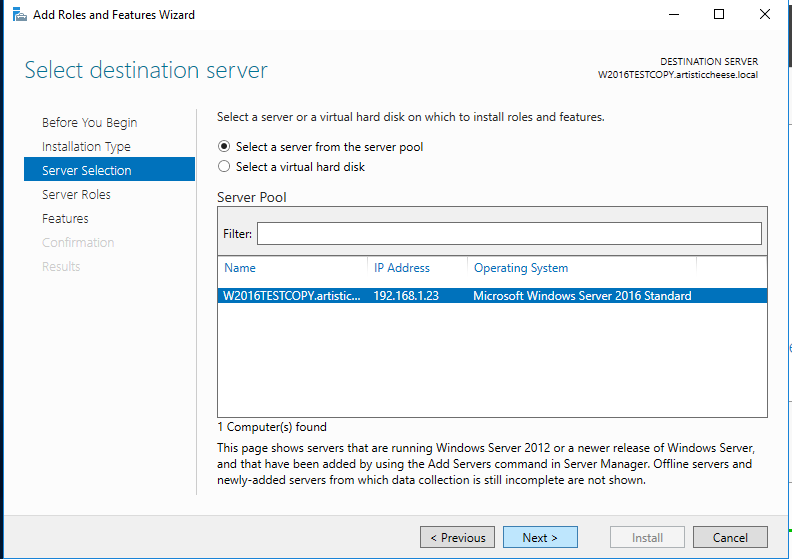
Click Next. The Select destination server page opens.
-
Select the server you are signed in to.
-
Click Next. The Select server roles page opens.
-
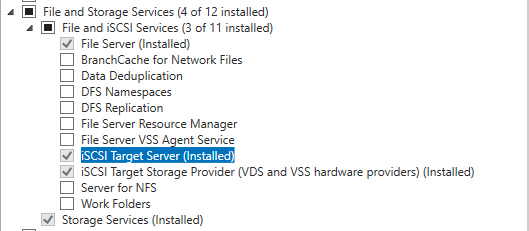
Under File and Storage Services -> File and iSCSI Services, select iSCSI Target Server. The example server also has File Server and iSCSI Target Storage Provider (VDS and VSS hardware providers) installed; this guide does not need them.
-
Click Next. The Select features page opens.
Add the feature and install
The Failover Clustering feature is needed only on the cluster nodes. On this server it is optional: add it if you want to run Failover Cluster Manager here. If you do not, start at step 3.
To add the feature and install, complete the following steps:
-
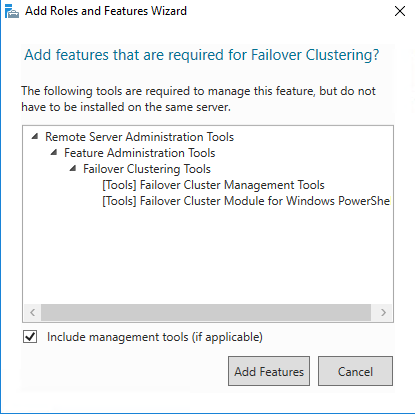
Optional: select Failover Clustering. If its tools are not installed yet, the Add features that are required for Failover Clustering? window opens and lists them.
-
Click Add Features.
-
Click Next. The Confirm installation selections page opens.
-
Check that every role and feature you selected is listed.
-
Click Install. The roles and features are installed.
-
When the installation is complete, click Close.
-
If the wizard says that a restart is needed, restart the server.
Result: The domain and storage server runs the iSCSI Target Server and, if you added it, the Failover Clustering feature.
The domain and storage server is not a cluster node. Do not add it to the cluster in Part 1, step 5.