Servers - Sync Server Objects
The Sync Server objects window, opened from Servers -> Sync Server objects, copies Jobs and global objects from another VisualCron Server to this one, for example from a production Server to a test Server.
Each sync setting connects to one remote Server through a VisualCron Connection and chooses, per object type, which changes on the remote Server are applied on this Server:
- New objects (added on the remote Server)
- Updated objects
- Deleted objects
A sync setting can run automatically, applying each change as it happens on the remote Server, or be run by hand with Sync now.
This feature was introduced in version 9.2.0 of VisualCron.
- An updated object replaces the object with the same identity on this Server, so local changes to a synced object are lost.
- Sync deleted is checked by default. While a sync setting is active, an object deleted on the remote Server is also deleted on this Server.
- With Sync the following
objecttypesettings, Sync now deletes an object on this Server when its Delete column is checked and the object no longer exists on the remote Server.
Checking Use on a row, or Select All Use, also checks Delete. Uncheck Sync deleted, or clear the Delete column, where objects on this Server must be kept.
After Sync now deletes an object, the rest of that run can be skipped. Check the Server Sync log and run Sync now again until nothing is left to delete.
Main window
The grid lists every sync setting. Usually one row is one remote Server to sync from, but more than one sync setting can use the same Server.
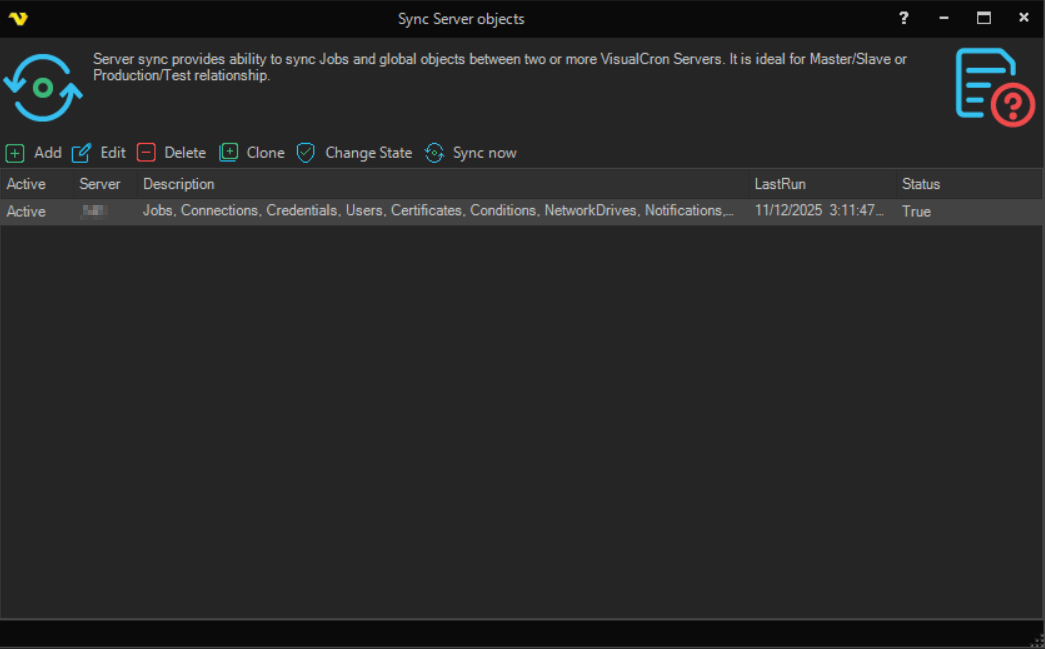
- Add: opens the window for a new sync setting
- Edit: opens the selected sync setting
- Delete: deletes the selected sync setting after a confirmation. The objects already synced are not removed
- Clone: opens a copy of the selected sync setting as a new sync setting
- Change State: turns automatic sync with the remote Server on or off
- Sync now: runs a manual sync of the selected sync setting. It also runs for a sync setting that is not Active
Right-click a row and select Server Sync log to see what the sync setting has done.
Add/Edit Sync setting window
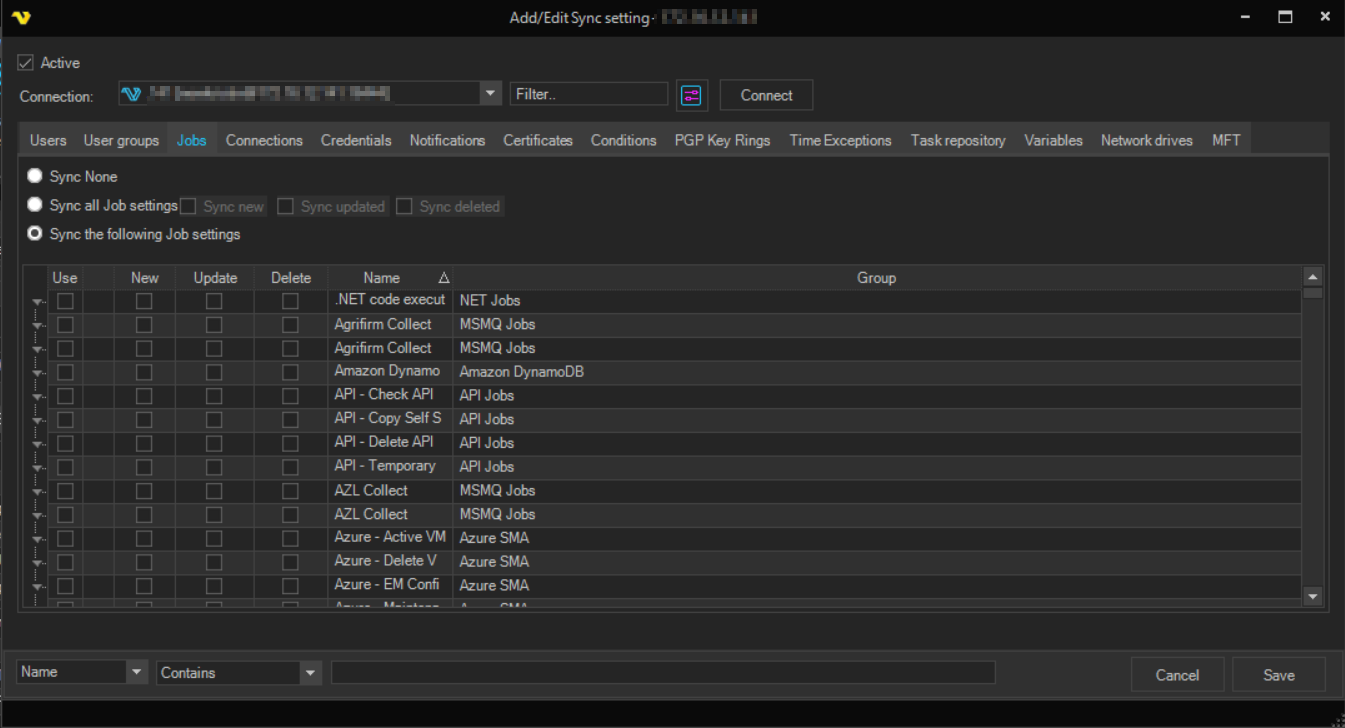
- Active: turns all syncing from the remote Server on or off for this sync setting
- Connection: the VisualCron Connection to the remote Server. Click Connect to load the objects of the remote Server
Each object type has its own tab: Users, User groups, Jobs, Connections, Credentials, Notifications, Certificates, Conditions, PGP Key Rings, Time Exceptions, Task repository, Variables, Network drives and MFT. On each tab, select one of the following:
- Sync None: objects of this type are not synced
- Sync all
objecttypesettings: the default. All objects of this type are synced. Use Sync new, Sync updated and Sync deleted, all checked by default, to choose which changes are applied - Sync the following
objecttypesettings: only the objects checked in the grid are synced. For each object, the Use, New, Update and Delete columns choose which changes are applied. When this option is selected, every row starts cleared. Right-click the grid to select or clear a whole column at once