Servers - Execution Distribution
The Execution distribution group on the Servers tab of the ribbon opens the Load Balancer windows.
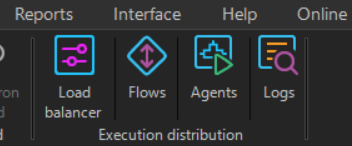
- Load balancer: opens the Load balancer window, with the Broker Server and Server Agent settings, the distributed execution settings, and the Agents, Flows and Logs tabs
- Flows: opens the Load balancing flows window, where Load balancing Flows are configured and their runtime status is shown
- Agents: opens the Server Agents window, which lists the Server Agents connected to the Broker and turns their Scheduler role on or off. See Scheduler monitoring and controlling
- Logs: opens the Client events window, filtered to load balancing events
The buttons are unavailable when the license does not include Load Balancing; see Load Balancer.