Connection - VisualCron
The VisualCron Connection stores connect and logon properties for connecting internally between Clients and Servers. This is used to control Jobs/Tasks on other servers.
The VisualCron Connection is used in the Internal - Job/Task control Task and the Event trigger - VisualCron Trigger. The Connection is used to connect to a local or remote VisualCron Server instance.
Manage Connections > Add > VisualCron > Common settings tab
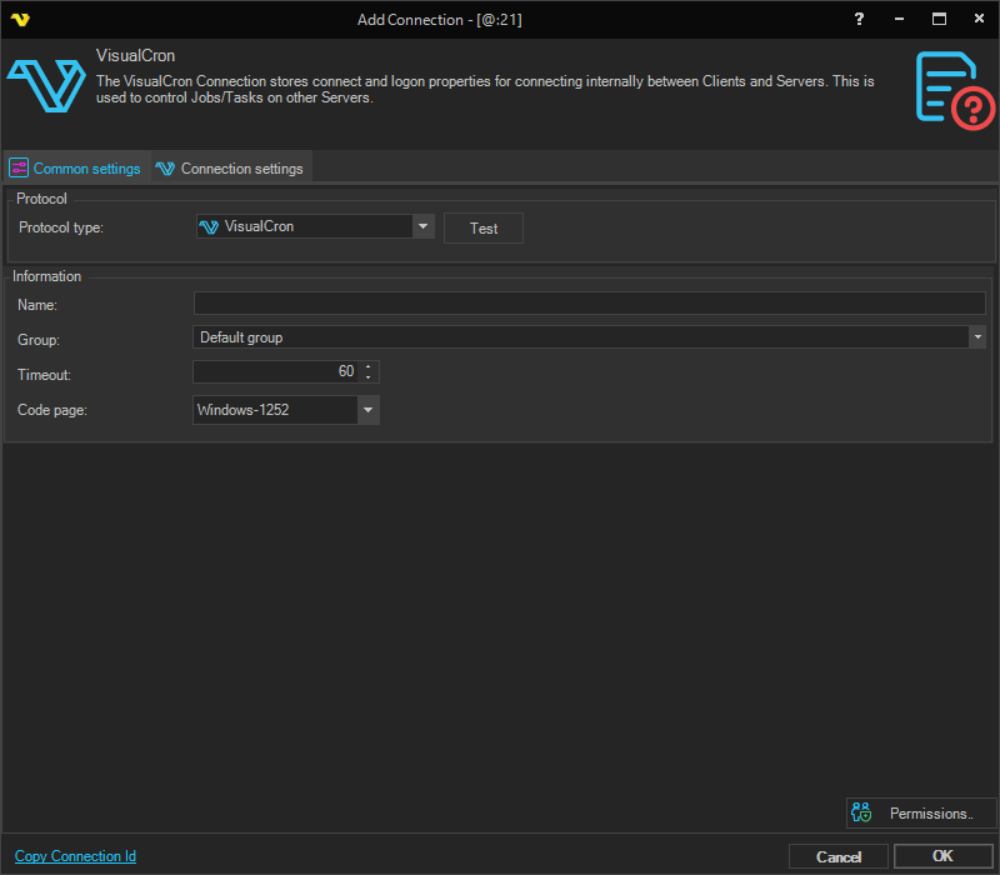
Name
The unique name for the Connection.
Group
The group that the connection is a part of.
Timeout
The connection timeout in seconds. Connection will fail after this time period.
Code page
Not used.
Manage Connections > Add > VisualCron > Connection settings tab
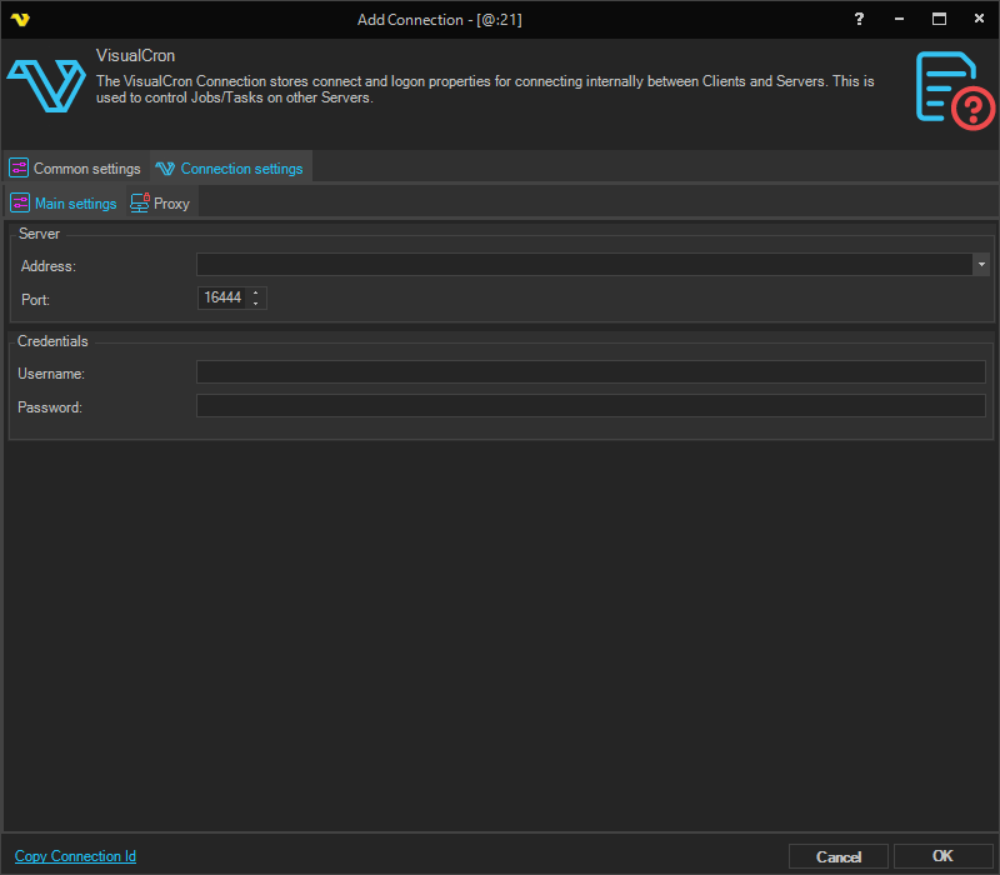
Address
The DNS name or IP of the VisualCron server.
Port
The port used by VisualCron - default 16444.
Username
The username for the user in the VisualCron Server.
Password
The password for the user in the VisualCron Server.
Manage Connections > Add > VisualCron > Connection settings > Proxy tab
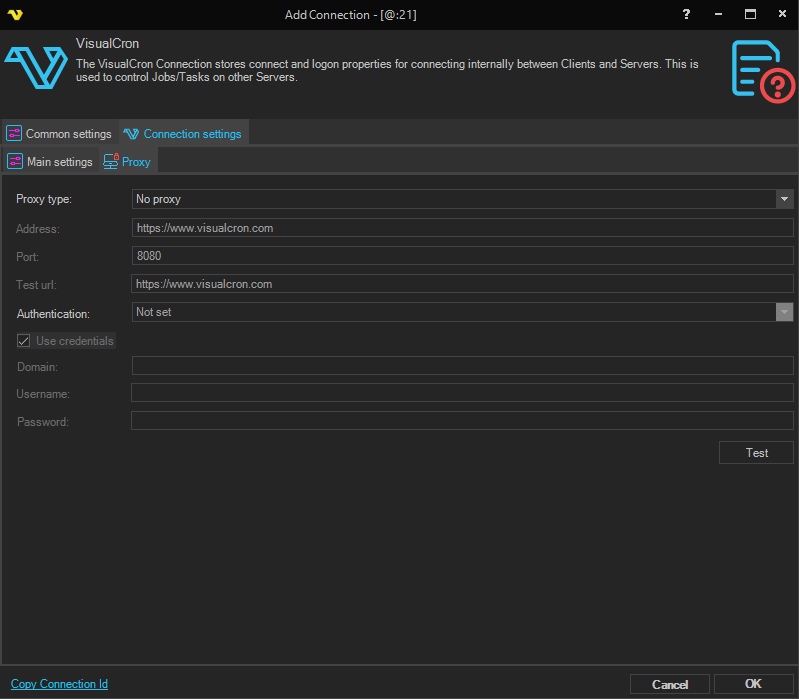
Proxy type
Select the proxy type to be used when connecting to the remote VisualCron server.
Address
Host name or IP number of the proxy server.
Port
Port of the proxy server.
Use credentials
The credentials that are associated with the account.
Username
A username to access the proxy server.
Password
A password to access the proxy server.