Load Balancing Flows
Load Balancing requires VisualCron 11.2.1 or later and a Pro Subscription license. See Load Balancer for the full feature overview.
Load balancing Flows (Flows for short) - allow to perform a set of different Actions depending on the match of certain Load balancing Conditions.
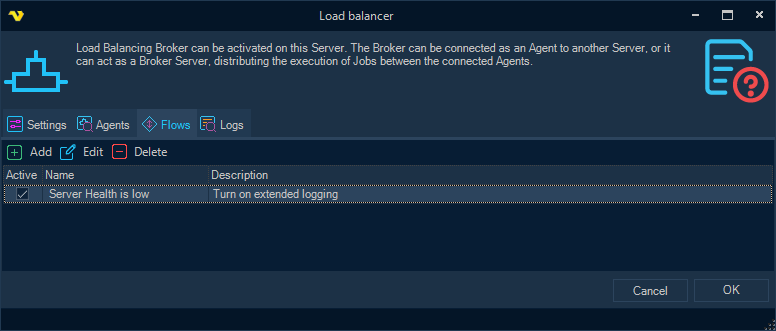
A combination of different Conditions, as well as one or more Actions to be performed when the Conditions match, can be configured for each Flow.
Actions in a Flow are performed once the first time the configured Conditions match. Then an Action can be performed again if a mismatch of the Conditions is detected beforehand (i.e. change of the state of one or another object or service, which resulted in termination of the Condition match), or if a Condition is matched due to the firing of some event in the VisualCron Server (i.e. disconnecting an Agent from the Broker).
Load balancing Conditions are configured in the same way as the conditions in the Event Trigger - Variable topic.
See the Load balancing Conditions topic for information on configuring load balancing Conditions, as well as all supported Conditions.
Supported types of Actions
- Execute Job
- Run Notification
- Adjust settings
- Start server
- Stop server
Currently, the execution of Actions (except for the actions Start/Stop server) is supported on the local Server where Flows are configured and functioning. However, in the case of an Execute Job Action, the specified Job may itself be configured for distributed execution. Adjust settings Action is reversible, that is, it can be configured so that in case of termination of the Condition match, the previously adjusted settings are reset to their original state.
Configuring and checking the status of Flows at runtime
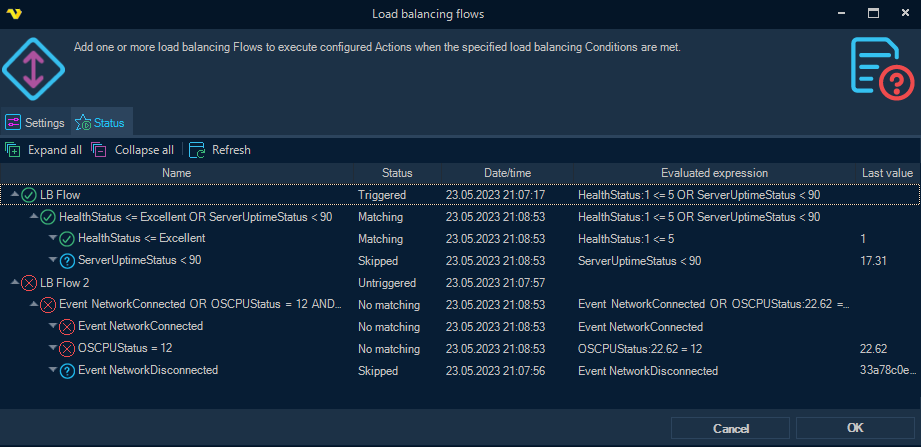
Flows, together with their Conditions and Actions, can be configured in the Load balancer settings form, as well as in the separate Load balancing flows form, accessible from the main menu (in the Servers > Execution distribution menu group). Additionally, when opening the separate form from the menu, the user can monitor the runtime status of all Flow conditions in the Status tab, with automatic (and manual) updates:
Usage notes
Both Conditions and Actions are universal and not necessarily related directly to load balancing or execution distribution.
For example, if there is significant fragmentation in the local Log database, or CPU usage exceeds threshold, the system administrator can be notified accordingly.
Another example is when, due to a large number of simultaneously running jobs, it might be necessary to temporarily block the launch of new Jobs, or put them in a queue.
Examples
Queue new Jobs while the computer is under load
- Condition: OS CPU (%) is over
90for5minutes - Action: Adjust settings, changing the runtime Job start policy so new Jobs are queued
Because the Adjust settings Action is reversible, configure it to restore the original setting when the Condition stops matching. New Jobs are then held while CPU is high and released automatically once it drops.
Notify an administrator about the Log database
- Condition: LogDB fragmentation (%) is over
30 - Action: Run Notification, sending to the administrator
See Load balancing Conditions for the full list of Conditions that can be used here.