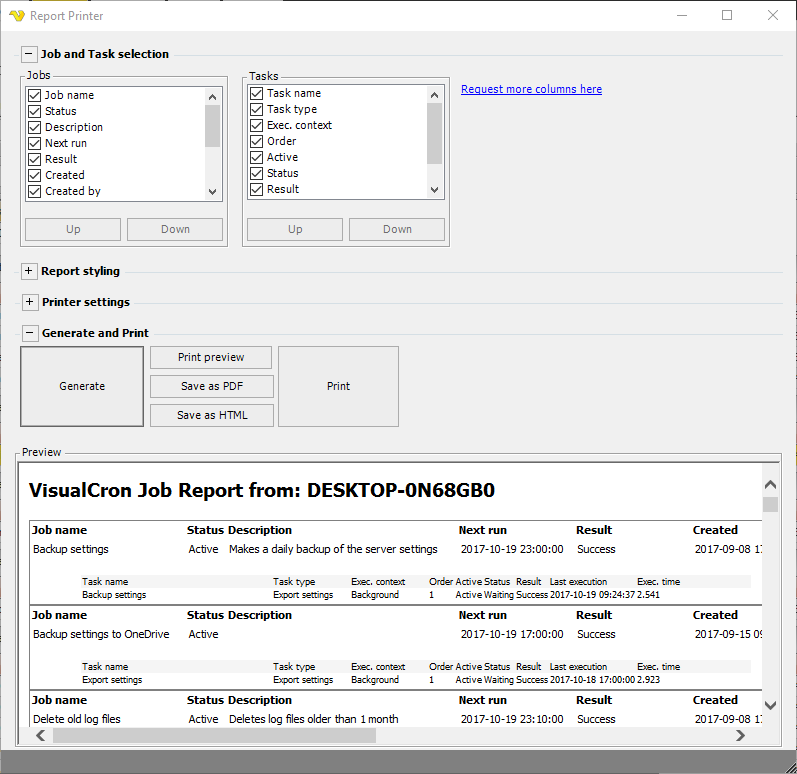
Report - Print Job Report
The Reports option lets you generate reports based on your Jobs, Tasks, Server, Connections and Notifications. Each report opens in its own window where it is rendered as a document that you can review, print or copy.
The available reports are grouped by area, for example:
- Jobs - Overview, List, Result, Executions, ROI, Time distribution and Next execution
- Tasks - Overview
- Server - Health, Optimization, Overview and SLA
- Connections - Overview and Executions
- Notifications - Overview
Tools > Report > Print job report
Date range
Where applicable, a From and To date filter controls the period the report covers. By default the last 7 days are shown.
Show
The Show button generates the report (and refreshes it after you change the date range). While the report is being generated the button changes to Cancel.
Theme
The theme drop down lets you switch the report styling between Dark Blue, Dark Grey and Light Grey.
The Print button prints the report.
Copy HTML
The Copy HTML button copies the report as HTML to the clipboard.
Permission
To block a user from viewing the Job report you need to disable the Jobs Read property in User permissions > Groups.