Server Monitor
The VisualCron Server monitor window shows real-time performance figures for the Server and its Jobs.
To open it, click Tools -> Explore -> Server monitor.
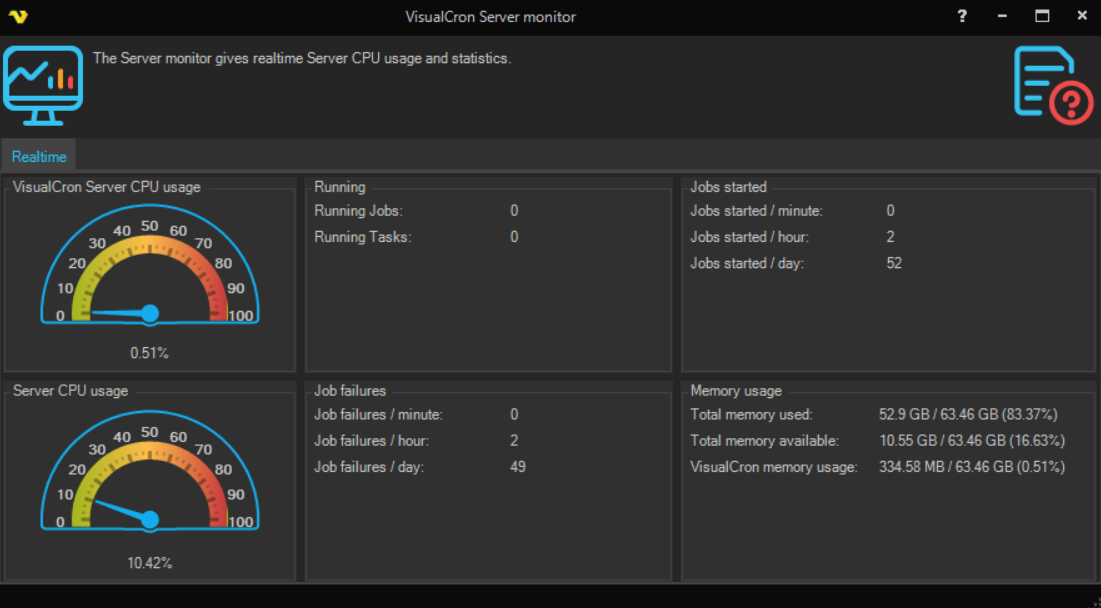
The Realtime tab shows:
- VisualCron Server CPU usage: a gauge with the CPU usage of the VisualCron Server process
- Server CPU usage: a gauge with the total CPU usage of the computer
- Running: Running Jobs and Running Tasks, the number of Jobs and Tasks running now
- Job failures: the number of failed Jobs per minute, per hour and per day
- Jobs started: the number of Jobs started per minute, per hour and per day
- Memory usage: Total memory used, Total memory available and VisualCron memory usage