Flow Chart - Flow Chart
The Flow chart window draws the steps of one Job: its Triggers, its Tasks and the flow between them.
To open it, do one of the following:
- Click Tools -> Flow chart -> Flow chart. The window opens for the first Job on the Server
- Right-click a Job in the Server/Group/Job/Task grid and click Show flow chart. The window opens for that Job; see Show Flow Chart
The window title is Flow chart - <Job name>.
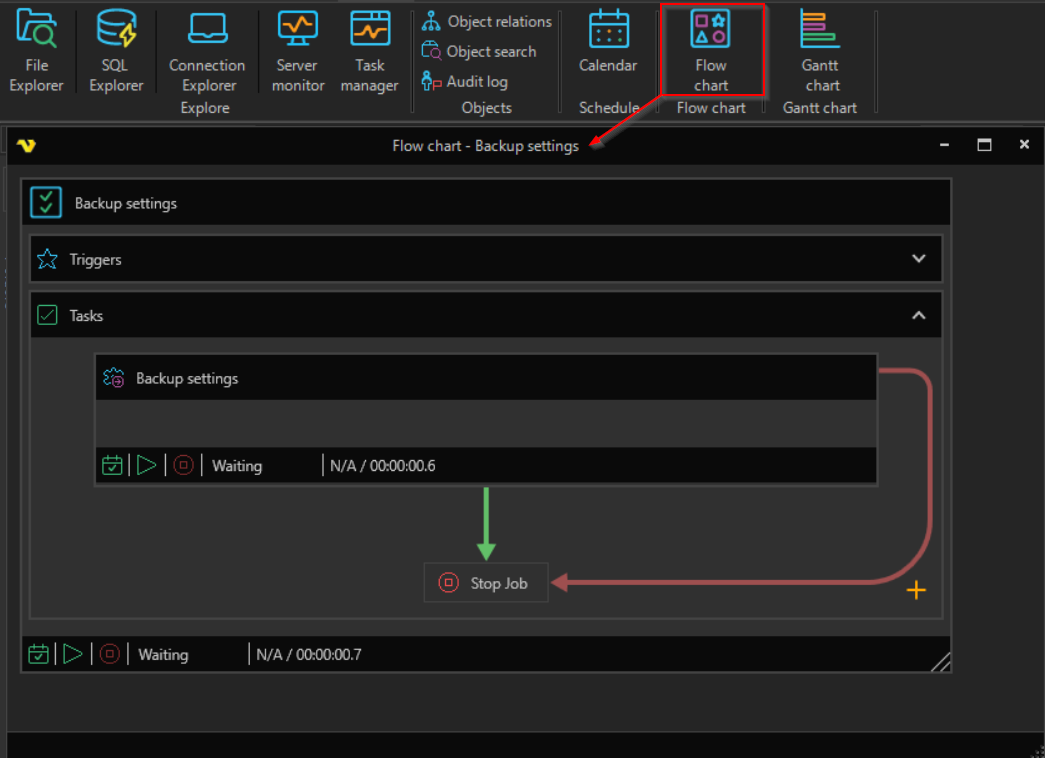
The chart has a heading for the Job, a Triggers section and a Tasks section. Click the arrow at the right of a section to expand or collapse it. Each Task is shown as a box with its current state. Arrows show where the flow goes after each Task, for example to the next Task or to Stop Job.