Objects - Audit Log
The Audit log window lists the changes made to VisualCron objects: who changed what, and when.
To open it, click Tools -> Objects -> Audit log. It also opens from other places with a filter already set. For example, right-click a Job and click Audit log to see only the changes to that Job, or open it from the Credentials window to see the changes to all Credentials.
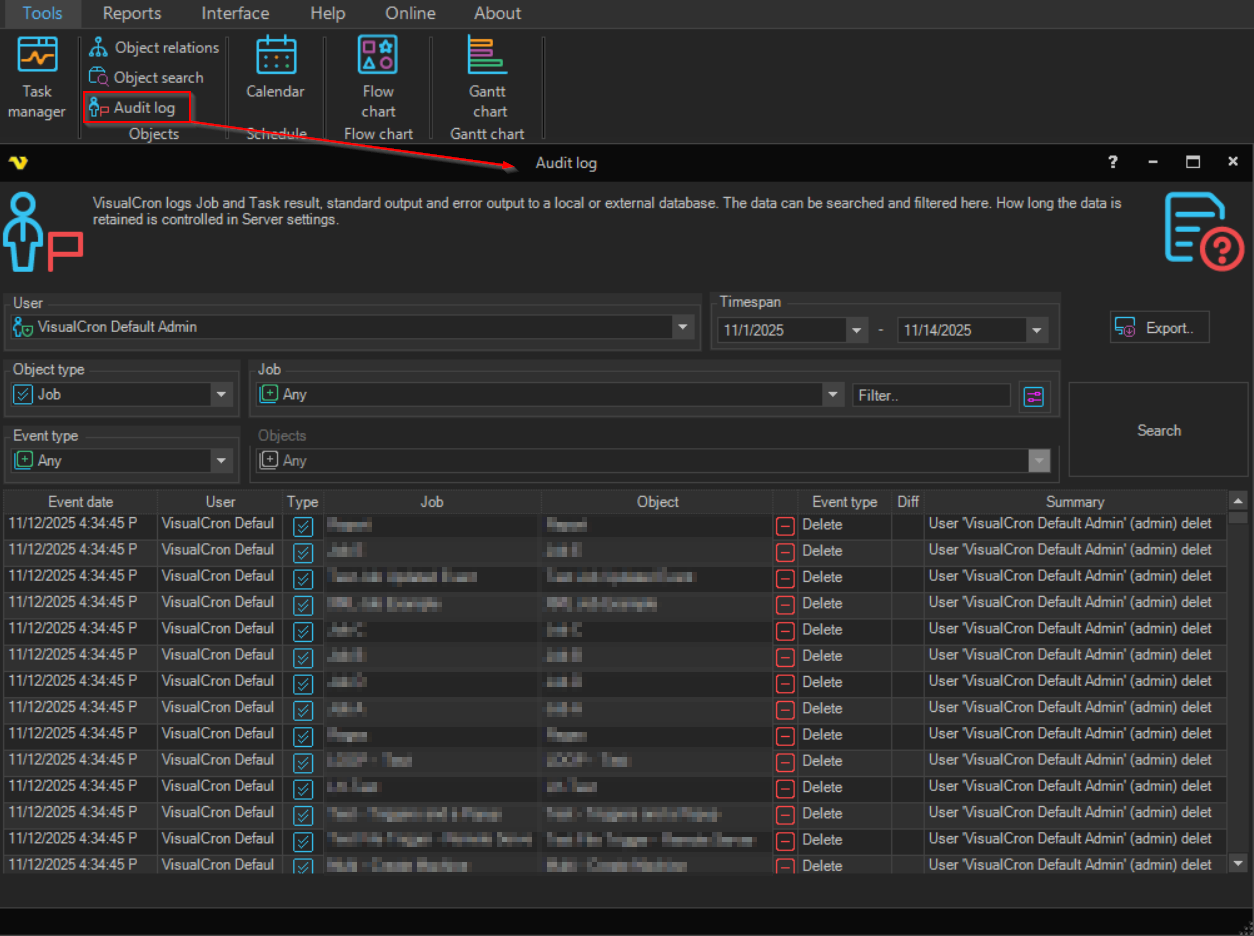
The grid shows:
- Event date: when the change was made
- User: who made the change
- Type: the type of object that was changed
- Job: the Job that the object belongs to, if any
- Object: the name of the object
- Event type: the kind of change, such as add, update, delete, run, activate or deactivate
- Diff: whether the change has differences from the previous version
- Summary: a short description of the change
Filters
Refine the list with User, Object type, Job (with a Filter.. field), Event type, Objects and Timespan, then click Search. Export.. exports the listed events.
When the window opens, Timespan is set to the period that holds events for the current filter. The list is filled at once when there are at most 100 events; otherwise click Search.
How long audit data is kept is set in Settings - Log Settings.
Versions and revert
Double-click a row to open the Versions.. window, see Versions. You can also right-click a row and click Versions and details or Revert to selected.