Objects - Object Relations
The Object relations tab of the Object finder window shows where an object is used. Many objects, such as Connections, Credentials and Notifications, can be used by many Jobs and Tasks, so check their relations before you delete or change them.
To open it, click Tools -> Objects -> Object relations, or right-click an object and click Object relations.
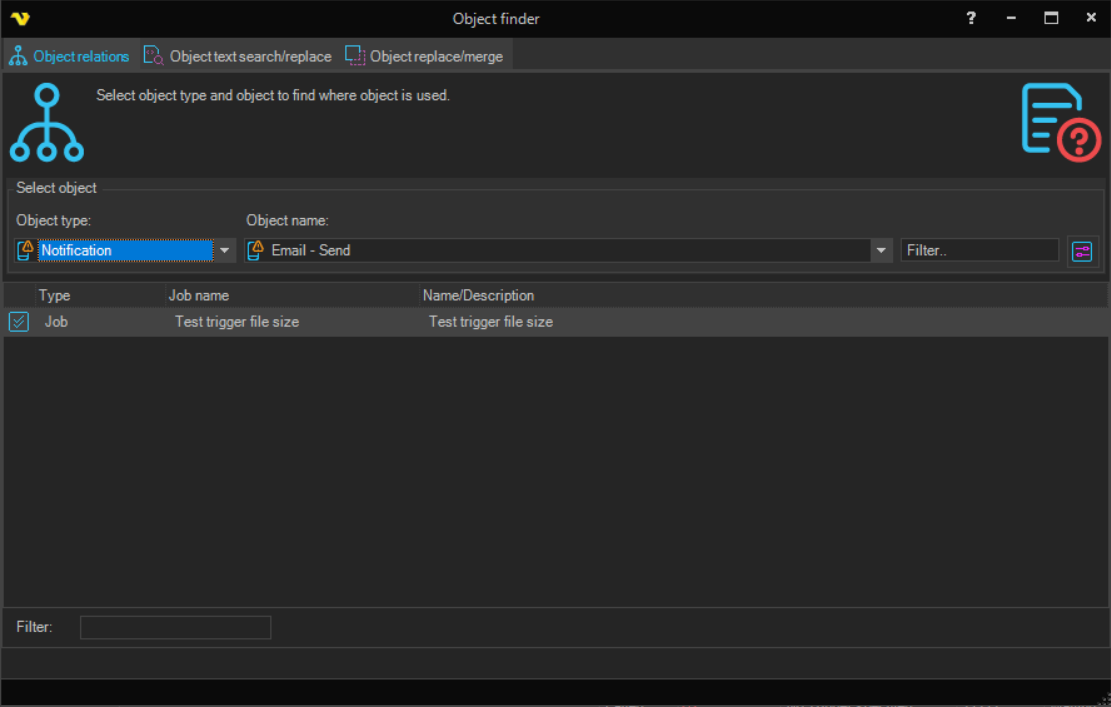
- Object type: the type of object to look up. The names of all objects of that type are listed in Object name
- Object name: the object to look up. The Filter.. field narrows the list. When an object is selected, every object that uses it is listed in the grid
- Result grid: Type, Job name and Name/Description of each object that uses the selected object. Double-click a row to edit that object. The Filter: field below the grid narrows the list
The Object finder window also has the Object text search/replace tab, see Objects - Object Search, and the Object replace/merge tab, see Objects - Object Replace/Merge.