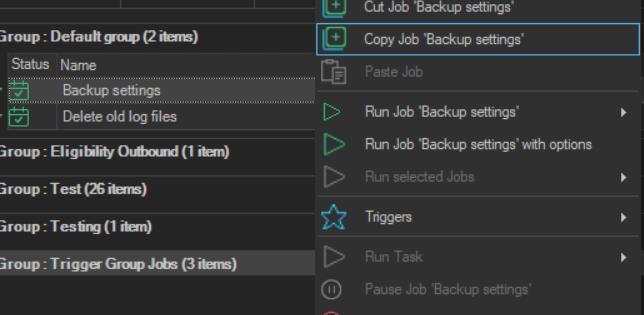
Copy Job
The Copy Job '<Job name>' item copies a Job to the Client clipboard, so that it can be pasted on the same Server or on another connected Server with Paste Job.
- Right-click the Job in the Server/Group/Job/Task grid.
- Click
Copy Job '<Job name>'. - Right-click a Job in the target group, or the Server row of the target Server.
- Click
Paste Job '<Job name>'.
You can also press Ctrl+C to copy the selected Job and Ctrl+V to paste it.
The original Job is not changed. A copy pasted on the same Server keeps the name of the original. On a Task row, the same item is Copy Task '<Task name>'.