Object Relations
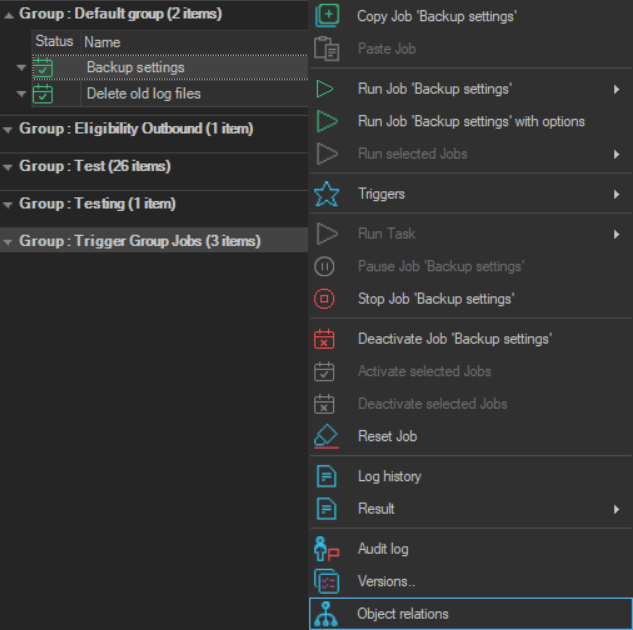
The Object relations item opens the Object finder window on the Object relations tab, with the selected Job or Task already chosen.
- Right-click the Job or Task in the Server/Group/Job/Task grid.
- Click Object relations.
The tab is the same as Tools -> Objects -> Object relations; see Objects - Object Relations.
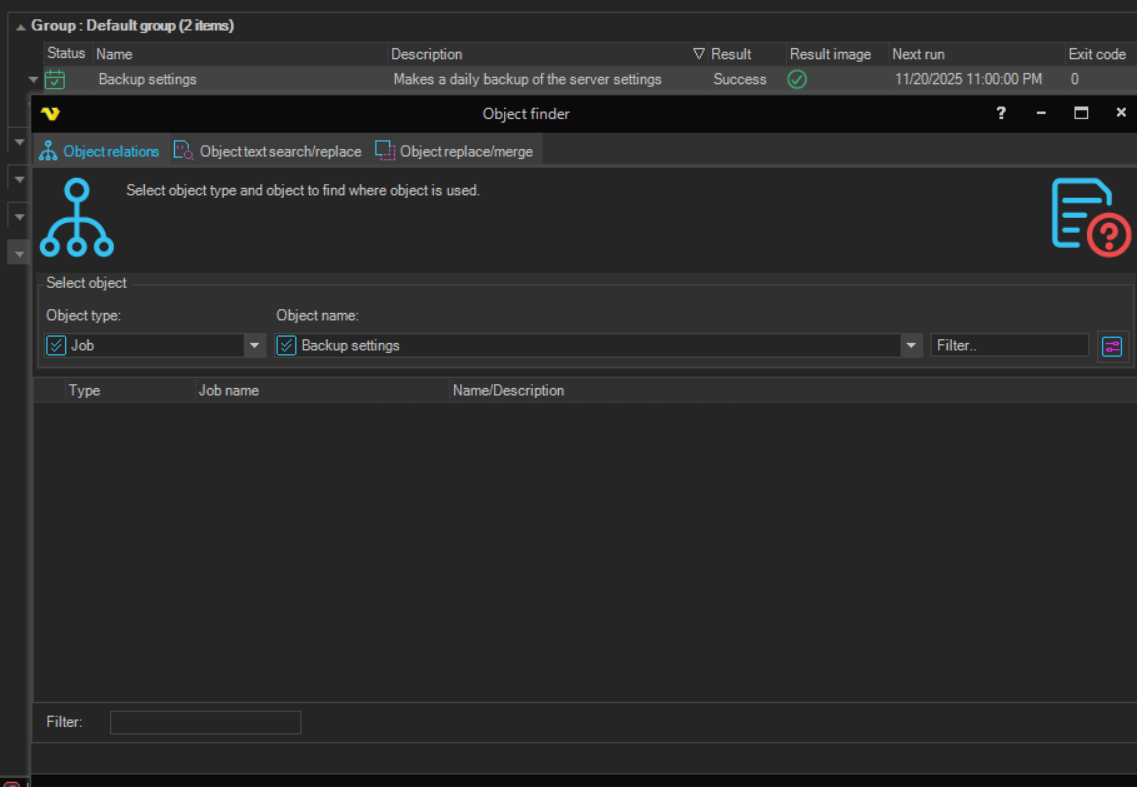
The Object finder window also has the Object text search/replace tab, see Objects - Object Search, and the Object replace/merge tab, see Objects - Object Replace/Merge.