Stop Job
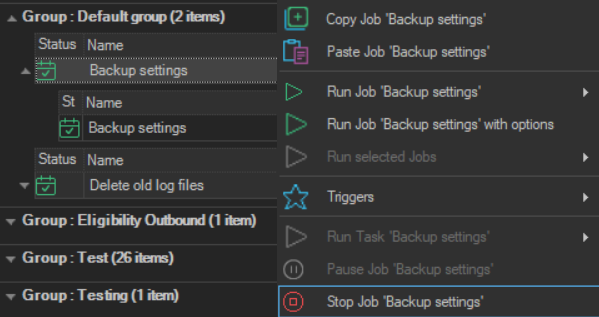
The Stop Job '<Job name>' item stops a Job that is running.
- Right-click the running Job in the Server/Group/Job/Task grid.
- Click
Stop Job '<Job name>'.
On a Task row, the item is Stop Task '<Task name>' and stops that Task. Stopping requires the Delete permission for processes.
note
A stopped Job gets the result "Failure".
If none of the Tasks that ran or were stopped set their own error exit code, the exit code of the Job is set to 77777.