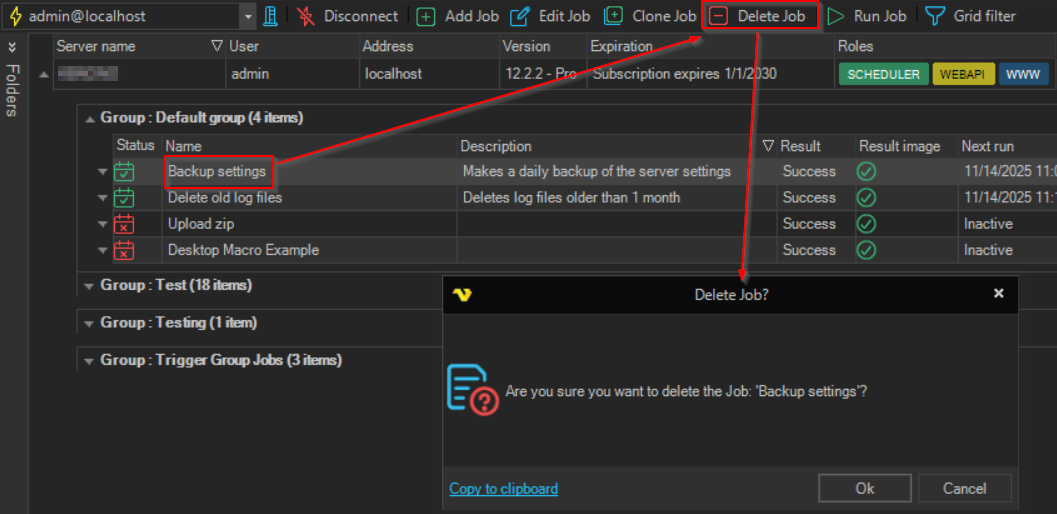
Delete Job
The Delete Job '<Job name>' item deletes a Job and its Tasks from the Server.
warning
After you confirm, the Job and its Tasks are deleted from the Server at once. A deleted Job can be re-created from its stored versions with Revert to selected only while its audit log entries are kept; see Versions.
To delete a Job, do one of the following:
- Right-click the Job in the Server/Group/Job/Task grid and click
Delete Job '<Job name>' - Select the Job and click Delete Job on the toolbar
- Select the Job and press Delete
The Client asks you to confirm. If other objects use the Job, the confirmation shows how many; see Object Relations for the details. Click Ok to delete.
Deleting a Job requires the Delete permission for Jobs. On a Task row, the same item is Delete Task '<Task name>'.