Run Job
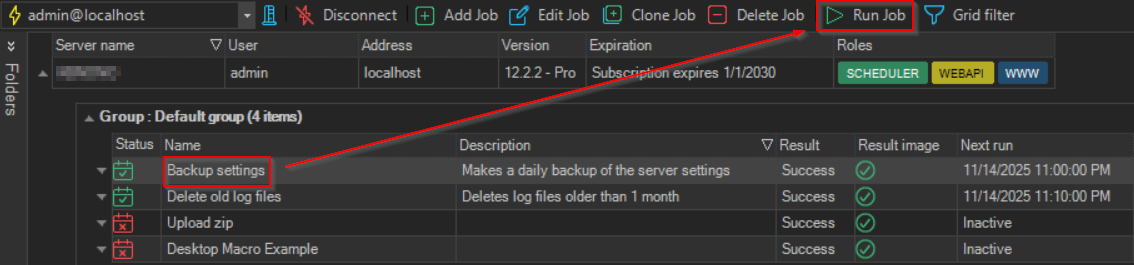
The Run Job '<Job name>' item starts the selected Job now.
warning
If the Job is not waiting, for example running or paused, clicking Run Job '<Job name>' or the Run Job toolbar button stops it.
To run a Job, do one of the following:
- Right-click the Job in the Server/Group/Job/Task grid and click
Run Job '<Job name>' - Select the Job and click Run Job on the toolbar
Clicking the item runs the Job without checking its Conditions, from the first Task. The submenu has more choices:
- Without Conditions: From first Task, or From this Task when you right-clicked a Task
- With Conditions: shown when the Job has Conditions. Its items are available only when you right-click a Task of the Job
- Without raising Trigger events: runs the Job without raising Trigger events
The Job runs even when it is inactive. Running a Job requires the Execute permission for the Job. For more choices, see Run Job With Options.