Triggers
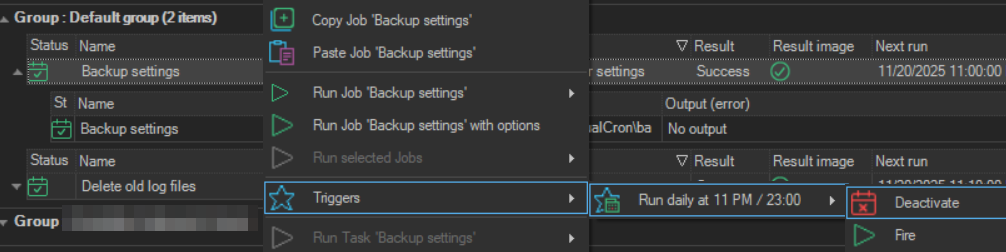
The Triggers item lists the Triggers of the selected Job, so that you can turn one on or off or fire it.
- Right-click the Job in the Server/Group/Job/Task grid.
- Point to Triggers.
- Point to the Trigger. Each Trigger is shown by its description.
- Click one of these:
- Deactivate for an active Trigger, or Activate for an inactive one
- Fire: fires the Trigger now. Fire is available only for an active Trigger