Time Triggers
For Time trigger select one of Interval or Custom types.
Job > Triggers > Add > Time trigger > Interval/Custom
Settings tab
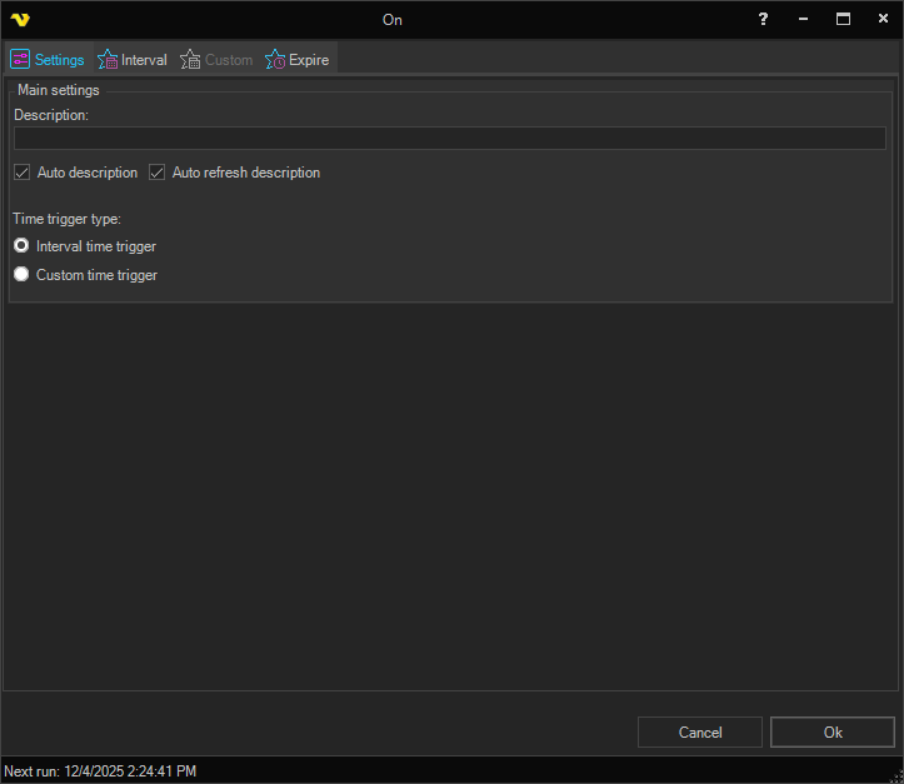
The Settings tab contains the Main settings group with the following fields:
Description
Enter a description that distinguishes the Trigger from others in the trigger list.
Auto description
When checked, the Description field is generated automatically from the Trigger type and its current settings. Enabled by default.
Auto refresh description
When checked, the auto‑generated description is refreshed whenever the Trigger settings change, even if the Description field already contains text. Only effective when Auto description is checked.
Time trigger type
A pair of mutually exclusive radio buttons that select which type of time schedule is applied:
- Interval time trigger — use the schedule configured on the Interval Time Trigger tab (default)
- Custom time trigger — use the schedule configured on the Custom Time Trigger tab
Only the selected type is used. Switching between them does not discard the settings on the other tab, so a schedule can be built on both tabs and swapped between while testing.
Choosing between Interval and Custom
Both types use the same underlying scheduling engine, and the Interval type is a simplified front end to it.
- Use Interval for a schedule that repeats on one unit, such as every 15 minutes, every other hour, weekdays only, or the last working day of the month
- Use Custom when different time units need different rules at the same time, for example "every 30 minutes, but only between 08:00 and 18:00, and only Monday to Friday". That combination cannot be expressed with a single interval
A Time Trigger fires on the Server's clock, not the clock of the machine running the Client. The Next run value shown at the bottom of the Job window is always calculated using Server time.
Interval tab
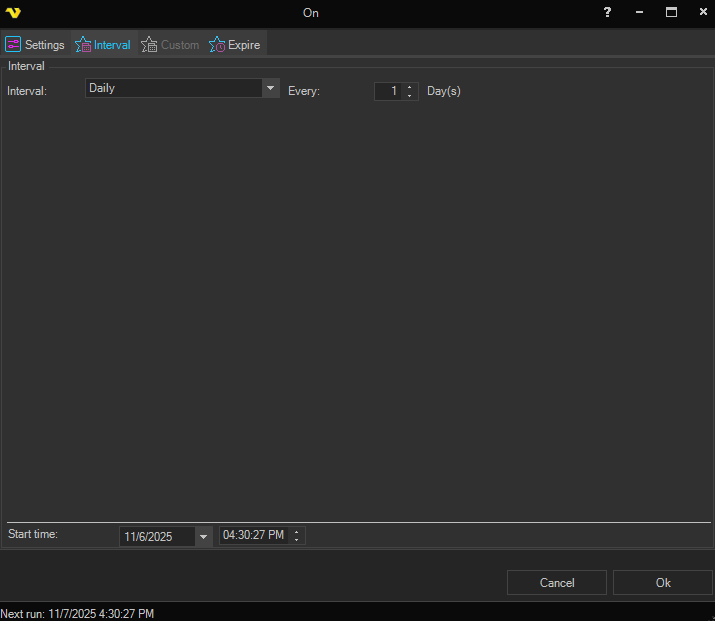
This time trigger is a simplified Custom time trigger. Different Interval options are available.
Custom tab
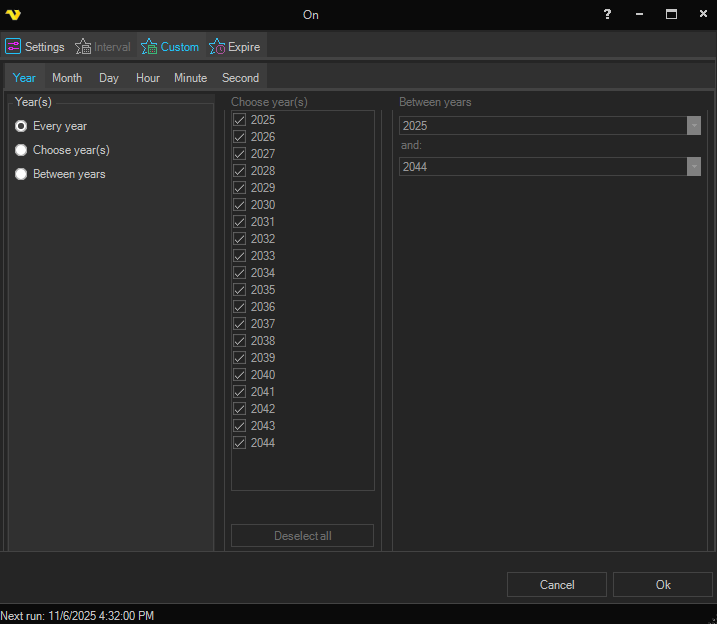
The Custom time trigger also allows setting of time details when a Job should be triggered.
Expire tab
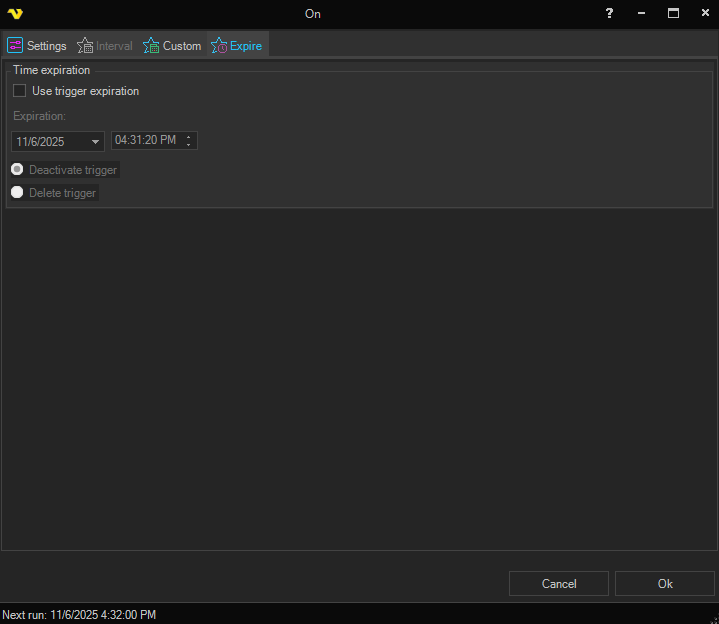
The expiration date/time for the time trigger may be set. Also the handling (Deactivate/Delete trigger) of the expired trigger is selected.