Task - Exit Code Collection
Exit codes control the result of the Task. By default, a new Task uses the Server's Default exit code collection, which is the Windows collection unless it was changed: 0 is success and other codes are errors defined by Microsoft. You can create your own collection of exit codes and descriptions to control which codes count as success.
There are a couple of settings that affects exit code collections:
-
Task > On error tab. Here you select which exit code collection should be used in the specific Task. Clicking on the button results in opening the specific exit code collection (see item 3).
-
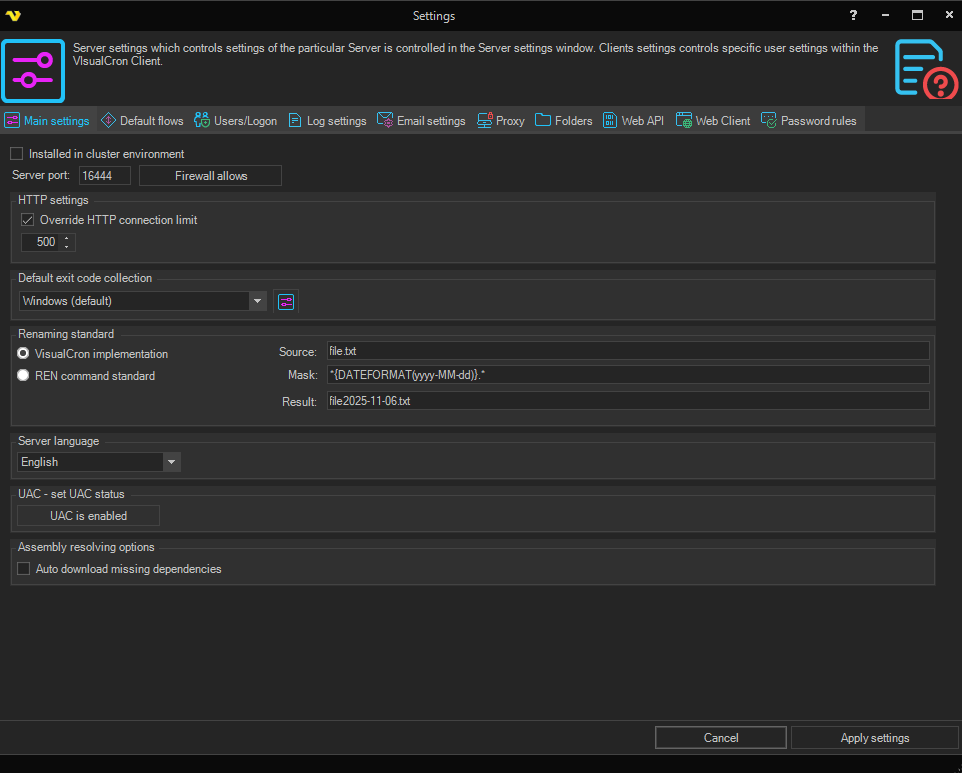
Server -> Main settings -> Settings, Main settings tab. Under Default exit code collection, select the collection used for new Tasks; existing Tasks keep the collection selected on their On error tab. Select the Settings icon to open the collection (see item 3).
- Default exit code collection > Settings icon. Editing exit code collections. Here you can switch between existing collections and create, edit, clone and delete exit codes. You can also edit individual exit codes by double clicking on a row.
