Task System - Registry
The Registry Task can perform various registry actions like read, rename and write values.
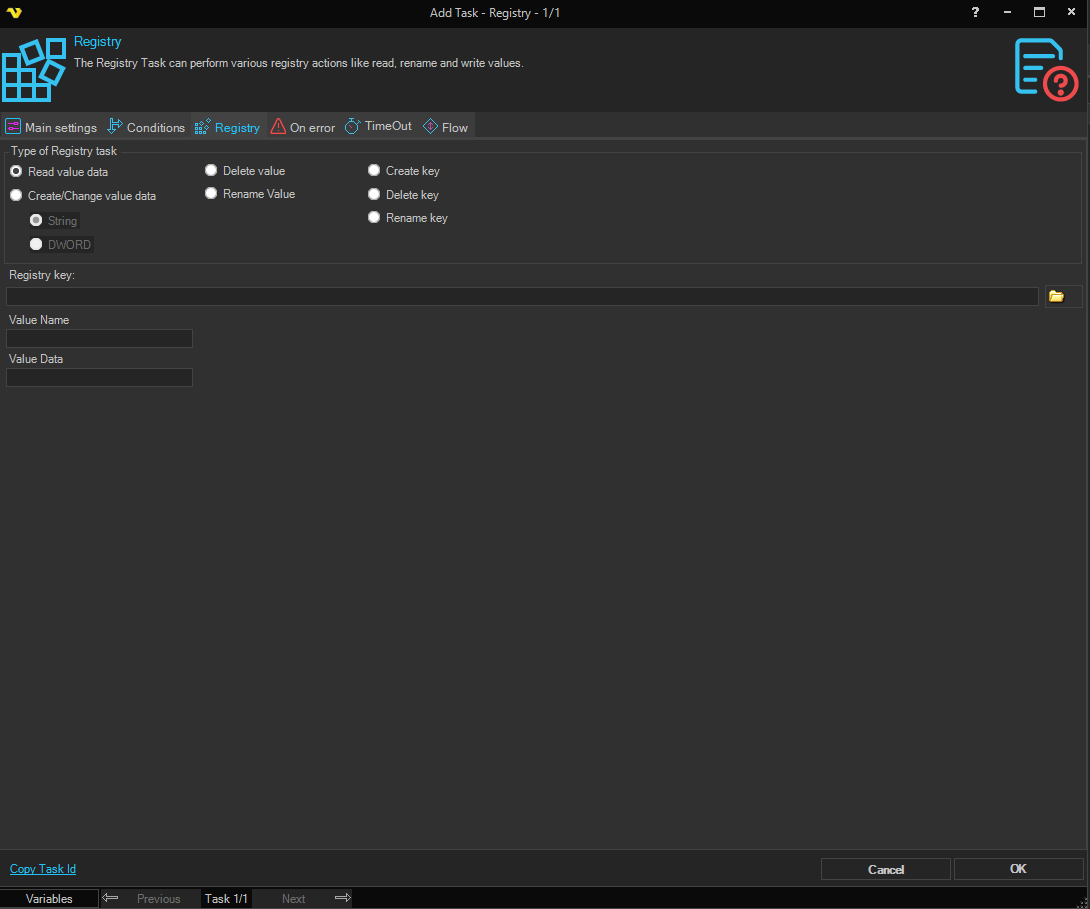
Type of Registry task
Select the type of registry operation to perform.
Read value data
Reads a specific value from the registry. The value is returned as the Task output.
Create/Change value data
Creates or changes a registry value. When selected, also specify the data type:
- String — the value data is a string.
- DWORD — the value data is a 32-bit integer.
Delete value
Deletes a specified registry value.
Rename Value
Renames a specified registry value.
Create key
Creates a registry key.
Delete key
Deletes a registry key.
Rename key
Renames a registry key.
Registry key
The full path to the registry key. Click the browse button to open the registry browser where you can navigate and select a key.

Value name
The name of the registry value to act on. Used when the task type is Read value data, Create/Change value data, Delete value, or Rename Value.
Value data
The data to write to the registry value. Only available when the task type is Create/Change value data.
New name
The new name to assign. Available when the task type is Rename Value (renames the value) or Rename key (renames the key).