Task SharePoint - Create List
The SharePoint - Create list Task creates a list on a SharePoint site, using a SharePoint Connection.
The SharePoint Tasks work with SharePoint 2010, 2013 and 2016 on premises, and with SharePoint Online.
This Task uses a SharePoint Connection; see Connection - SharePoint. When a certificate is selected in the Connection, the Task accepts any server certificate, and each run of a SharePoint Task changes TLS handling for the whole Server process.
The Main settings, Flow, On error, Conditions and TimeOut tabs are the same for every Task; see Job - Tasks.
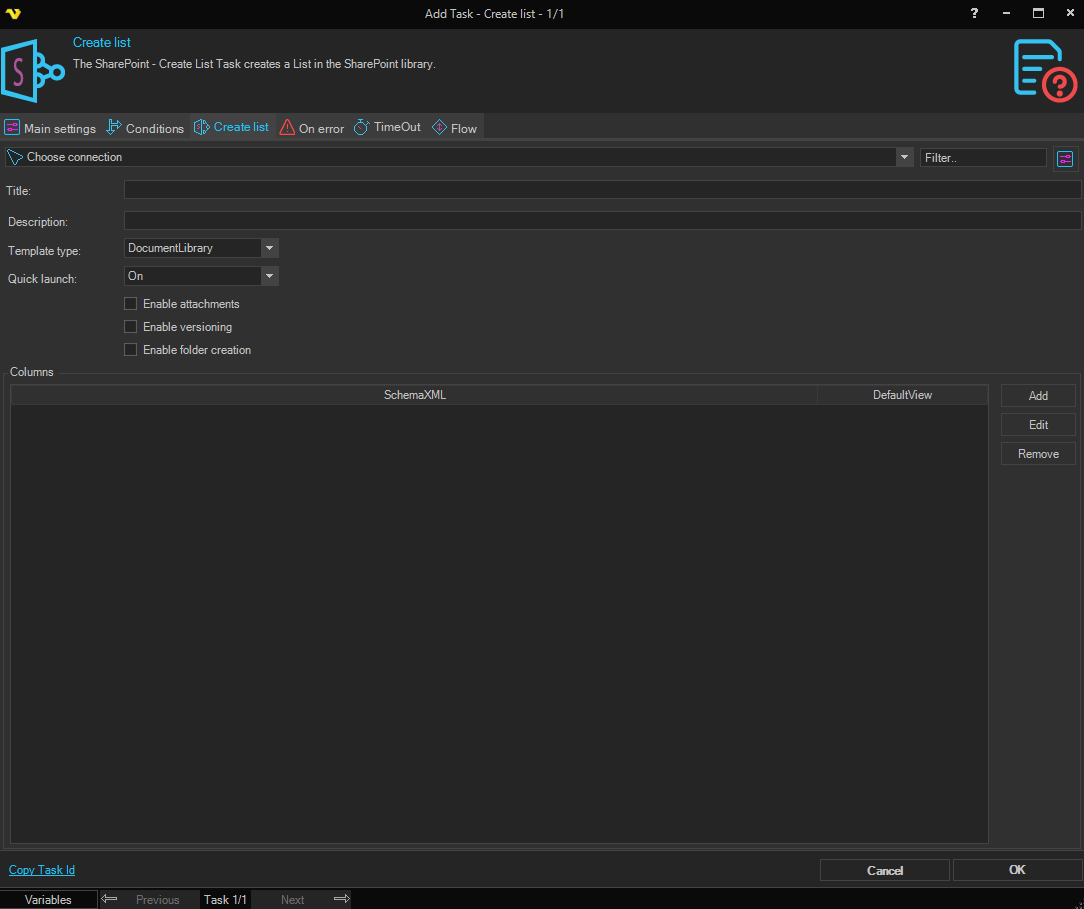
Create list tab
- Connection: the SharePoint Connection to use. The button next to the list manages Connections
- Title: the title of the new list
- Description: a description of the new list
- Template type: the SharePoint list template to create the list from. The default is "DocumentLibrary"
- Quick launch: "On" (default), "Off" or "DefaultValue", whether the list is shown in the Quick launch of the site
- Enable attachments, Enable versioning and Enable folder creation: whether items can have attachments, whether versions are kept, and whether folders can be added to the list. All are cleared by default. The Create list Task does not save these three settings to the new list; to set them, run a SharePoint - Update list Task after it
- Columns: the columns to add to the list, one row each with SchemaXML and DefaultView. Click Add, Edit or Remove to change the rows
Variables are resolved in Title, Description and the column schema.
Add and Edit open the Add/Edit column window:
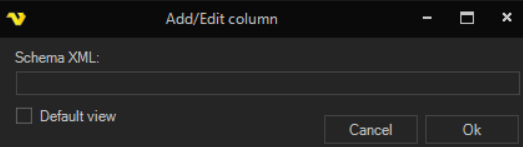
- Schema XML: the definition of the column in the SharePoint field schema format. Read more here: http://msdn.microsoft.com/en-us/library/office/ms457586.aspx
- Default view: add the column to the default view of the list
For example, a single line of text column:
<Field Type="Text" DisplayName="Customer" Name="Customer" />
Output and errors
The Task does not write output. When the list cannot be created, for example because a list with the same title exists, the Task fails with the error from SharePoint.