Task String - JSON Filter
The String - JSON filter Task lets you perform JSON queries with the JSONPath and the JQ engine against a JSON file or value/Variable.
JQ filter manual: https://stedolan.github.io/jq/manual/
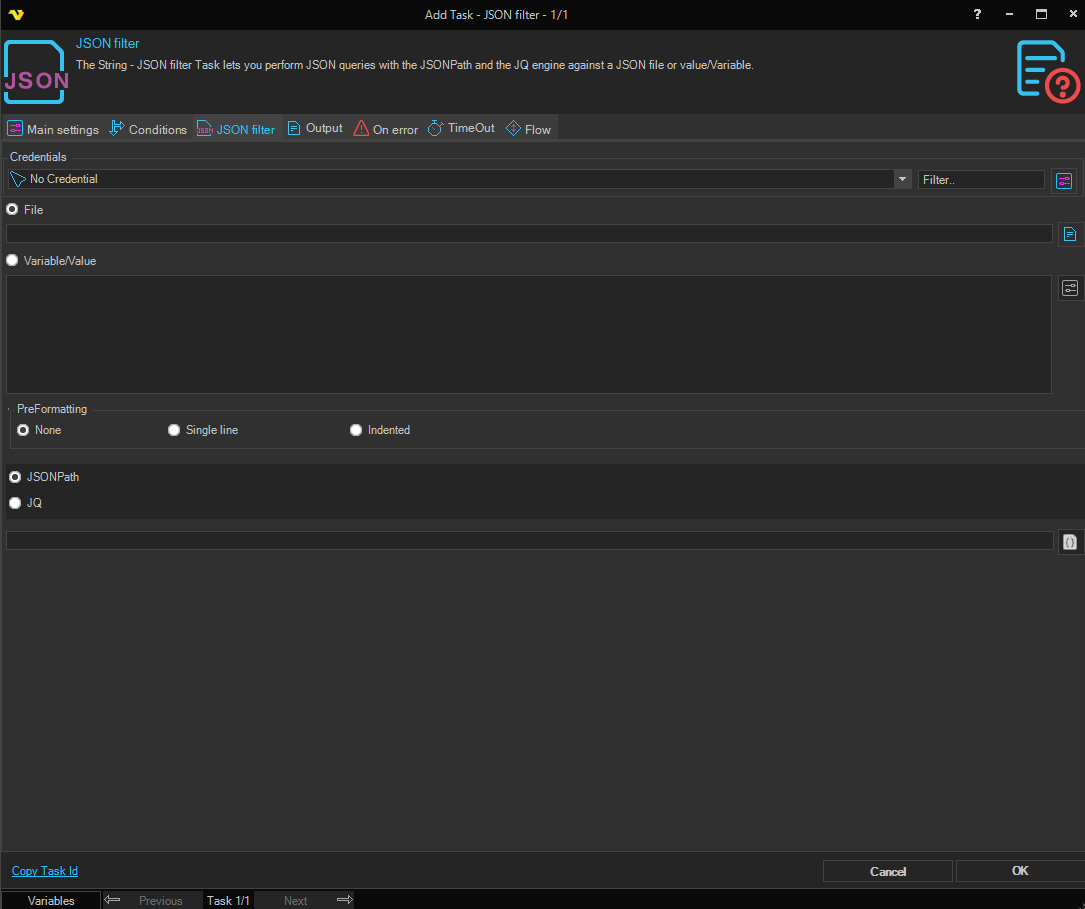
Credentials
To control a remote computer you may need to use a Credential. The Credential must match the user name and password of the user that you want to login for. Select a Credential in the combo box or click the Settings icon to open Manage credentials in order to add or edit Credentials.
File
Click the File radio button to enter a full file path to a JSON file. Click the File icon to browse for a JSON file.
Variable/Value
Enter Variable or value as input string. Click the Settings icon to to browse for Variables.
JSON filter engine
Select JSONPath or JQ program as a “filter”: it takes an input, and produces an output.
Filter expression
Enter the JSONPath or JQ filter expression. Click the Filter expression icon to open the JSON Browser, which displays the input stream as a tree and lets you locate and select a path interactively.
PreFormatting
Applies formatting to the JSON input before filtering. Options are:
- None — no pre-formatting applied (default)
- Single line — collapses the JSON to a single line before filtering
- Indented — expands the JSON with indentation before filtering
Output settings tab
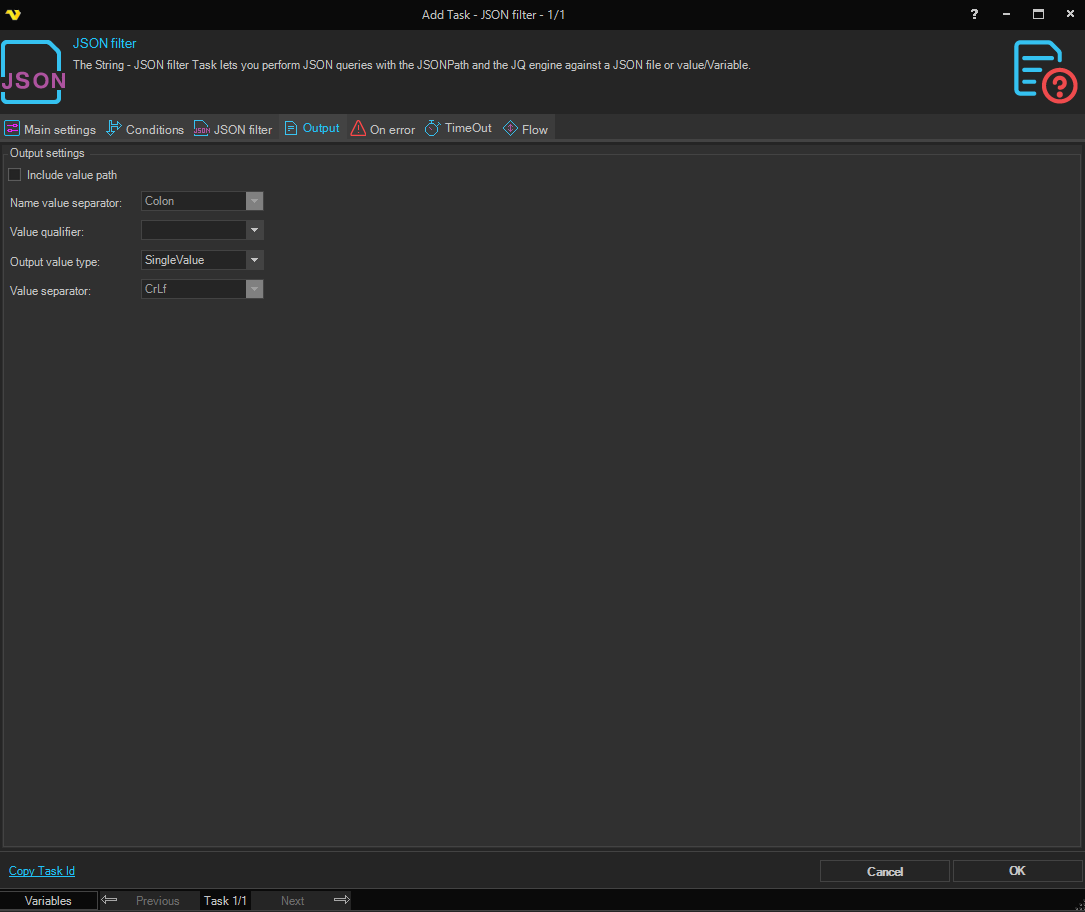
Include value path
When checked, each result value is prefixed with its full JSONPath location in the output.
Output value type
Controls how the filter result is structured in the output:
- SingleValue — returns only the first matched value
- MultiValue — returns all matched values, each separated by the Value separator
- JSONObject — returns matched values as a JSON-formatted object
Name value separator
The character placed between the path and the value when Include value path is checked. Options include: None, Blankspace, Colon, Equal, Tab, Cr, CrLf, and Lf.
Value qualifier
An optional character placed around each value in the output. Options are none, double quote ("), or single quote (').
Value separator
The character or sequence used to separate multiple values in the output when Output value type is MultiValue. Options include: Comma, Cr, CrLf, Lf, CommaWithCr, CommaWithCrLf, CommaWithLf, Pipe, SemiColon, Tab, and None.