Task SAP - R/3 Job Execute
The SAP - R/3 Job Execute Task creates and runs a SAP background job consisting of one or more steps (ABAP programs, external commands or external programs).
SAP - R/3 Job Execute > Main settings sub tab
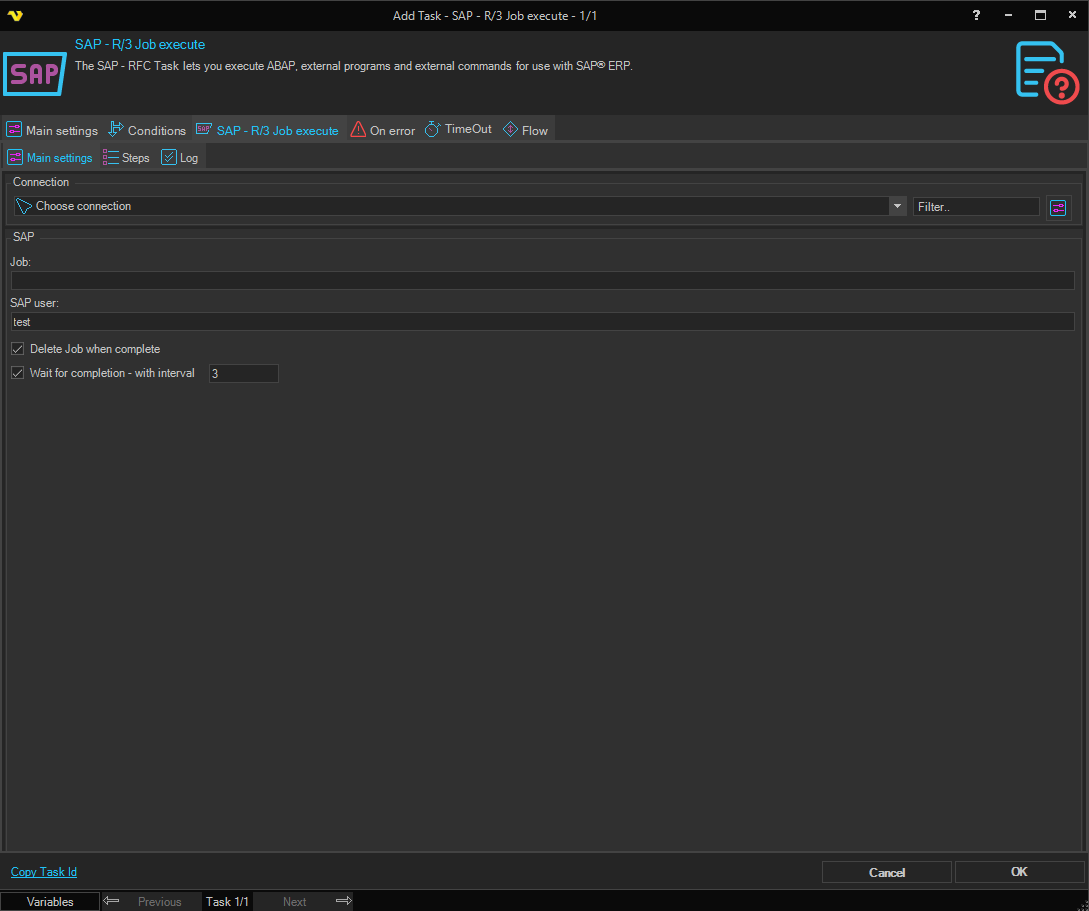
Connection
Select the SAP Connection used to connect to the SAP system. Click the Settings icon to open the Manage Connections dialog.
Job
The name of the SAP background job to create or run.
SAP user
The SAP user account under which the job will run.
Delete Job when complete
When checked, the job is automatically deleted from the SAP system after it finishes executing.
Wait for completion - with interval
When checked, VisualCron waits for the SAP job to finish before continuing, polling for completion at the specified interval (in seconds). The interval field is enabled only when this option is checked. The default interval is 3 seconds.
SAP - R/3 Job Execute > Steps sub tab
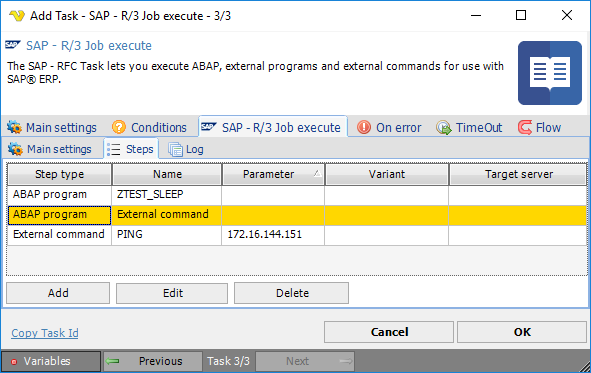
The work unit of the SAP background processing system is the background job, each of which consists of one or more job steps. Job steps let you treat complex tasks as a single logical unit — several programs needed to complete a task can be scheduled as steps within a single job.

The steps grid displays the following columns: Step type, Name, Parameter, Variant and Target server. Use the Add, Edit and Delete buttons (or double-click a row) to manage steps.
Add/Edit SAP step dialog
Step type
The type of step to execute. Available options:
- ABAP - runs an ABAP program; enables the Variant field and disables Parameter and Target server
- External command - runs a predefined, authorization-protected command; enables Parameter and Target server and disables Variant
- External program - runs an unrestricted host operating system command or program; enables Parameter and Target server and disables Variant
Name
The name of the ABAP program, external command, or external program to run. Click the Refresh button to populate the list from the SAP system (available for ABAP and External command step types).
Variant
The variant to use when running the ABAP program. Click the Refresh button to load the available variants for the selected program. Only enabled when the step type is ABAP.
Parameter
Parameters to pass to the external command or external program. Only enabled when the step type is External command or External program.
Target server
The target host system on which the external command or external program will run. Only enabled when the step type is External command or External program.
Step types
Step types in detail
The SAP background processing system distinguishes between external commands for normal users and external programs for system administrators (you can see the same distinction when scheduling a job from Transaction SM36, with separate fields for external commands and external programs). ABAP programs may also be called.
- ABAP programs - module pools and function groups (collections of ABAP modules) are not allowed. The required specifications are: ABAP program + Variant + Language.
- External commands - predefined, authorization-protected commands for end users. They are operating-system independent and protected by authorizations, so end users can schedule only the commands the system administrator permits.
- External programs - unrestricted commands that are neither predefined nor restricted by authorizations. A user with administrator authorization can enter any of these in a job step.

SAP - R/3 Job Execute > Log sub tab
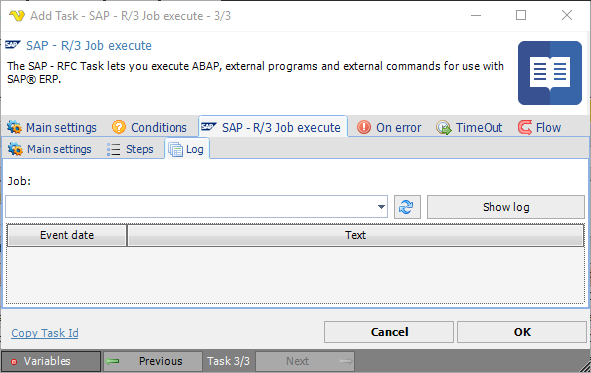
Job
Select a previously executed SAP job from the drop-down to view its log. Click the Refresh icon to update the list, then click Show log to display the event log entries for the selected job, including event dates and messages.