Connection - SAP
The SAP Connection stores connect and logon properties for SAP R/3 instances.
The SAP Connection is used in the SAP Task:
Manage Connections > Add > SAP > Common settings tab
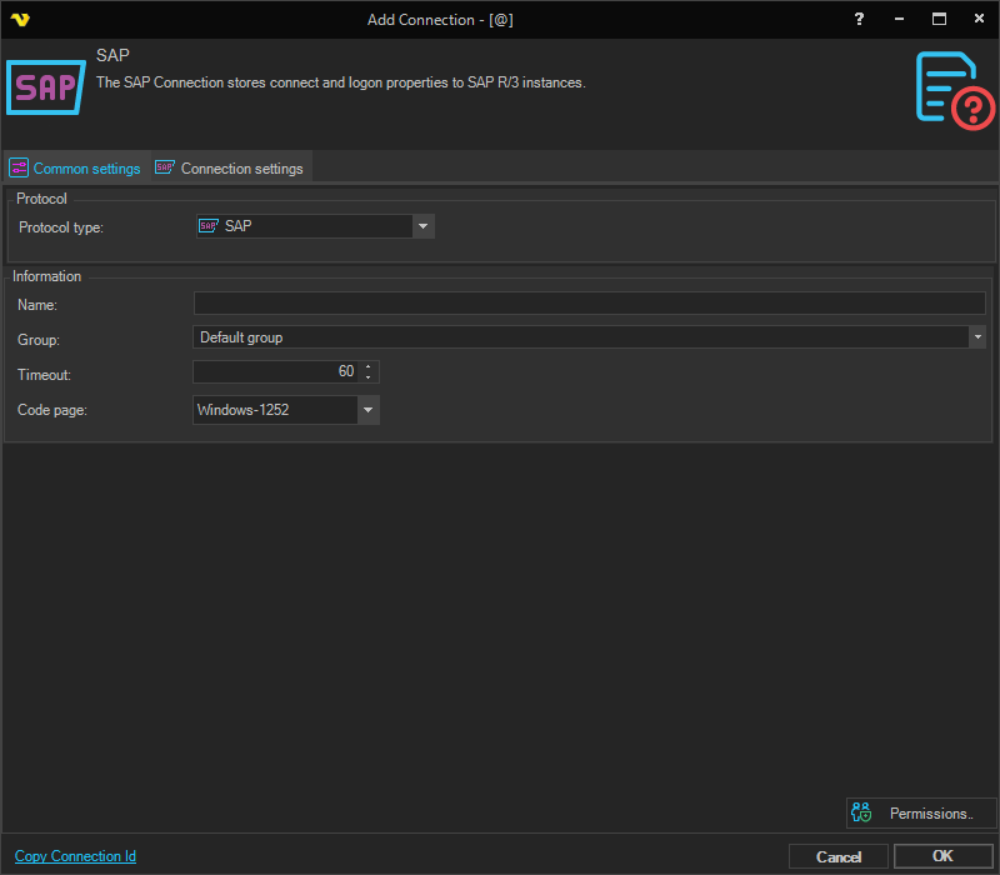
Name
The name of the Connection to uniquely identify it.
Group
The group that the connection is a part of.
Timeout
The connection timeout in seconds. Connection will fail after this time period.
Code page
Code page being used.
Manage Connections > Add > SAP > Connection settings tab
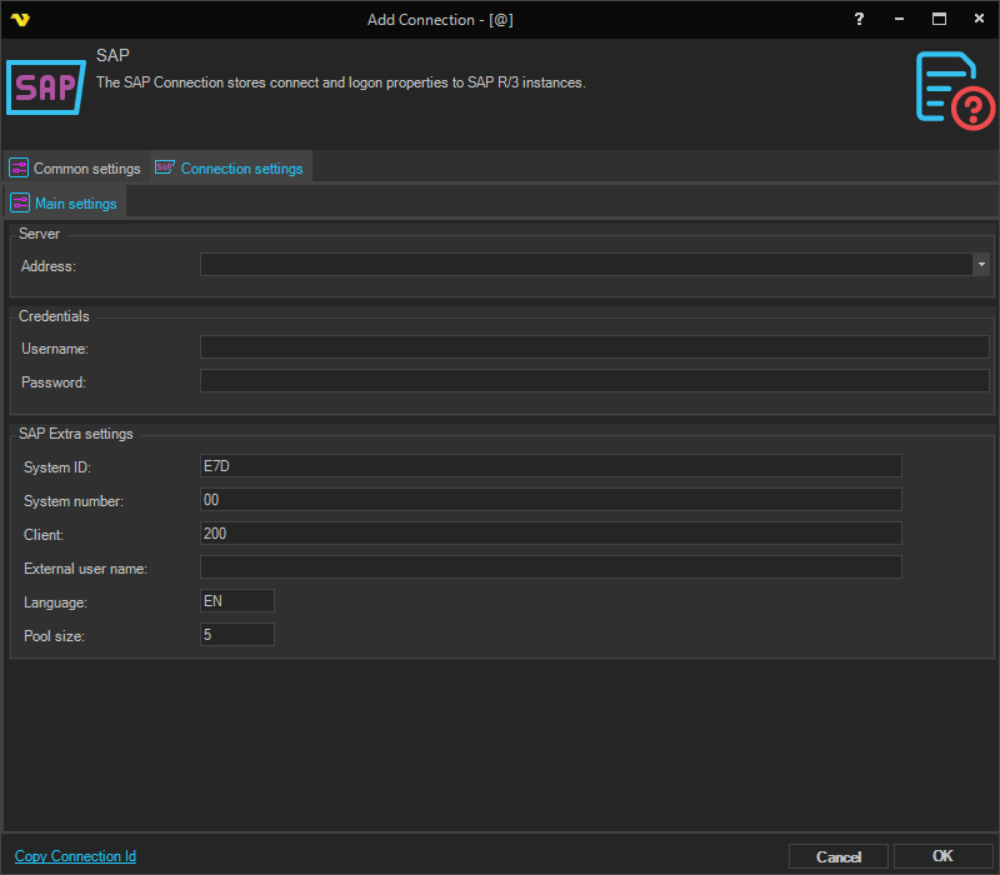
Address
The IP address or DNS name of the SAP server.
Username
The user name for the SAP instance.
Password
The password for the SAP instance.
System ID
The SAP System Identifier (SID) — a unique identifier for a SAP system instance within a SAP landscape.
System number
The SAP server system number. This value is required to establish the connection.
Client
The SAP client number to connect to. Within a single SAP instance, multiple clients can exist, each representing a separate organizational unit with isolated data.
External user name
The name of the user in the external system that initiated the connection. This is for documentary purposes and identifies who made the call.
Language
The ISO language code to be used for the SAP session. Defaults to English (EN).
Pool size
The maximum number of simultaneous connections allowed in the connection pool.
Troubleshooting
"Password logon no longer possible", "No RFC authorization for function module BAPI_XMI_LOGON", "You have no authorization to log on to interface XBP"
This is caused by incorrect user permissions in SAP.
- Check with the SAP Administrator to ensure the SAP user account is not locked and has no authorization issues.
- Verify that the SAP user has the minimum required authorizations as documented in the SAP Administrator Guide under "SAP Authorizations".