Task Cloud Transfer - List Item
The Cloud - List item(s) Task lists files or folders in a cloud service: Amazon S3, Box, Dropbox, Google Drive, Google Cloud Storage, Microsoft Azure or OneDrive. The items are returned as the Task output, for later Tasks in the Job.
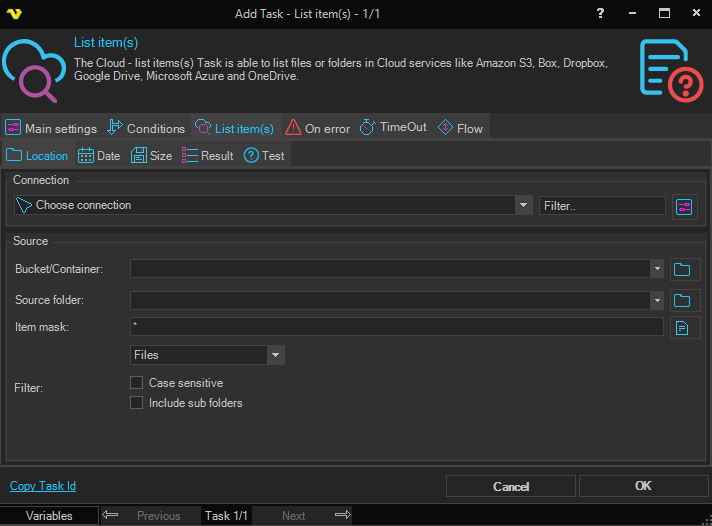
This Task uses a cloud Connection; see Amazon S3, Box, Dropbox, Google Drive, Google Cloud Storage, Microsoft Azure or OneDrive. The Amazon S3, Azure, Google Drive, Dropbox, Box and OneDrive Connections accept any server certificate, whatever Auto-accept server certificates says. With Amazon S3, when a request fails with a particular secure-connection error, the Server repeats it without SSL, so that request and its data travel unencrypted.
The Main settings, Flow, On error, Conditions and TimeOut tabs are the same for every Task; see Job - Tasks.
List item(s) tab
The Task uses the Cloud Remote file filter.
Output and errors
- The output lists the items the filter returns, one per line
- When the filter returns no items, the Task raises a "file not found" error; the On error tab decides whether it fails the Task
- If the source folder cannot be read, the error is written to standard error (Google Drive, OneDrive and Box)