Task Cloud Transfer - Create Folder
The Cloud - Create folder Task creates a folder in a cloud service such as Amazon S3, Box, Dropbox, Google Drive, Google Storage, Microsoft Azure or OneDrive.
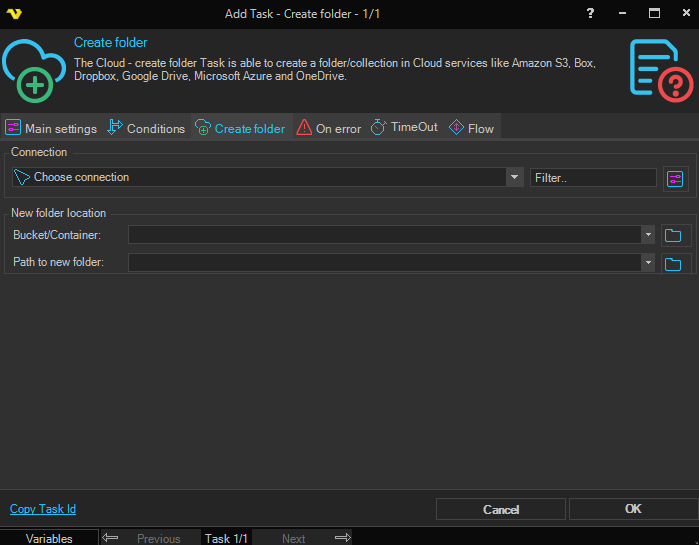
Connection
To use a specific cloud service you need to create a Connection first. Click the Settings icon to open the Manage Connections dialog.
Bucket/Container
The label and behavior of this field changes depending on the selected connection:
- Bucket - Amazon S3
- Container - Windows Azure (Block or Page blob access)
- Share - Windows Azure File Shares
- File system - Windows Azure Data Lake Gen V2
- Drive - Google Drive
- Bucket/Container - the field is disabled for connections that do not use a top-level container (for example OneDrive, Dropbox, Box, Google Storage and Azure Data Lake Gen V1)
Click the Folder icon to list all available Buckets/Containers for the selected Connection.
Path to new folder
The full path to the folder to create. Click the Folder icon to browse the cloud and pick the parent location. Variables are supported.
Microsoft Azure (Block/Page blob) operates virtual folders. A virtual folder does not actually exist in Azure until a file is placed into it.