Task SNMP - SNMP Get Bulk
Issues a GETBULK message to an SNMP agent in order to inspect a group of variables in a single transaction. This action is particularly useful for retrieving large tables. The GETBULK operation performs a GETNEXT operation for the first number of variable bindings in the request and performs a GETNEXT operation (continuous) for each of the remaining variable bindings in the request list. Note that the SNMP GETBULK command is not supported on devices using SNMPv1.
SNMP Get Bulk > General tab
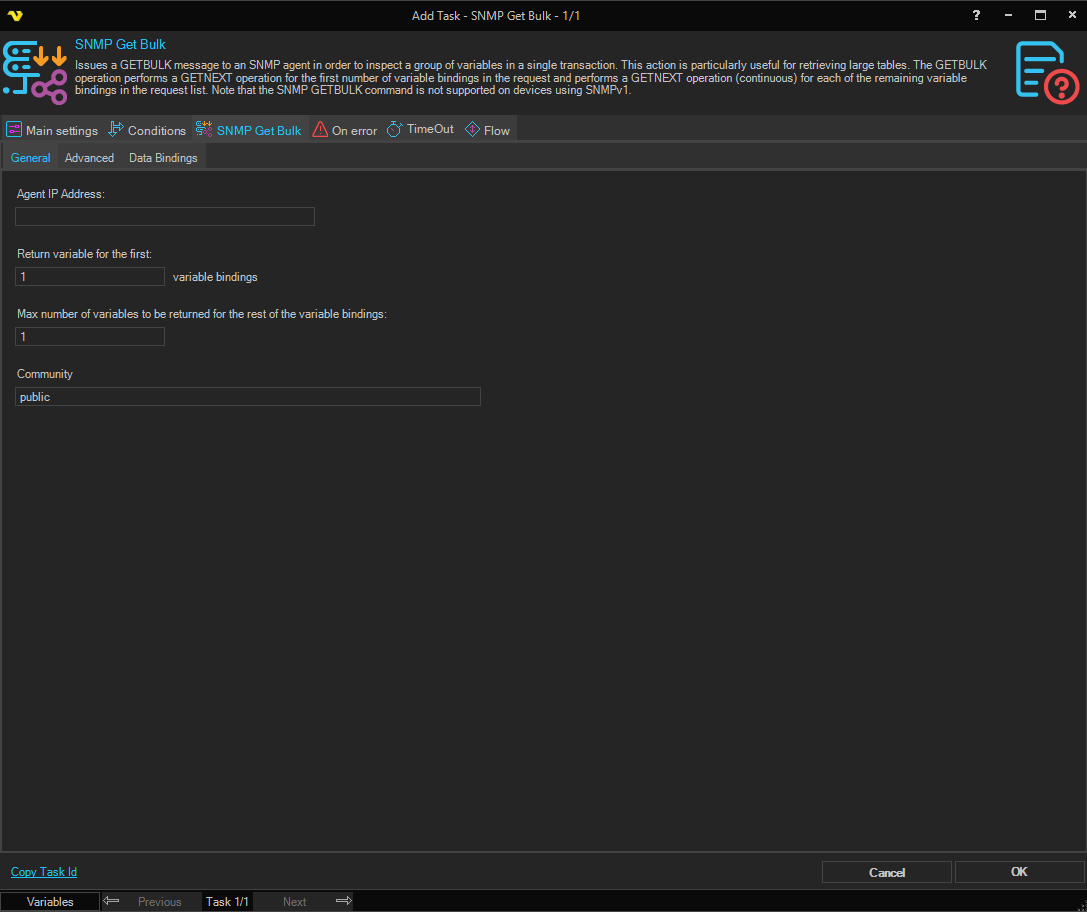
Agent IP Address
The IP address of the SNMP agent (device or host) to query.
Return variable for the first
Specifies the number of variable bindings for which a single GETNEXT operation is performed. The default value is 1.
Max number of variables to be returned for the rest of the variable bindings
The maximum number of variable instances to be returned for each of the remaining variable bindings in the request. The default value is 1.
Community
The SNMP community string used for authentication. The default value is public.
SNMP Get Bulk > Advanced tab
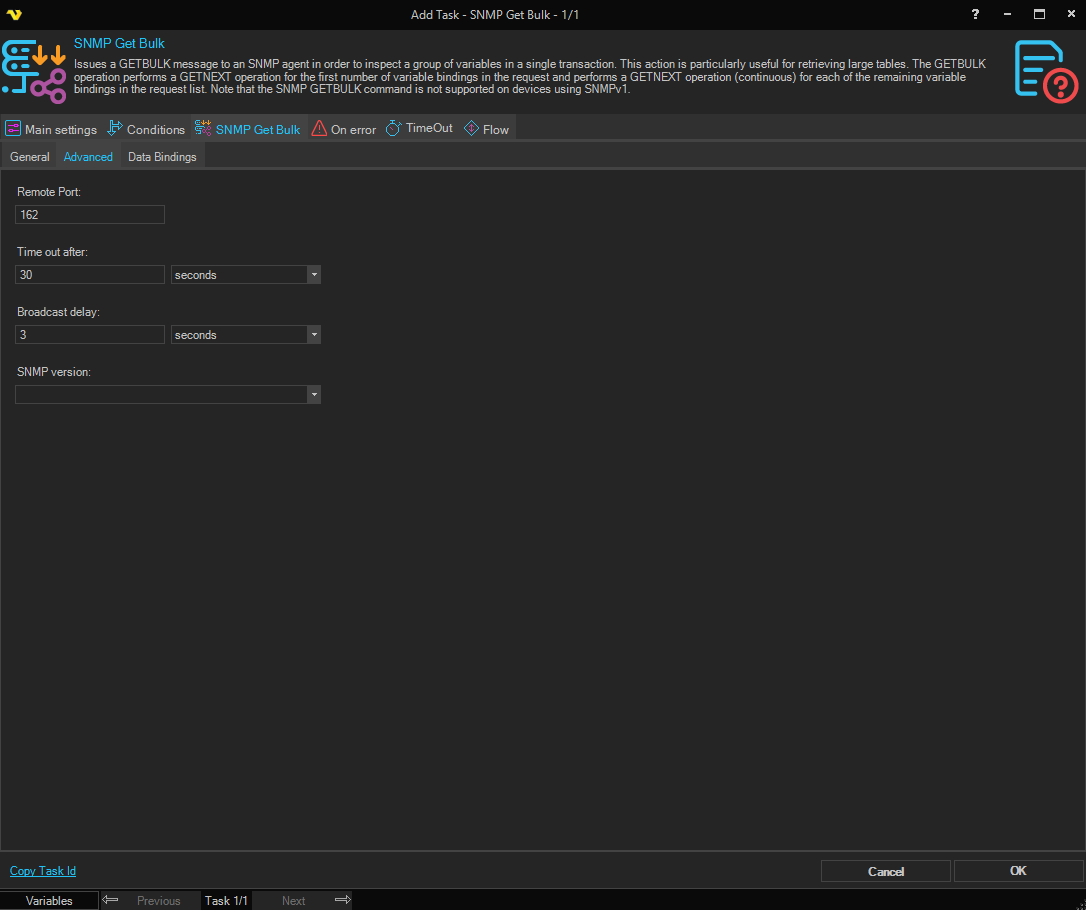
Remote Port
The UDP port number on the remote SNMP agent to send requests to. The default port is 161.
Time out after
The amount of time to wait for a response from the SNMP agent before the request times out. The default is 30 seconds.
Broadcast delay
The delay to apply when sending broadcast requests, allowing agents time to respond. The default is 3 seconds.
SNMP version
The SNMP protocol version to use for the request (e.g., SNMPv2c or SNMPv3). Note that GETBULK is not supported on SNMPv1.
SNMP Get Bulk > Data Bindings tab
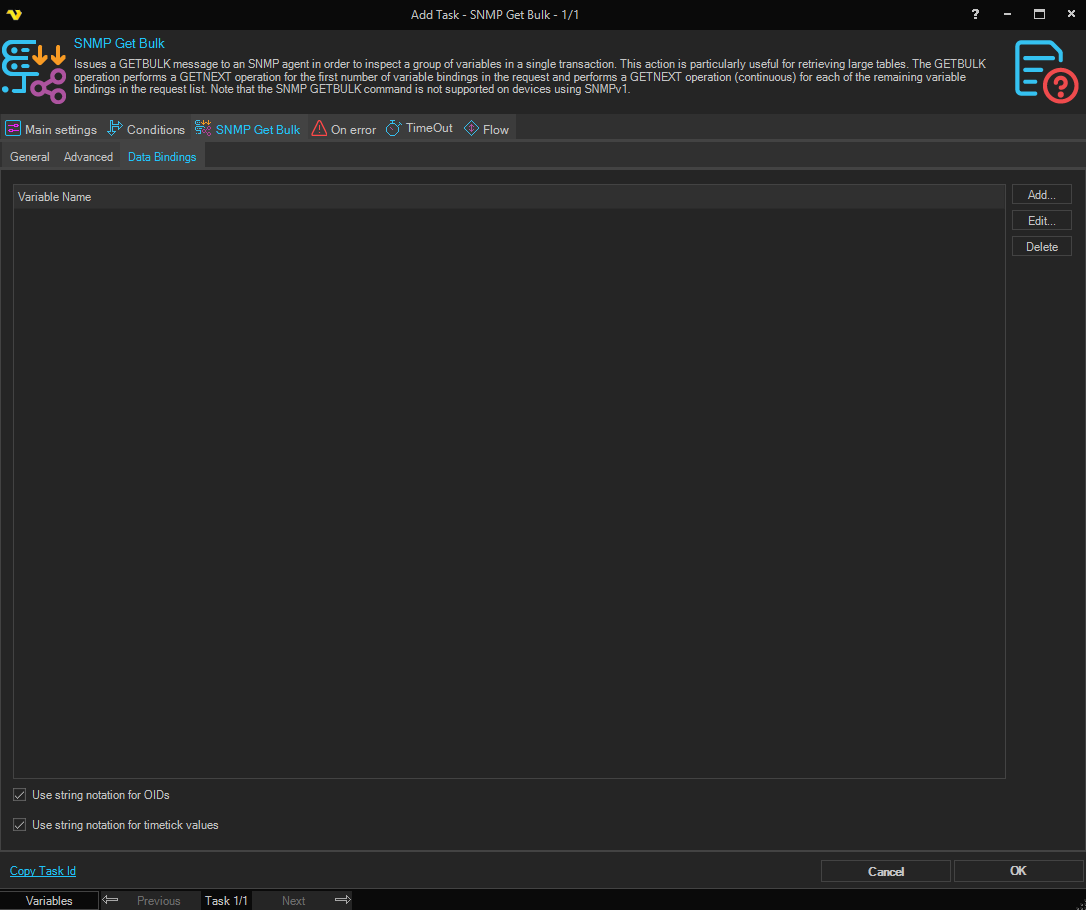
Variable name
A list of OID variable bindings to include in the GETBULK request. Use the Add, Edit, and Delete buttons to manage the variables to retrieve from the SNMP agent.
Use string notation for OIDs
When checked, OID values in the response are displayed using human-readable string notation instead of numeric dot notation.
Use string notation for timetick values
When checked, timetick values in the response are displayed as formatted time strings rather than raw numeric values.
SNMP Get Bulk > Security tab
Security Level
The SNMPv3 security level to use. Select from the dropdown.
Authentication Protocol
The authentication protocol to use for SNMPv3. Select from the dropdown.
Authentication Passphrase
The passphrase used for SNMPv3 authentication.
Encryption Protocol
The encryption protocol to use for SNMPv3. Select from the dropdown.
Encryption Passphrase
The passphrase used for SNMPv3 encryption.
Specify Context
When checked, allows you to specify an SNMPv3 context name and context engine ID.
Context Name
The SNMPv3 context name to use. Available when Specify Context is checked.
Context Engine ID
The SNMPv3 context engine ID to use. Available when Specify Context is checked.