Task SNMP - SNMP Set
The SNMP Set Task sends a SET request to an SNMP agent to change the value of a variable, identified by its OID. SNMP (Simple Network Management Protocol) is a UDP-based protocol used mostly by network management systems to monitor network-attached devices.
The Main settings, Flow, On error, Conditions and TimeOut tabs are the same for every Task; see Job - Tasks.
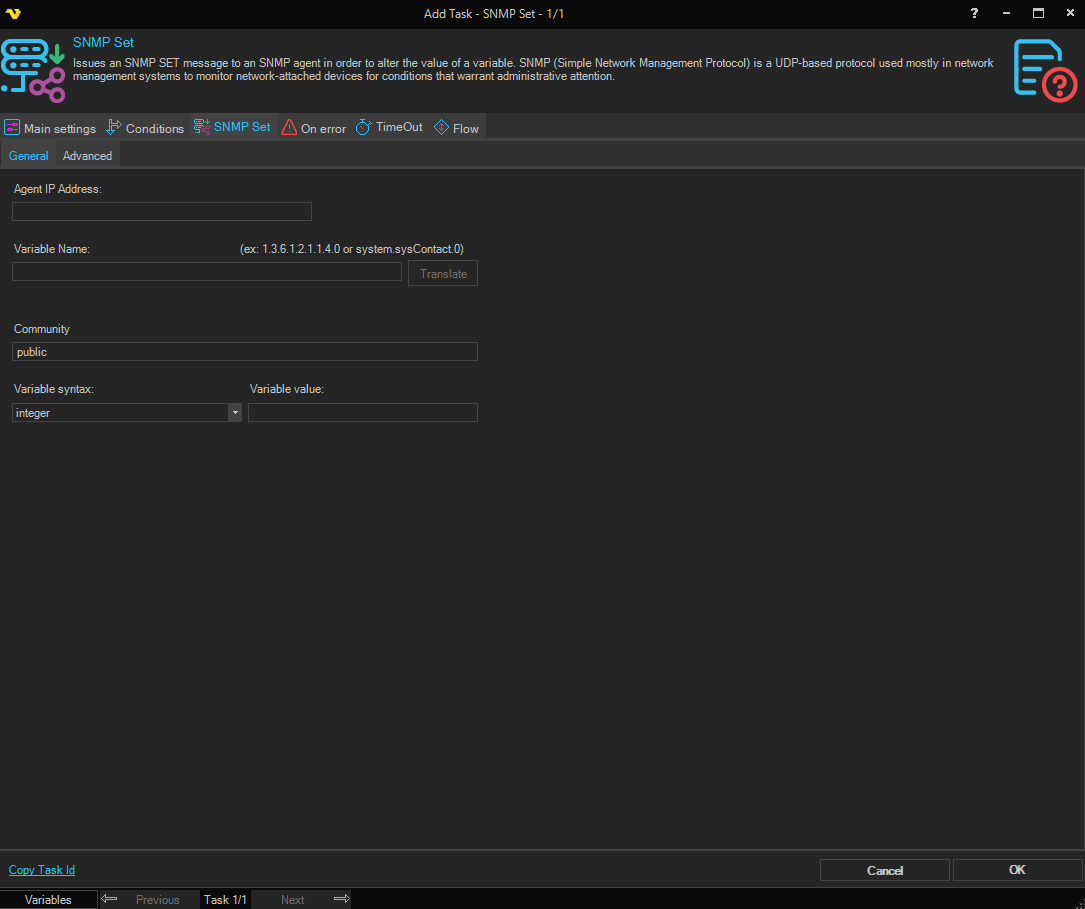
The Task settings are on the SNMP Set tab, which has the sub tabs General, Advanced and Security.
SNMP Set: General tab
-
Agent IP Address: The IPv4 address or host name of the SNMP agent; it can contain Variables
For a host name, the Task uses its first IPv4 address. A host name that cannot be resolved stops the Task with an error.
-
Variable Name: The OID of the variable to change, as a number such as
1.3.6.1.2.1.1.4.0or a name such assystem.sysContact.0Names are case-sensitive. Click Translate to show the other form of the OID you entered.
-
Community: The community string, "public" by default
With "SNMPv3" this field is labeled User and holds the SNMPv3 user name. The community or user must have write access on the agent.
-
Variable syntax: The data type of the new value: "integer" (the default), "octet string", "object identificator", "null", "IP address", "counter 32", "gauge 32", "time ticks", "opaque", "counter 64" or "unsigned integer 32"
Select the type that the variable has on the agent.
-
Variable value: The new value, checked against Variable syntax when you save the Task
Variables are not resolved in this field.
Variables are resolved only in Agent IP Address.
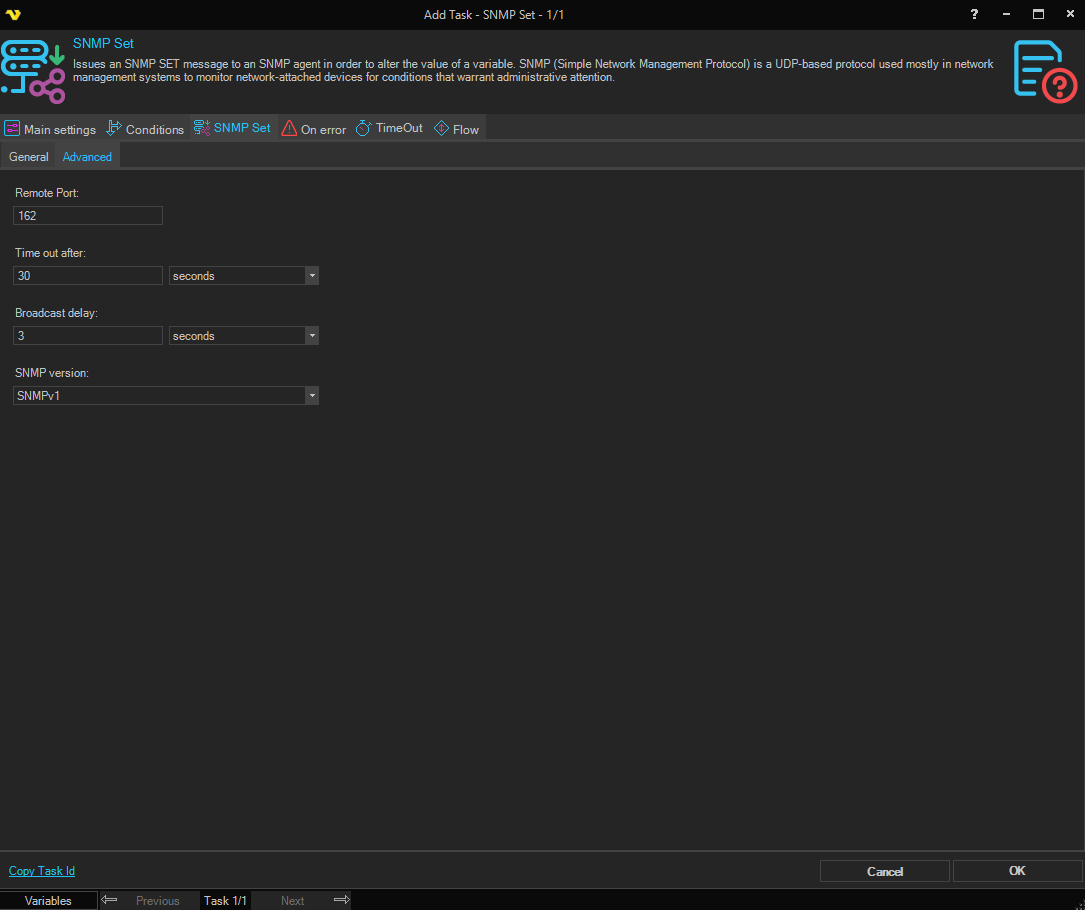
SNMP Set: Advanced tab
-
Remote Port: The UDP port of the SNMP agent
A new Task shows "162", the port for SNMP traps. SNMP agents normally listen on port "161", so enter the port of your agent.
-
Time out after: How long to wait for the response, in "milliseconds", "seconds", "minutes" or "hours"
The default is "30" with the unit "seconds". When no response arrives in time, the Task fails with an error.
-
Broadcast delay: When Agent IP Address is the broadcast address "255.255.255.255", how long to wait for a response instead of Time out after
The default is "3" with the unit "seconds".
-
SNMP version: "SNMPv1" (the default), "SNMPv2c" or "SNMPv3"
With "SNMPv3", the Community label changes to User and the Security tab appears.
SNMP Set: Security tab
The Security tab appears only with "SNMPv3" on the Advanced tab.
-
Security Level: "None" (the default), "Authenticate" or "Authenticate and Encrypt"
-
Authentication Protocol: "MD5" (the default) or "SHA-1", for "Authenticate" and "Authenticate and Encrypt"
-
Authentication Passphrase: The authentication passphrase, at least 8 characters
-
Encryption Protocol: "DES", the only choice, for "Authenticate and Encrypt"
-
Encryption Passphrase: The encryption passphrase, at least 8 characters
-
Specify Context: Enables Context Name and Context Engine ID
-
Context Name and Context Engine ID: The SNMPv3 context
This Task sends Context Name; Context Engine ID is not used.
Output and errors
The output of the Task lists the SNMP version, the community or user name, and the error status and error index of the response, then one line for each variable in this form:
<OID> = <type> : <value>
With SNMPv3, the output also lists the security parameters and the context of the response.
The OIDs in the output are written as names.
The output of the Task contains the community string (SNMPv1 and SNMPv2c) or the user name (SNMPv3) in plain text, so anyone who can see the Task output can read it. SNMPv1 and SNMPv2c also send the community string over the network unencrypted.
When the agent rejects the SET, for example because the variable is read-only or the value has the wrong type, the error is not reported: the value is not changed, the output stays empty, and the Task reports success. When Agent IP Address is a host name with no IPv4 address, or a variable binding cannot be converted, nothing is sent, the output stays empty, and the Task reports success. To catch this, check on the On error tab whether the output is empty (see Task - On Error).