Task XML - Sign
The XML - Sign Task signs an XML file with a specified key.
XML Sign > File filter sub tab
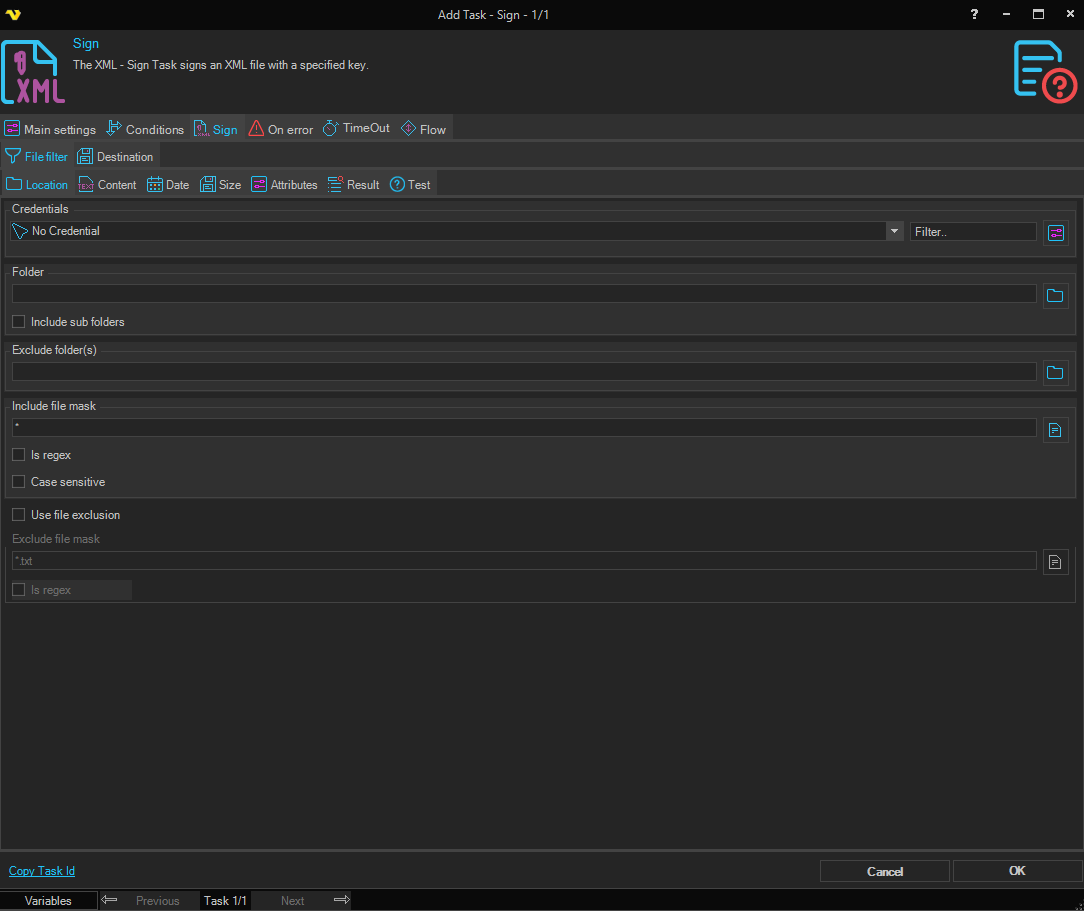
The XML Sign Task uses the standard VisualCron File filter to define the properties of the listed files.
XML Sign > Destination sub tab
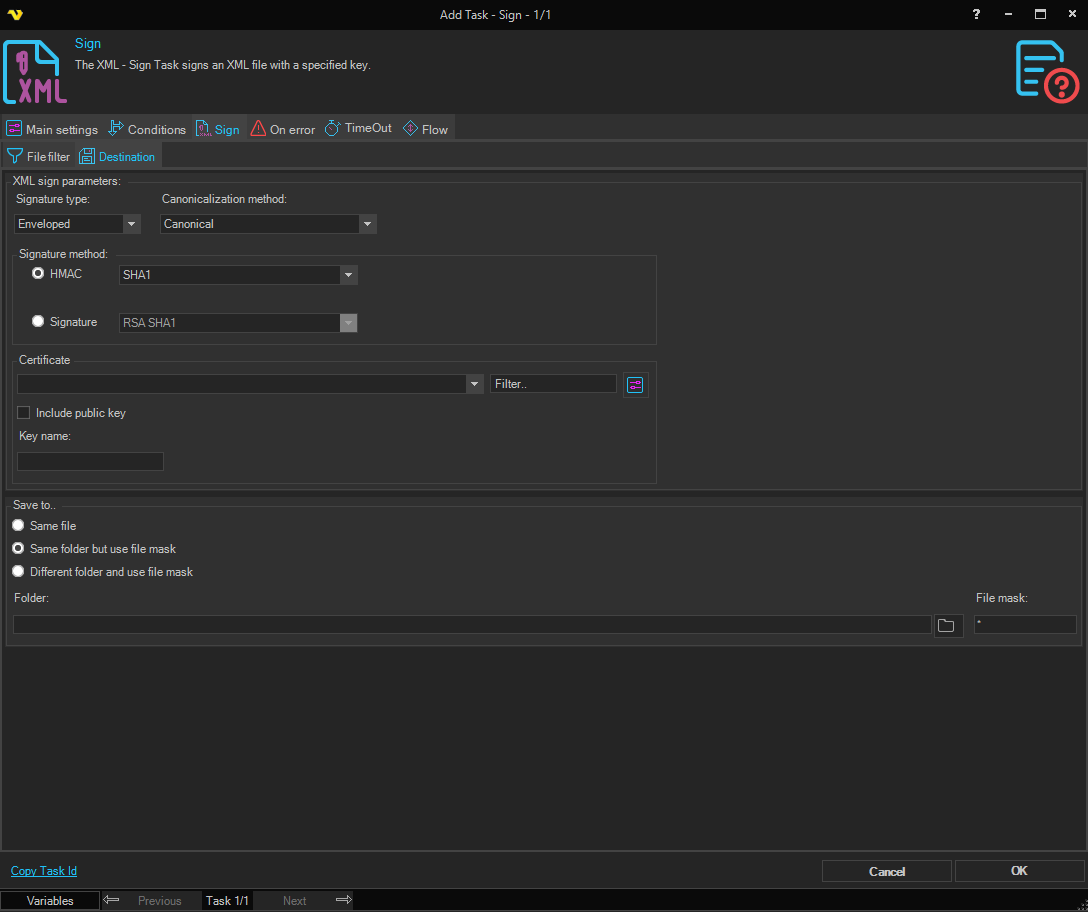
XML sign parameters
Signature type
Select the XML digital signature type to be used.
Canonicalization method
Select method for converting data into a "standard", "normal", or canonical form.
Signature method
Select the main signature method type and the desired sub type:
- HMAC — Select this radio button to use an HMAC-based algorithm, then choose the specific HMAC method from the dropdown. The HMAC method dropdown is only enabled when HMAC is selected.
- Signature — Select this radio button to use an asymmetric signature algorithm, then choose the specific signature method from the dropdown. The signature method dropdown is only enabled when Signature is selected.
Certificate
In order to sign you need a certificate that includes a private key. Click the Settings icon to open the Manage Certificates dialog where a certificate is selected, imported or created.
Include public key
Specifies whether the key itself (its public part) must be included to the signature.
Key name
Enter the public key name to be able to decrypt. The KeyName element contains a string value (in which white space is significant) which may be used by the signer to communicate a key identifier to the recipient. Typically, KeyName contains an identifier related to the key pair used to sign the message, but it may contain other protocol-related information that indirectly identifies a key pair. Common uses of KeyName include simple string names for keys, a key index, a distinguished name (DN), an email address, etc.
Save to
Select where to save the signed output file:
- Same file — Overwrites the original source file.
- Same folder but use file mask — Saves to the same folder with a new file name specified in File mask.
- Different folder and use file mask — Saves to a different folder with a new file name.
Folder
The destination folder path. Only available when Different folder and use file mask is selected.
File mask
The file name to use for the saved file. Available when Same folder but use file mask or Different folder and use file mask is selected.