Task XML - Transform
The XML - Transform Task transforms a XML file to HTML using an XSLT (Extensible Stylesheet Language) file. You can also provide the XSLT parameter which will be replaced by its value dynamically. XSLT is an XML-based language used for the transformation of XML documents into other XML documents.
The original document is not changed; rather, a new document is created based on the code of an existing one. The new document can be output to HTML or plain text.
XML Transform > File filter sub tab
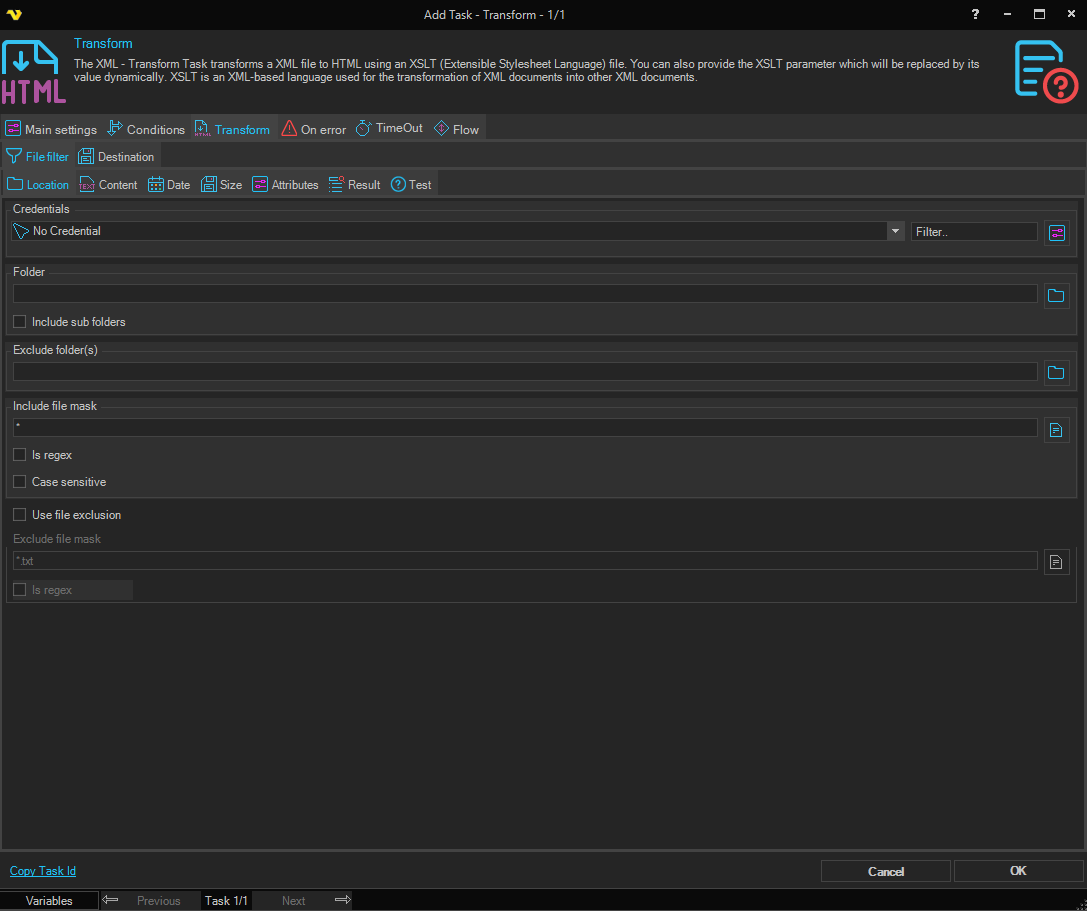
The XML Transform Task uses the standard VisualCron File filter to define the properties of the listed files.
XML Transform > Destination sub tab
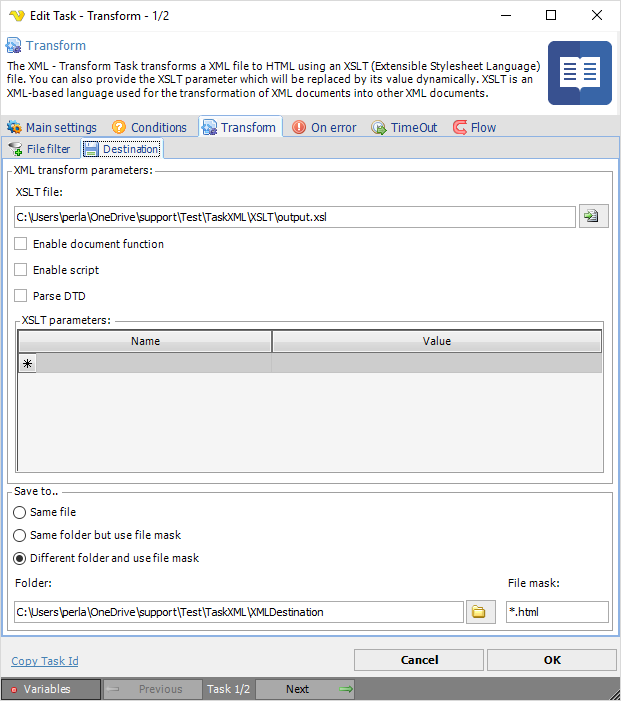
XML transform parameters
XSLT file
The path and file name of a XSLT file that resides on the local system which will be used to transform the specified XML file. Click the Folder icon to select the XSL folder/file.
Enable document function
If checked, support for the XSLT document function is enabled.
Enable script
If checked, support for embedded script blocks is enabled.
Parse DTD
If checked, the DTD will be parsed. Within an XML document's <!DOCTYPE>, there can be an internal subset of the DTD, or an external DTD can be referenced. In order to fully comply with the XML 1.0 or 1.1 specification, DTD must be parsed.
XSLT parameters
Add/edit a XSLT parameter using name and value to the parameter list. Select and press the Windows Del button to delete a parameter.
Save to
Select where to save the transformed output file:
- Same file — Overwrites the original source file.
- Same folder but use file mask — Saves to the same folder with a new file name specified in File mask.
- Different folder and use file mask — Saves to a different folder with a new file name.
Folder
The destination folder path. Only available when Different folder and use file mask is selected.
File mask
The file name to use for the saved file. Available when Same folder but use file mask or Different folder and use file mask is selected.