Event Trigger - System Start/Shutdown
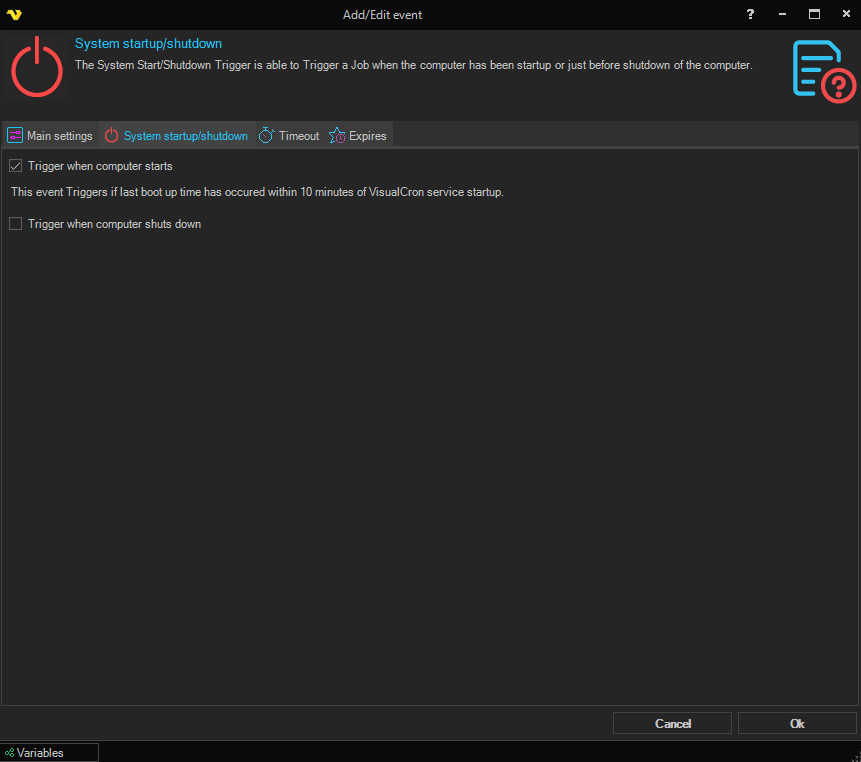
The System Start/Shutdown Trigger starts a Job when the computer has just started, when it shuts down, or both. The settings are on the System startup/shutdown tab. Check at least one of the two options.
Neither option fires while the Server is off, unless Ignore Server Off (always run) is checked on the Main settings tab.
Trigger when computer starts
Checked by default. The Trigger checks once, when the VisualCron service has finished starting, and fires if Windows started less than 10 minutes earlier. It does not fire when only the Client restarts. If the VisualCron service is restarted within 10 minutes of Windows starting, the Trigger fires again. A Trigger that is added or activated while the service is running does not fire until the service next starts.
Trigger when computer shuts down
Fires when Windows shuts down. Stopping the VisualCron service on its own does not fire it.
At Windows shutdown, the VisualCron Server stops its running processes and its Event Triggers at once. The Trigger may not fire, and a Job it starts can be stopped before it finishes. Do not rely on this option for work that must complete.