Event Trigger - Session Change
The Session Change event trigger monitors Windows session change events such as console and remote session connects and disconnects, user logon and logoff, session lock and unlock, and changes in the remote-control status of a session. The Trigger can optionally be limited to a specific user account.
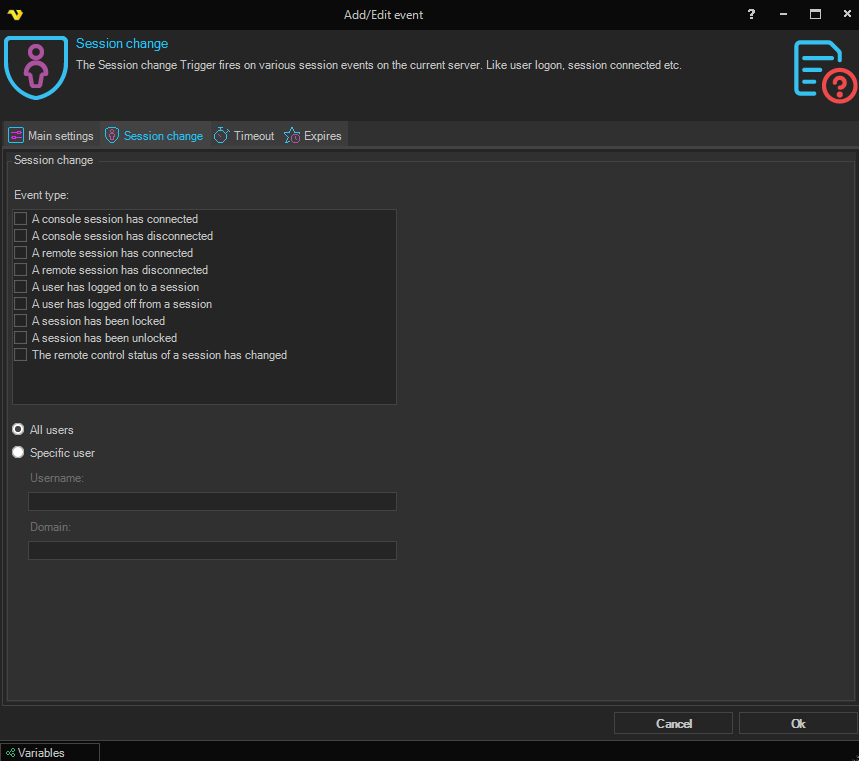
Session change
Event type
A multi-select checkbox list. Tick one or more of the following session change events to listen for:
- Console connect — a console session has connected
- Console disconnect — a console session has disconnected
- Remote connect — a remote session has connected
- Remote disconnect — a remote session has disconnected
- Session logon — a user has logged on to a session
- Session logoff — a user has logged off from a session
- Session lock — a session has been locked
- Session unlock — a session has been unlocked
- Session remote control — the remote control status of a session has changed
All users / Specific user
Choose between the two radio options to control which user account the Trigger reacts to:
- All users — fire for session change events involving any user (default)
- Specific user — fire only for session change events involving the user specified below. When selected, the Username and Domain fields below become editable
Username
The Windows user name to match. Enabled only when Specific user is selected.
Domain
The Windows domain (or local computer name) for the user. Enabled only when Specific user is selected.