Event Trigger - Process
The Process event trigger monitors process changes like when a process has started or stopped. With this Trigger VisualCron subscribe to start and stop notifications from the system.
Triggers > Add > Event Trigger > Process tab
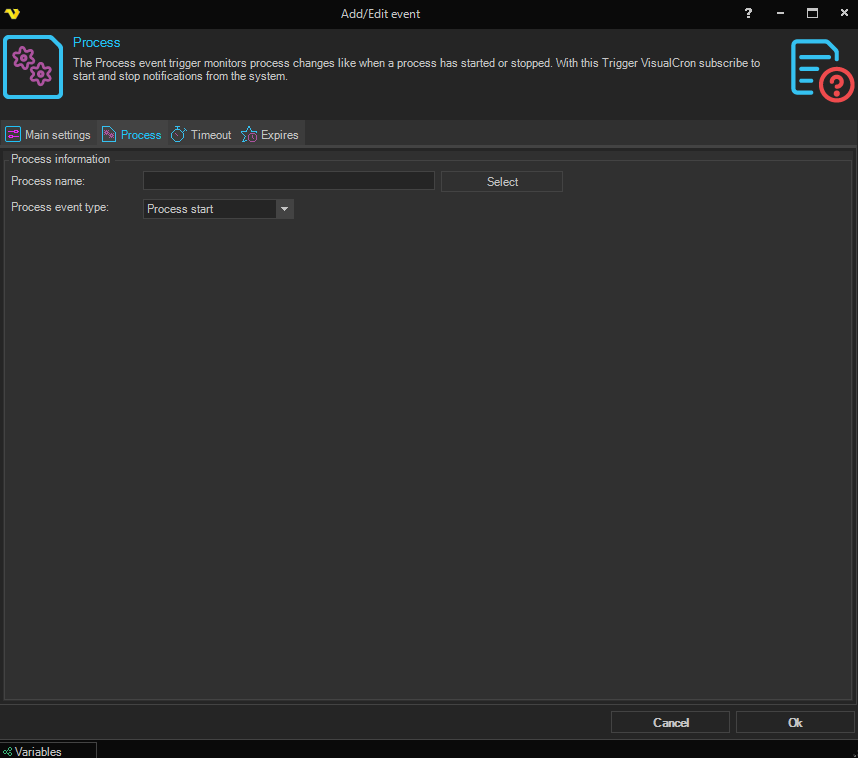
Process information
Process name
Enter a process name which is listed in the Task Manager, e.g. "WINWORD.EXE". A list of processes from the server can be retrieved by clicking on the Select process button. In the list window, double-click on the desired process for selection. Note that the process name is case sensitive.
The field supports the wildcard characters * (any number of characters) and ? (one character), so values like WIN*.EXE or notep??.exe will match all processes whose name fits the pattern.
Process event type
A dropdown that controls which lifecycle event the Trigger reacts to:
- Process start — monitor for new processes being created
- Process end — monitor for the termination of a running process