Task Database - BigQuery - Fill Table
The Google BigQuery - Fill Task loads data into Google BigQuery private dataset table.
The BigQuery Tasks require the Google Cloud Connection.
Connection*
Select the Google Cloud Connection to use for this Task.
Source tab
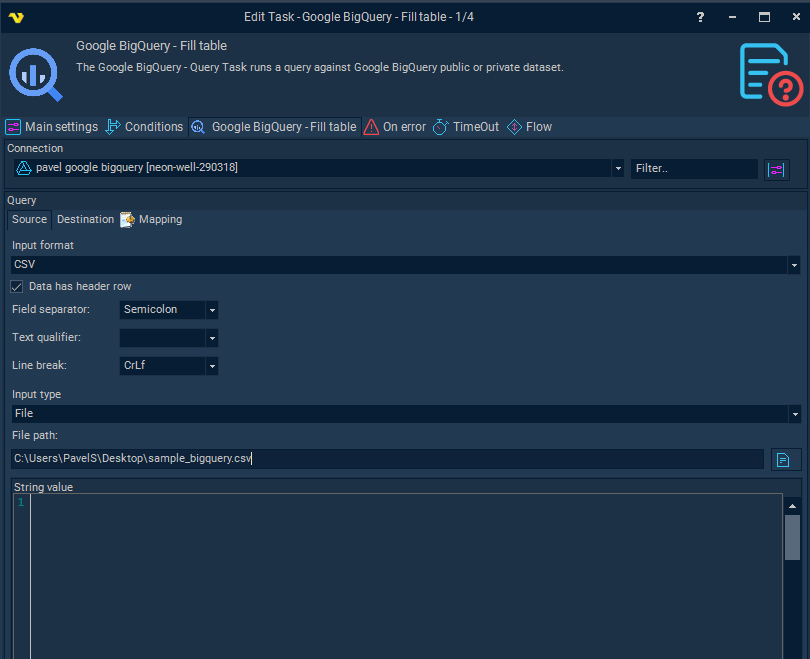
Input type
Select File to read input data from a file on disk, or Input string to provide data directly as a string value. Both support Variables.
File path
The full path to the input file. Only active when Input type is set to File. Click the browse button to select a file.
String value
The data to load into BigQuery. Only active when Input type is set to Input string.
Input format
Select CSV or JSON. When CSV is selected the following CSV-specific settings become active.
Data has header row
When checked, the first line of the input is treated as a header row containing column names. Column name mapping will be used. When unchecked, positional mapping is applied instead.
Field separator
The character that separates fields within a single line of CSV input.
Text qualifier
The character used to quote text fields in the CSV input. The qualifier character is stripped from the start and end of each text field value.
Line break
The character or sequence used as a line break between rows in the CSV input.
When input format is JSON
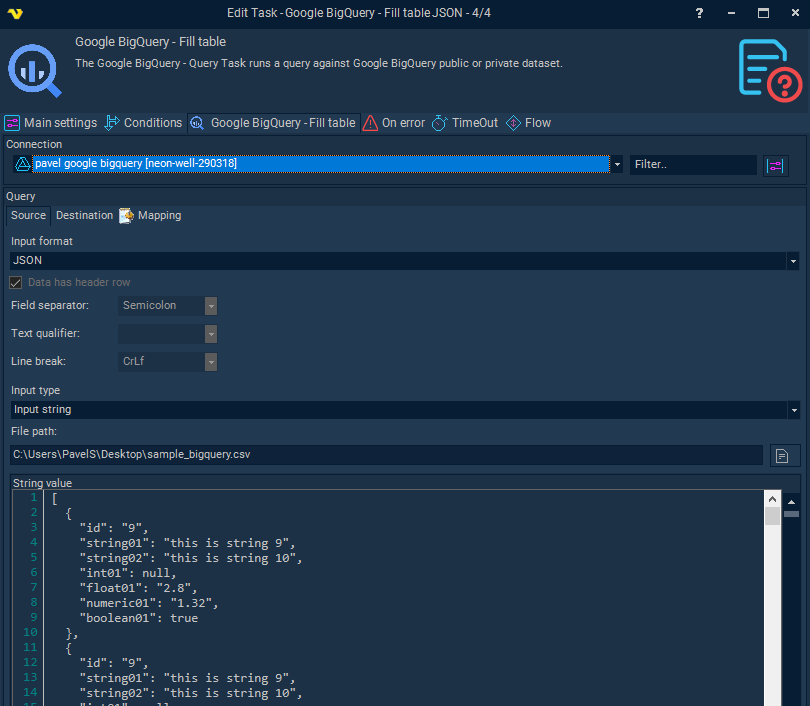
A valid JSON array of JSON objects is expected as input. Column mapping is performed using the JSON object property names.
Destination tab
Project
The Google Cloud project containing the target dataset. Click the dropdown to select from available projects.
Dataset
The BigQuery dataset containing the target table. Click Refresh to populate the list from the selected project.
Table
The BigQuery table to load data into. Click Refresh to populate the list from the selected dataset.
Mapping tab
The mapping grid defines how source columns or JSON properties map to destination BigQuery table columns. Columns shown are: Source Column, Position, Destination Column, Data type, and Mode.
Click Refresh mapping to populate the grid from the selected destination table. Use Add, Edit, and Delete to manage mapping entries manually.
When adding or editing a mapping entry:
Source column name
The name of the column or JSON property in the source data.
Source column position
The positional index of the column in the source data (used when there is no header row).
Destination column name
The column in the BigQuery table to map to. Select from the list populated by the destination table schema.
Data type
Read-only. Displays the BigQuery data type of the selected destination column.
Column mode
Read-only. Displays the mode of the selected destination column: NULLABLE, REQUIRED, or REPEATED.