Task Sharepoint - Add List Item
Adds an item to an existing list on a SharePoint Services site. Lists usually appear in a multi-column/mult-row table of information which are basic building blocks of Web pages on a Windows SharePoint Services site. The columns represent lists and the rows represent items in those lists. If the specified list (column) does not exist, it will be created during runtime along with its associated value. If the column already exists, the specified value will be added to the next available row in that column.
The SharePoint Tasks supports the following versions:
- SharePoint 2010
- SharePoint 2013
- SharePoint Online
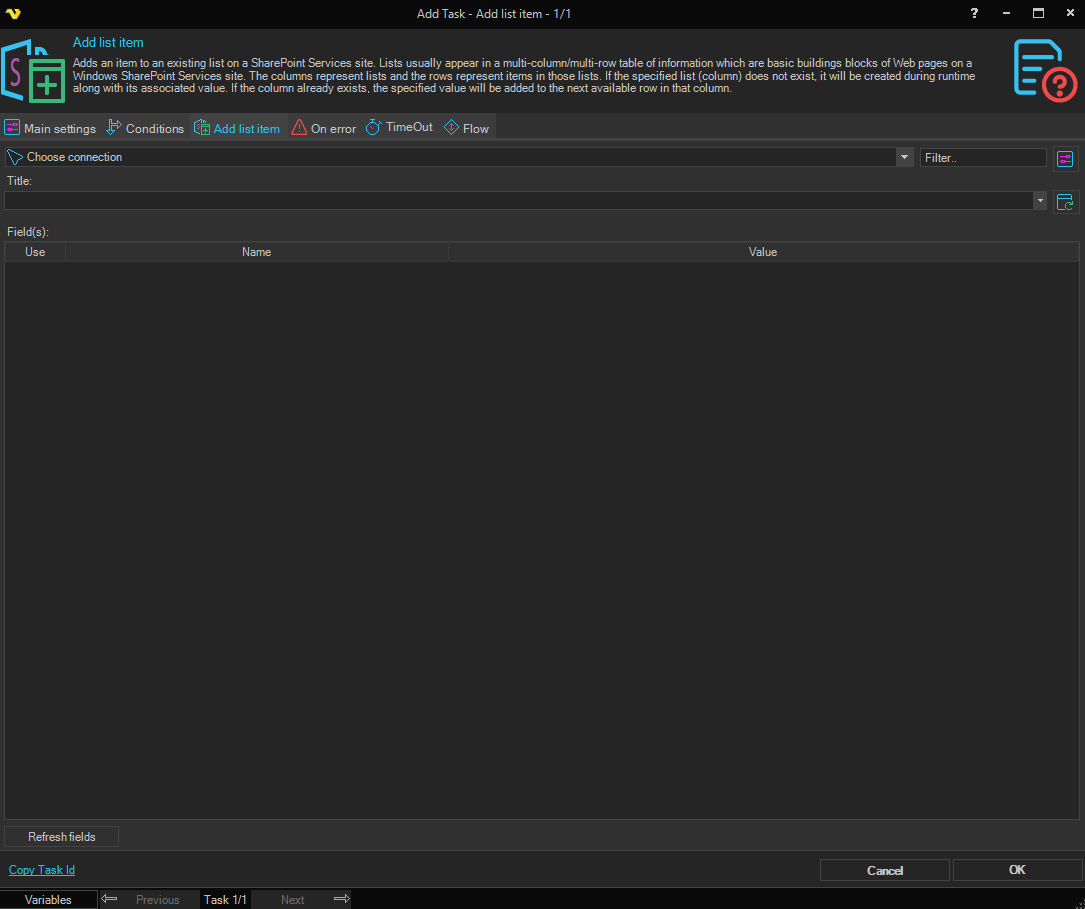
Connection
To use SharePoint Tasks you need to create a Connection first. Click the Settings icon to open the Manage Connections dialog.
Title
The title of an existing list to add the item to. Click the Refresh icon to list available lists.
Field(s)
The grid lists the available fields for the selected list. Each row has a Use checkbox, a Name column showing the field name, and a Value column for the value to set. Check Use and enter a value for each field to include in the new list item. Click the Refresh fields button to populate the grid with fields from the selected list.