Task Sharepoint - Get List Item
The SharePoint - Get List item(s) Task retrieves a list of list items from a specific List in the SharePoint library.
The SharePoint Tasks supports the following versions:
- SharePoint 2010
- SharePoint 2013
- SharePoint Online
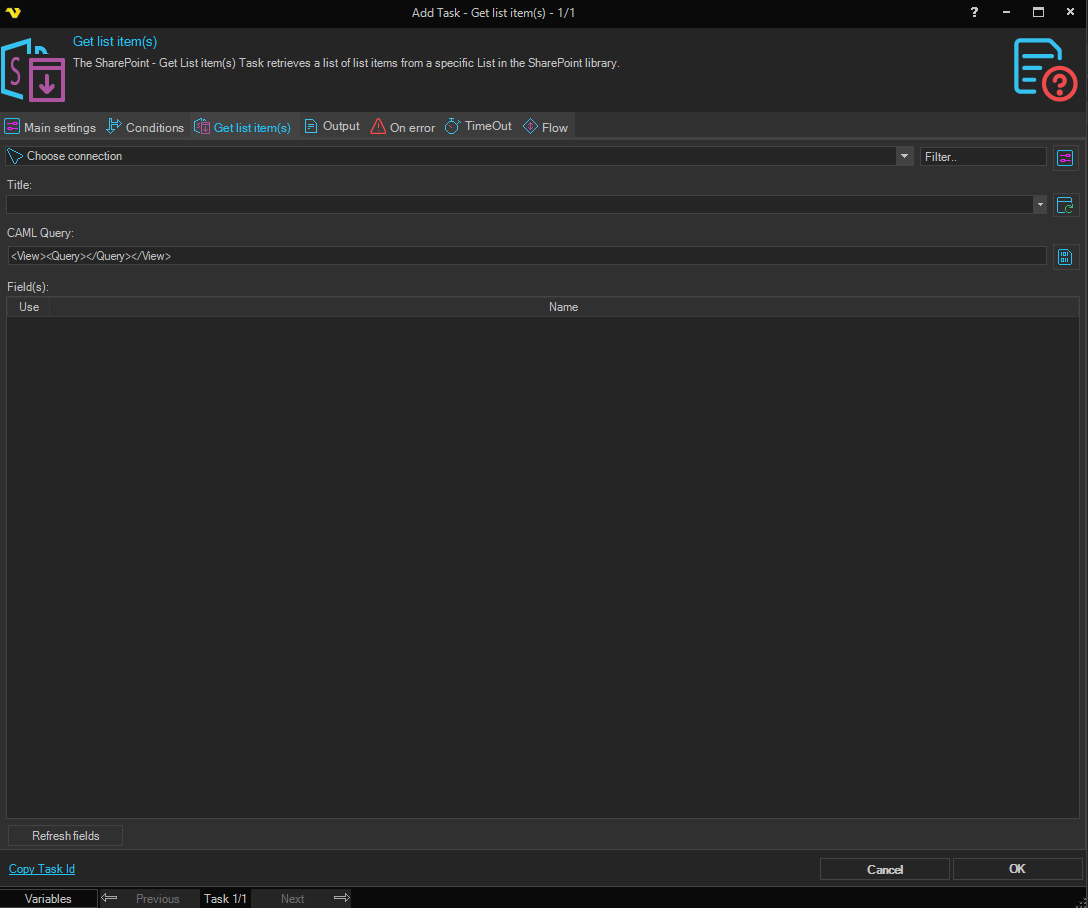
Connection
To use SharePoint Tasks you need to create a Connection first. Click the Settings icon to open the Manage Connections dialog.
Title
The displayed title for the list. Click the refresh button to list all available titles.
CAML Query
The query in CAML format to select one or more list items. Click the CAML browser button to open the CAML query builder dialog to help construct a valid query.
Field(s)
The grid lists the available fields for the selected list. Each row has a Use checkbox and a Name column showing the field name. Check Use for each field you want included in the results. Click the Refresh fields button to populate the grid with all available fields from the selected list.