Connection - AMQP
The Advanced Message Queuing Protocol (AMQP) is an open standard application layer protocol for message-oriented middleware. It provides message orientation, queuing, routing (including point-to-point and publish-and-subscribe), reliability, and security. VisualCron supports AMQP version 1.0 or later.
The AMQP Connection stores connect and authentication properties for AMQP message brokers.
The AMQP Connection is used in:
Currently, the following broker types are supported:
- RabbitMQ
- Azure Service Bus
Manage Connections > Add > AMQP > Common settings tab
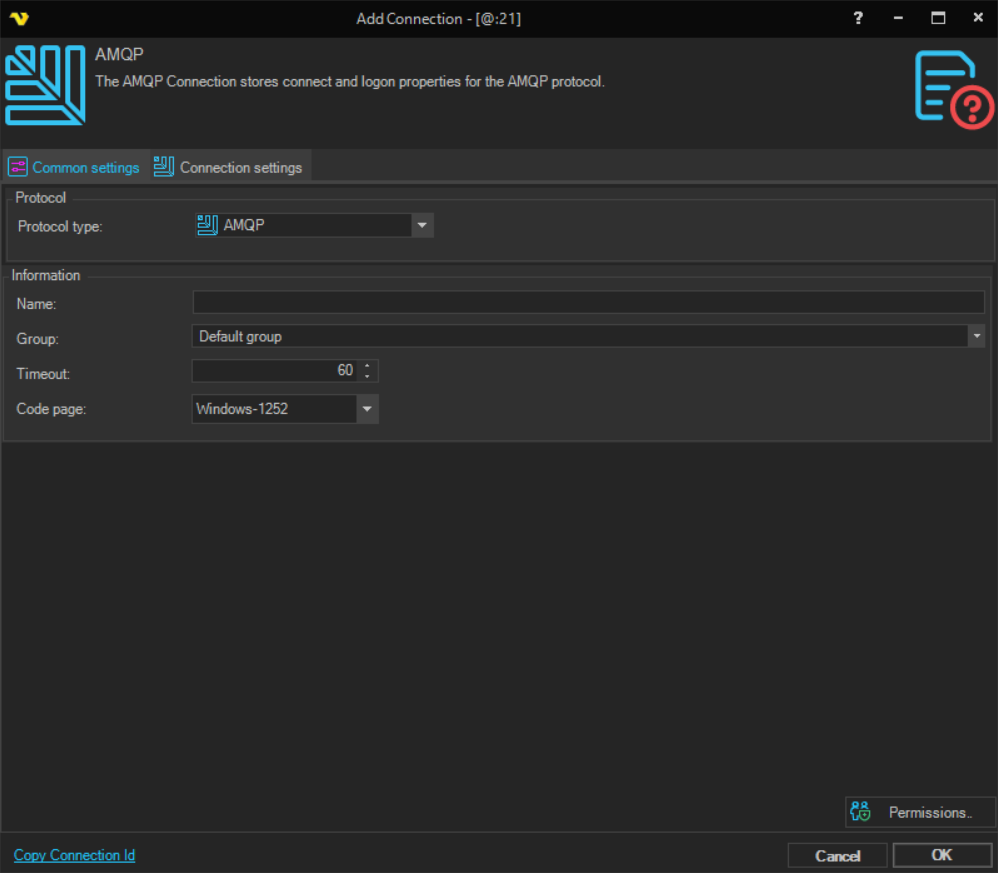
Name
The name of the Connection to uniquely identify it.
Group
The group that the connection is a part of.
Timeout
The connection timeout in seconds. Connection will fail after this time period.
Code page
Code page being used.
Manage Connections > Add > AMQP > Connection settings tab
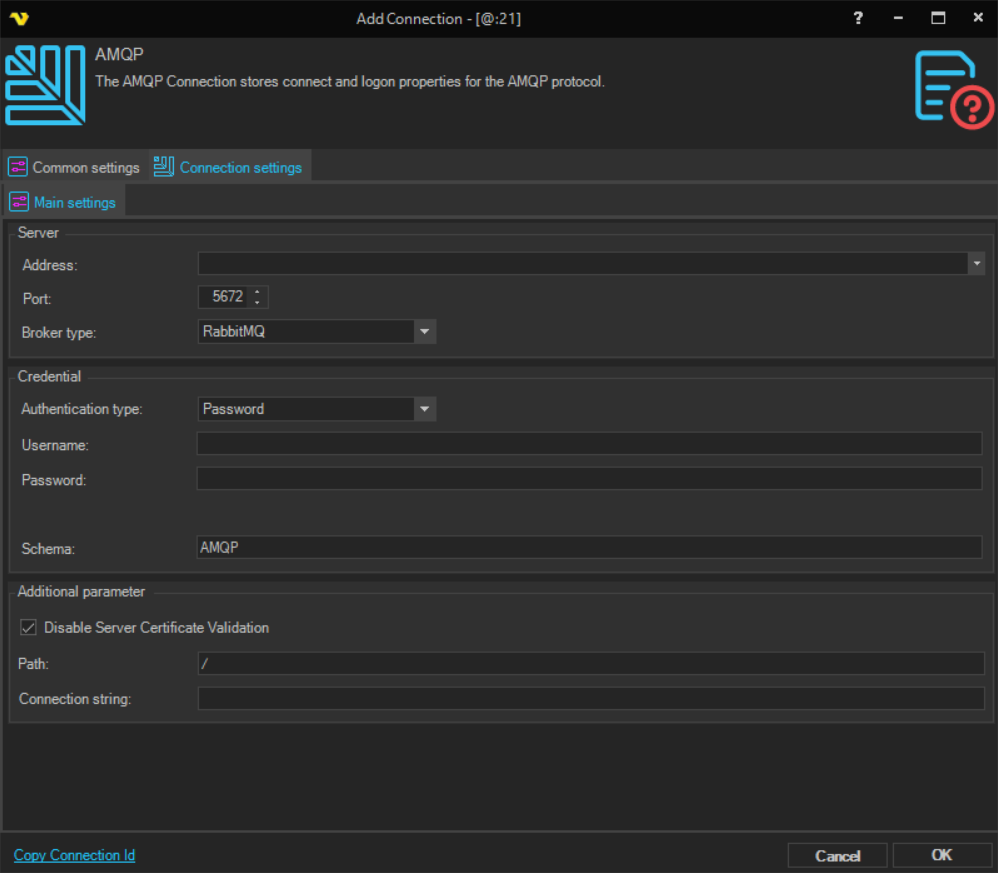
Address
The host name or IP address of the AMQP broker.
Port
The port of the AMQP broker. Default port is 5672 for AMQP and 5671 for AMQPS. When Azure Service Bus is selected as the broker type, the port is automatically set to 5671.
Broker Type
The message broker to connect to. Available options:
- RabbitMQ - connects to a RabbitMQ broker. Default port: 5672, default schema: AMQP.
- Azure Service Bus - connects to an Azure Service Bus namespace. Default port: 5671, schema is automatically set to AMQPS.
Authentication type
The authentication method to use. Available options:
- Password - authenticate using a username and password.
- Certificate - authenticate using a certificate; a certificate selector is shown. A username and password may still be required to access the Management HTTP API when listing queues.
Username
The user name for the AMQP broker.
Password
The password for the AMQP broker.
Certificate (Certificate authentication only)
Select the certificate to use for authentication.
Schema
The connection schema. Use AMQP for unencrypted connections (port 5672) or AMQPS for encrypted connections (port 5671). Azure Service Bus requires AMQPS.
Path
The virtual host path for RabbitMQ connections. The default value is /. For Azure Service Bus this field is not used.
Connection string
Used for administrative purposes such as retrieving a list of queues.
- For RabbitMQ: the URL of the RabbitMQ Management HTTP API, for example
http://localhost:15672/api/queues. - For Azure Service Bus: the connection string in the format
Endpoint=sb://xxx.servicebus.windows.net/;SharedAccessKeyName=yyy;SharedAccessKey=zzz. This is automatically constructed from the Address, Username, and Password fields.
Disable Server Certificate Validation
When checked, VisualCron skips validation of the server's SSL/TLS certificate. Use this only when connecting to a broker with a self-signed or untrusted certificate.
RabbitMQ Address Format
RabbitMQ 4.x enforces AMQP 1.0 address syntax, which requires a typed prefix in the queue or exchange address field when configuring Send Message tasks or AMQP Triggers. If you're running RabbitMQ 3.x, this prefix is not required.
If you see an error like Attach refused: {amqp_address_v1_not_permitted, ...} or your AMQP Trigger deactivates immediately after starting, check that your address matches the format below.
Intent Address format:
- Send to a queue (via default exchange) = /queues/your-queue-name
- Publish to an exchange with a routing key = /exchanges/exchange-name/routing-key
- Publish to an exchange with no routing key = /exchanges/exchange-name
- Receive/consume from a queue (Trigger) = /queues/your-queue-name
Note: Existing connections configured for RabbitMQ 3.x using plain queue names (e.g. my-queue) will need to be updated to the prefixed format when upgrading to RabbitMQ 4.x.