Connection - POP3
The POP3 Connection stores connect and logon properties for the email server protocol POP3. POP3 (Post Office Protocol 3) is used to receive emails from a mail server. It has largely been superseded by IMAP4 but is still widely supported. The POP3 Connection is used in the Email Trigger.
Manage Connections > Add > POP3 > Common settings tab
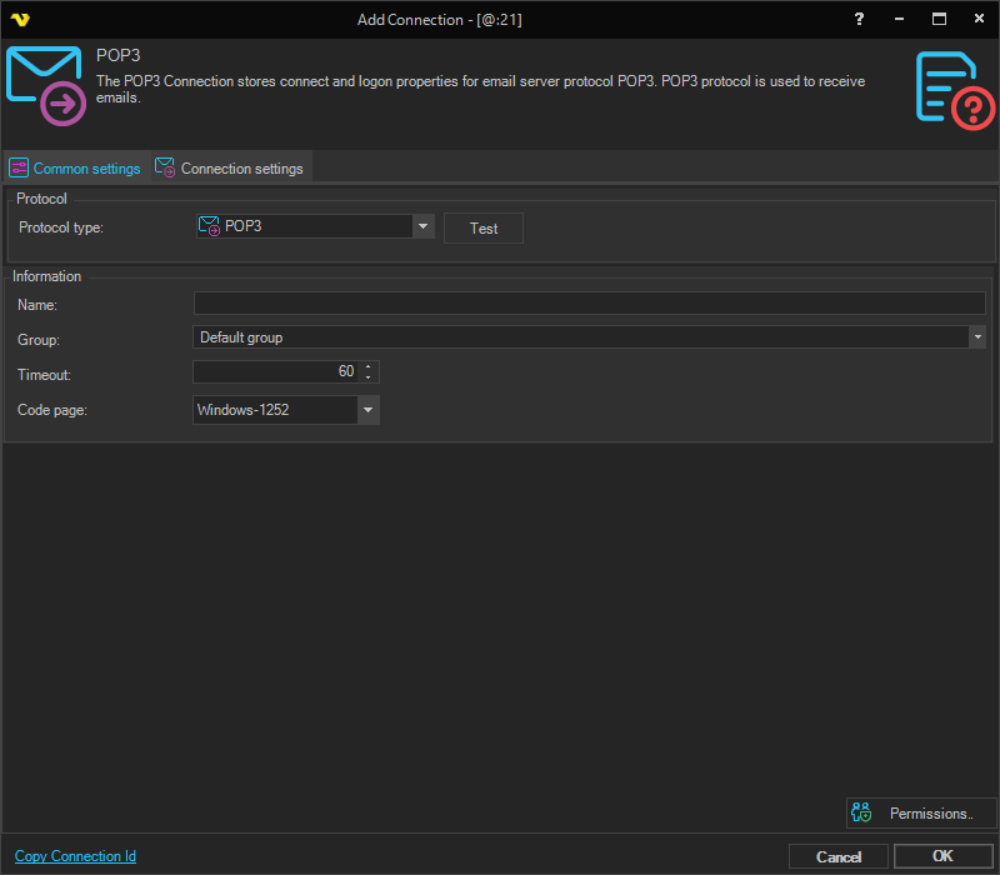
Name
The name of the Connection to uniquely identify it.
Group
The group that the connection is a part of.
Timeout
The connection timeout in seconds. Connection will fail after this time period.
Code page
Code page being used.
Manage Connections > Add > POP3 > Connection settings tab
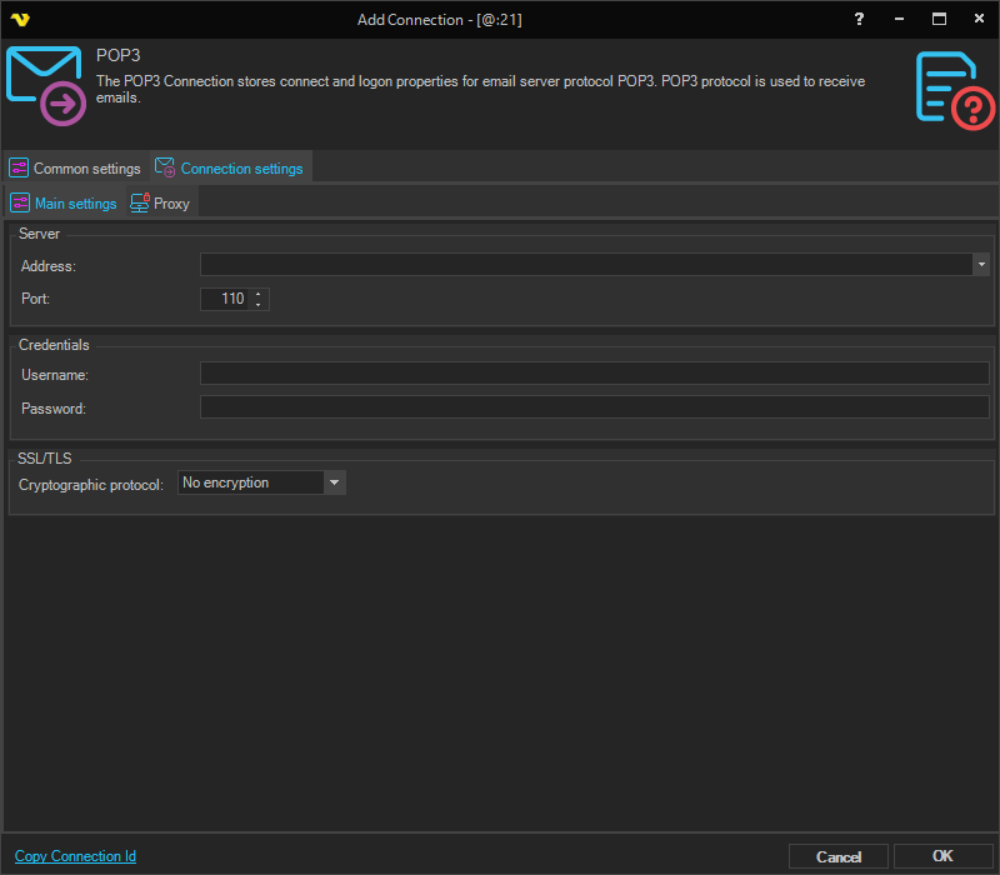
Address
The DNS name or IP address of the POP3 mail server.
Port
The port used by the mail server. The default port is 110 for unencrypted connections and 995 for SSL/TLS encrypted connections. The port is automatically updated when changing the cryptographic protocol on a new connection.
Username
The user name for the email account.
Password
The password for the email account.
Cryptographic protocol
The encryption protocol to use for the connection. Available options:
- No encryption - connection is not encrypted; the Allowed SSL/TLS versions section is hidden
- SSL - use SSL encryption; the Allowed SSL/TLS versions section is shown
- TLS - use TLS encryption; the Allowed SSL/TLS versions section is shown
Allowed SSL/TLS versions
Visible when a cryptographic protocol is selected. Check the SSL/TLS versions that the mail server allows. Available options:
- SSL version 2
- SSL version 3
- TLS version 1
- TLS version 1.1
- TLS version 1.2
- TLS version 1.3
Default settings for some servers
See Connection > SMTP > Main settings for more details.
Connection > POP3 > Authentication tab See Connection > SMTP > Authentication for more details.
Office 365
- Address: outlook.office365.com
- Port: 995
- Cryptographic protocol: SSL
Manage Connections > Add > POP3 > Proxy tab
Proxy type
Select the proxy type to be used.
Address
The host name or IP address of the proxy server.
Port
The port of the proxy server.
Use credentials
Enable to provide credentials for authenticating with the proxy server.
Domain
The domain of the proxy server.
Username
The user name to access the proxy server.
Password
The password to access the proxy server.