Connection - VMWare
The VMWare Connection stores connect and logon properties for remote VMWare instances.
The VMWare Connection is used in the following Tasks:
- VMWare - Start VM
- VMWare - Stop VM
- VMWare - Suspend VM
- VMWare - Pause VM
- VMWare - Resume VM
- VMWare - Reset VM
- VMWare - Get VM status
- VMWare - Create VM snapshot
- VMWare - Revert to VM snapshot
- VMWare - Delete VM snapshot
- VMWare - List VM snapshots
- VMWare - Delete VM
- VMWare - Clone VM
- VMWare - Install tools
- VMWare - Register VM
- VMWare - Unregister VM
- VMWare - List VM
- VMWare - Capture screen (guest)
- VMWare - Copy files (guest)
- VMWare - Rename file (guest)
- VMWare - Delete files (guest)
- VMWare - Directory exists (guest)
- VMWare - File exists (guest)
- VMWare - Delete directory (guest)
- VMWare - Create directory (guest)
- VMWare - Create temp file (guest)
- VMWare - Run command (guest)
- VMWare - Open URL (guest)
- VMWare - Kill processes (guest)
- VMWare - List processes (guest)
Manage Connections > Add > VMWare > Common settings tab
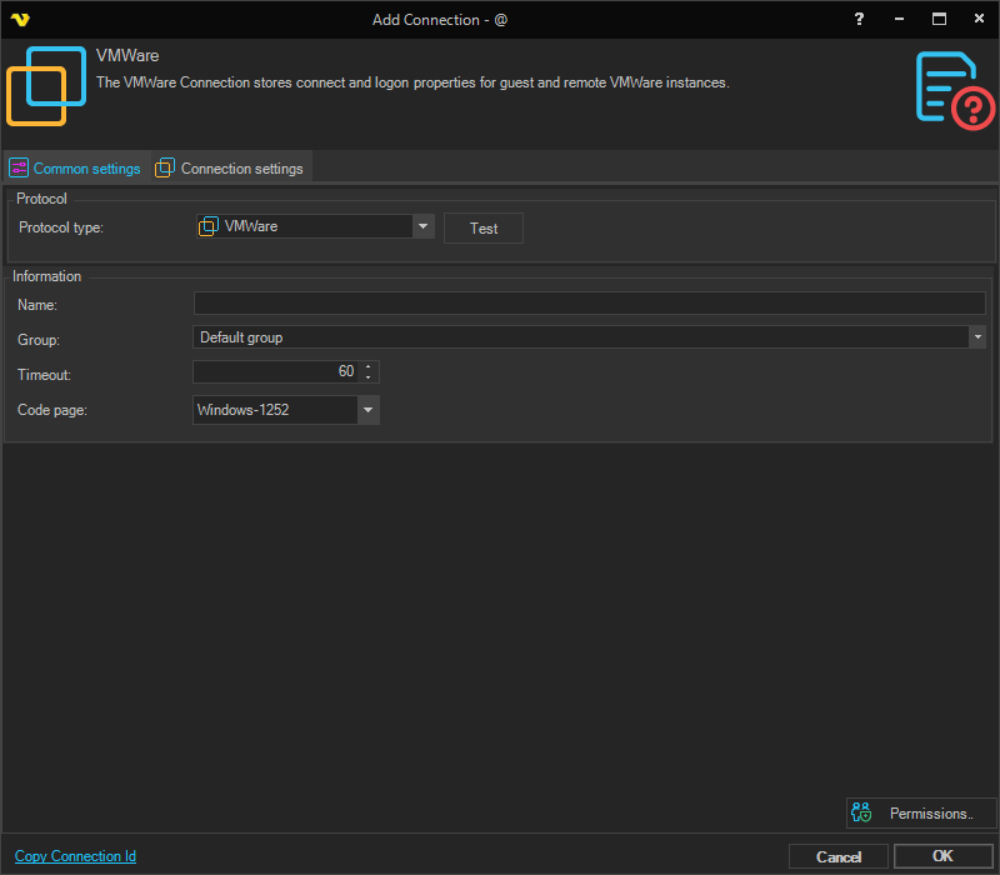
Name
The name of the Connection to uniquely identify it.
Group
The group that the connection is a part of.
Timeout
The connection timeout in seconds. Connection will fail after this time period.
Code page
Code page being used.
Manage Connections > Add > VMWare > Connection settings tab
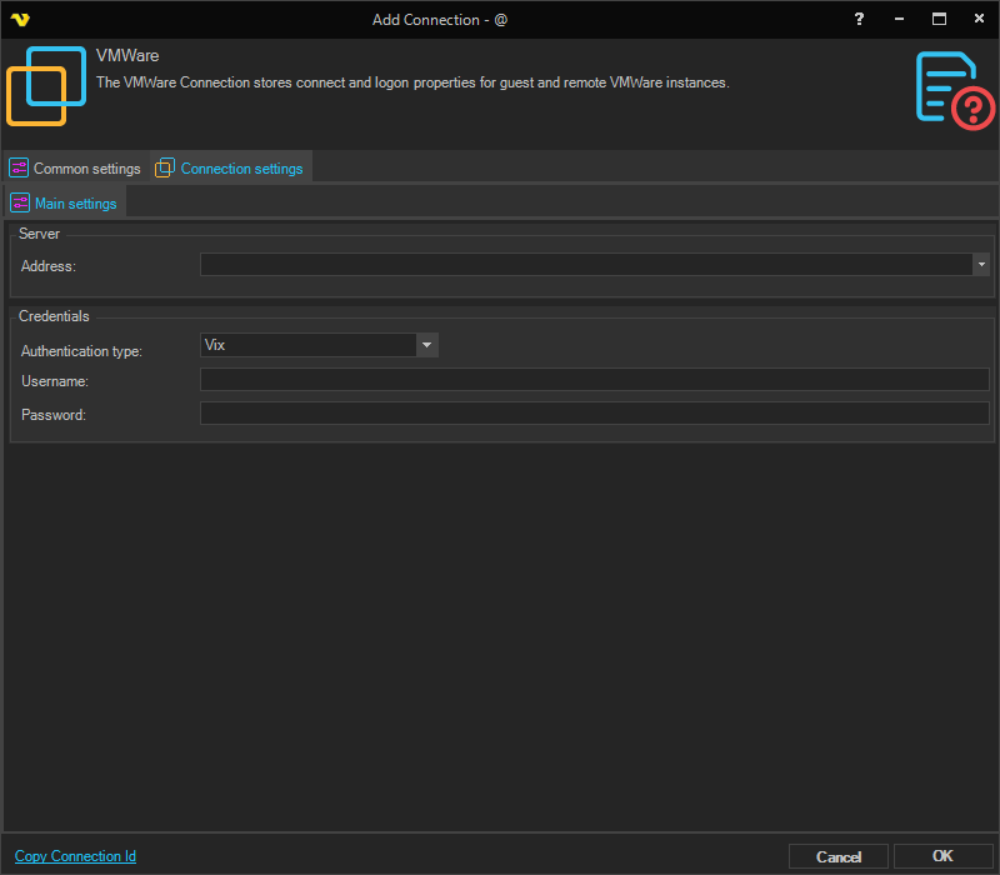
Address
The host name or IP address of the VMWare server.
Authentication type
The API used to connect to the VMWare server. Available options:
- Vix - uses the legacy VIX COM API. Supported up to vSphere version 6.0.
- vSphere - uses the VMware vSphere Web Services SDK, which is based on web services. Recommended for vSphere versions after 6.0.
- vSphere 7 - uses the vSphere Web Services SDK targeting vSphere version 7 and later.
Username
The user name for the VMWare server.
Password
The password for the VMWare server.
Troubleshooting
The protocol requested by peer '0 0 9 1' does not match expected '3 1 0 0'. Make sure both sides agree on protocol id and version. Please upgrade remote server to AMQP 1.0. VisualCron supports AMQP 1.0 or later.