Connection - Telnet
This connection is used for Telnet.
Manage Connections > Add > Telnet > Common settings tab
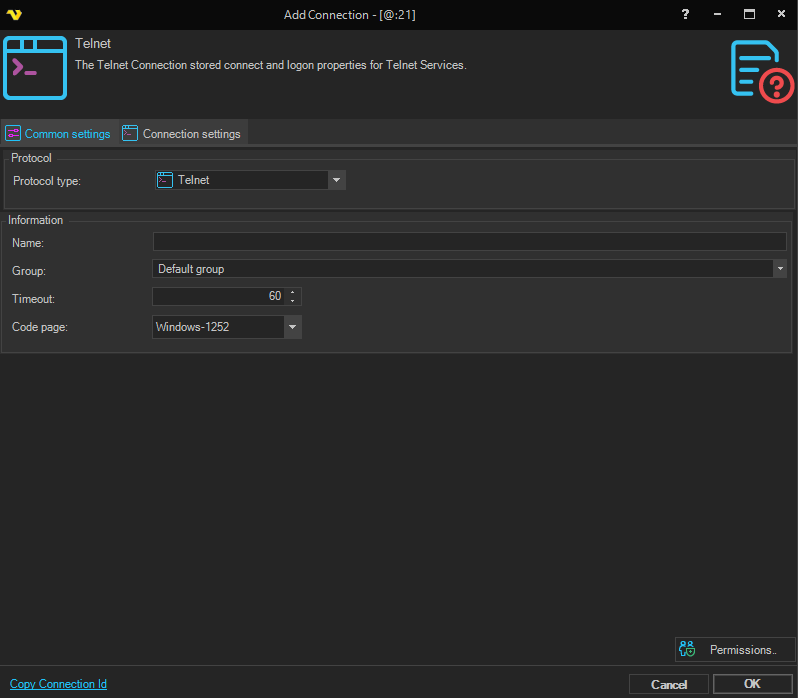
Protocol type
Text
Name
The name of the Connection to uniquely identifying it.
Group
The group that the connection is a part of.
Timeout
The connection timeout in seconds. Connection will fail after this time period.
Code page
Code page being used.
Manage Connections > Add > Telnet > Main settings tab
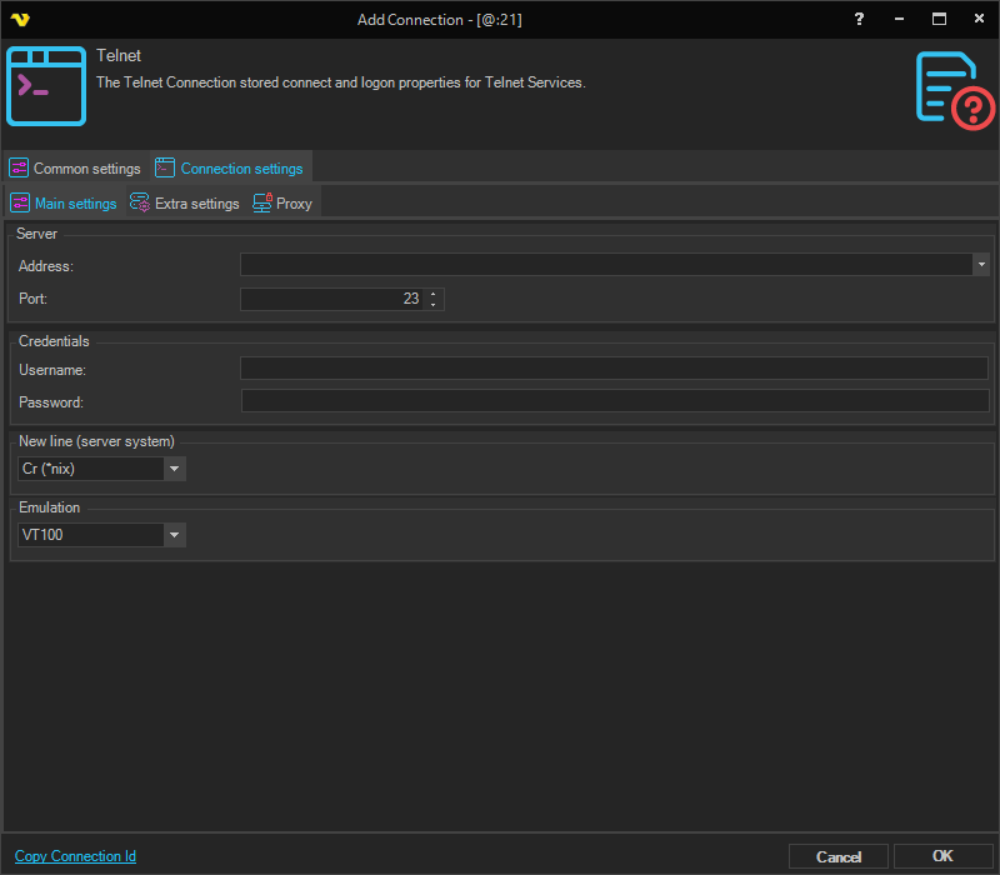
Address
This is the host address to the server. It could be a DNS name or IP number.
Port
This is the remote connection port. Default is 23.
Username
The user name for the connection.
Password
The password for the connection.
Manage Connections > Add > Telnet > Extra settings tab
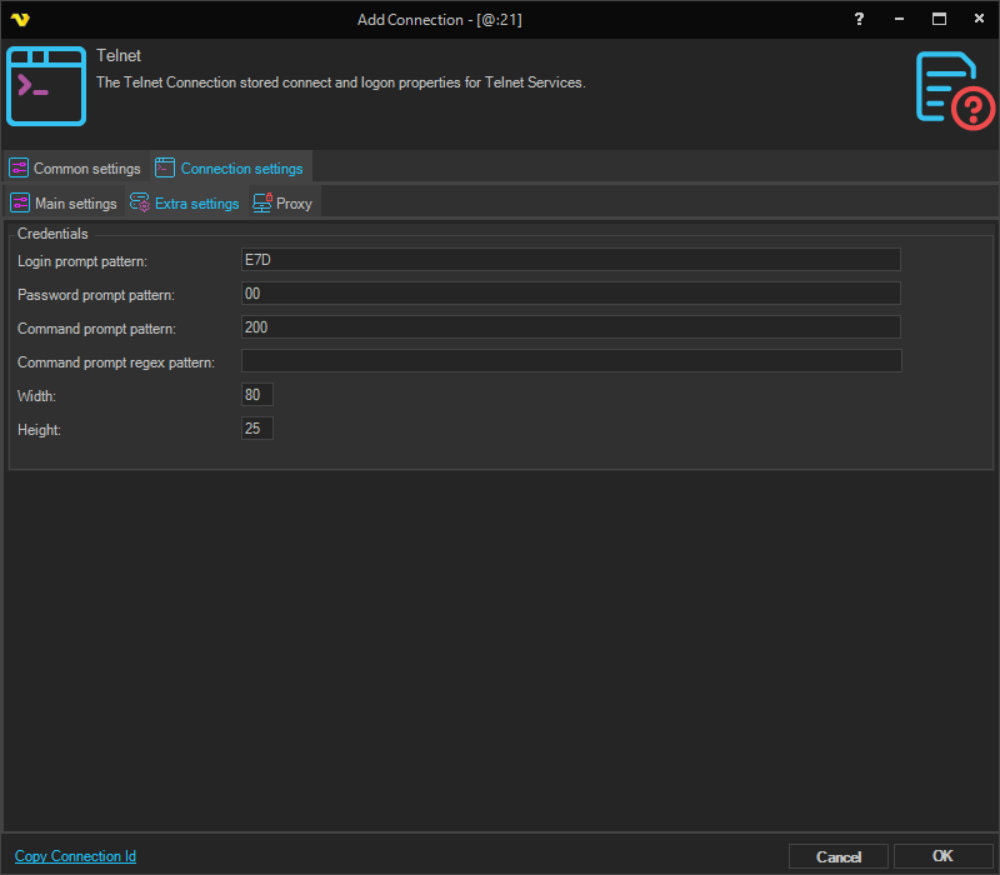
Login prompt pattern
The text pattern VisualCron looks for to detect when the server is presenting a login prompt.
Password prompt pattern
The text pattern VisualCron looks for to detect when the server is presenting a password prompt.
Command prompt pattern
The text pattern VisualCron looks for to detect when the server is ready to receive a command after successful login.
Command prompt regex pattern
A regular expression pattern used to detect the command prompt. Use this when the command prompt varies and cannot be matched with a simple fixed string.
Width
The terminal width in characters. Default is 80.
Height
The terminal height in characters. Default is 25.
Emulation
The terminal emulation type to use for the Telnet session. Options include ANSI, TTY, VT100, VT220, VT320, and VT52.
New line (server system)
The line ending format used by the remote server.
- Cr — use carriage return only, standard for Unix/Linux systems.
- CrLf — use carriage return and line feed, standard for Windows systems.
Manage Connections > Add > Telnet > Proxy tab
Proxy type
Select the proxy type to be used.
Address
The host name or IP address of the proxy server.
Port
The port of the proxy server.
Use credentials
The credentials that are associated with the account.
Domain
The name of the domain to be created.
Username
The user name to access the proxy server.
Password
The password to access the proxy server.