Connection - PeopleSoft
This Connection is used for PeopleSoft.
Manage Connections > Add > PeopleSoft > Main settings tab
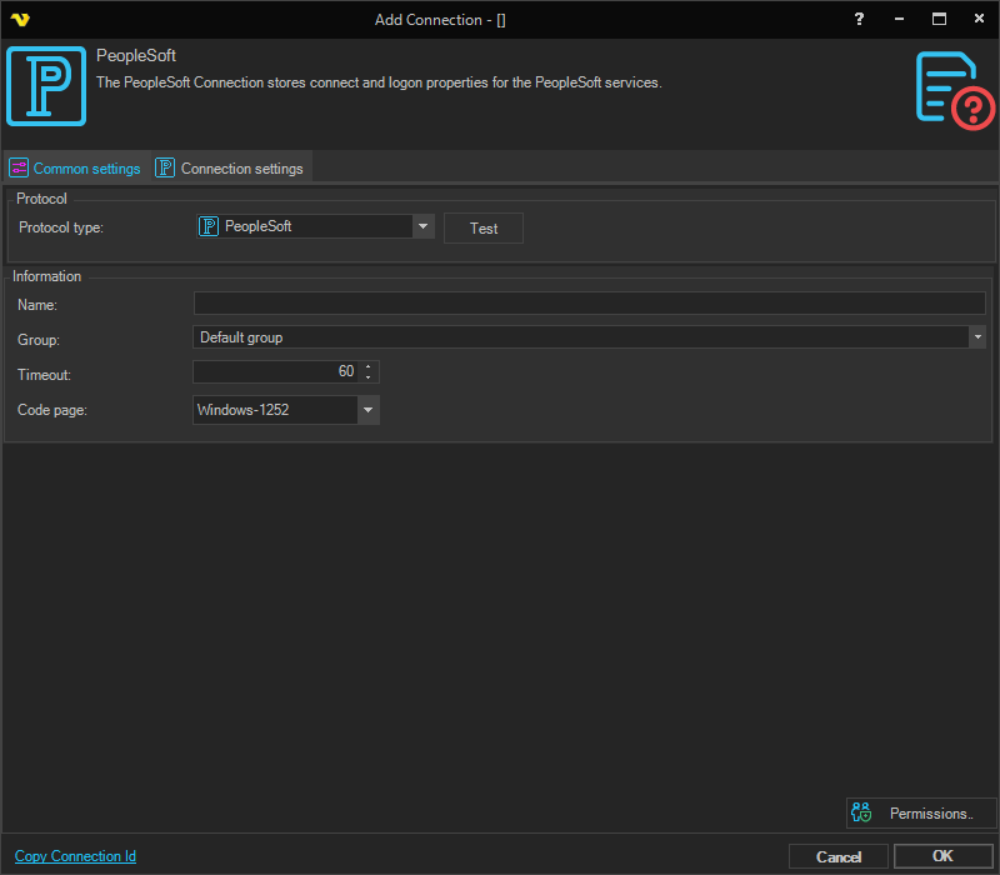
Protocol type
Text
Test
It is possible to test the connection once you have set all settings. Click the Test button to start the test.
Name
The name of the Connection to uniquely identifying it.
Group
The group that the connection is a part of
Timeout
The connection timeout in seconds. Connection will fail after this time period.
Code page
Code page being used.
Manage Connections > Add > PeopleSoft > Connection settings tab
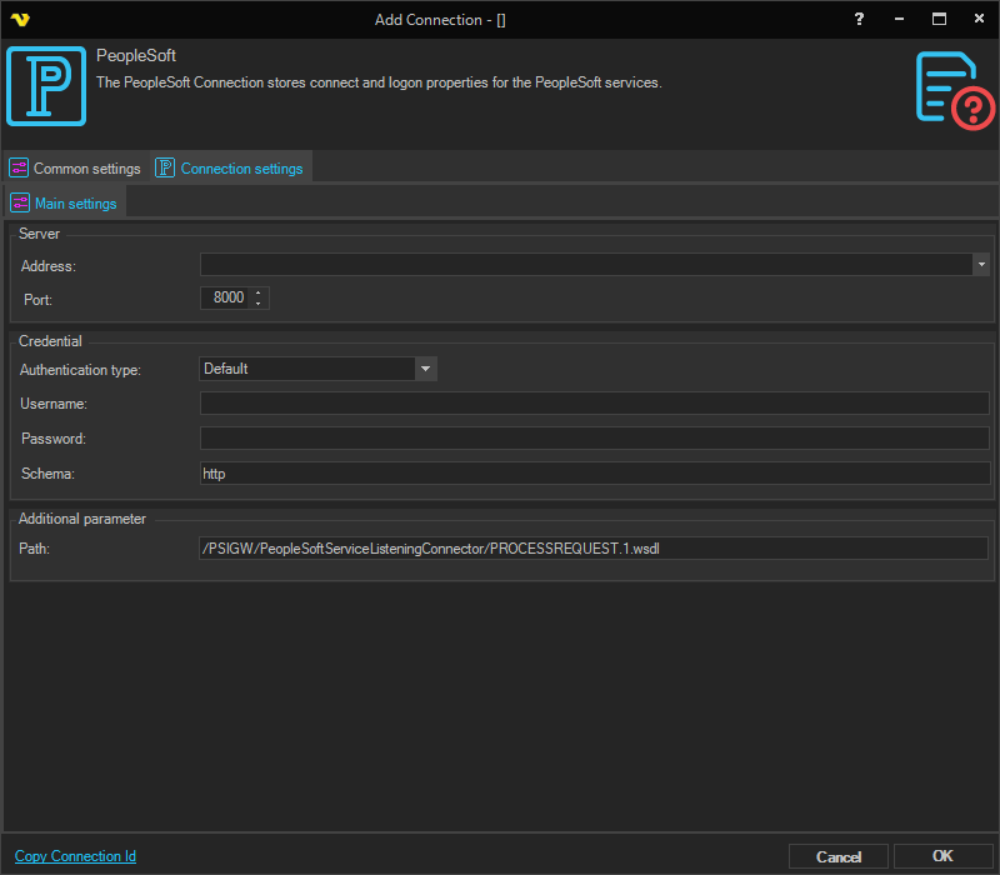
Address
The address to the PeopleSoft server.
Port
This is the remote connection port.
Authentication type
The method used to authenticate with the PeopleSoft server.
- Default - uses the default authentication method
- Basic - HTTP Basic authentication
- Digest - HTTP Digest authentication
- Windows - Windows authentication
- Certificate - certificate-based authentication
Username
Username for the service.
Password
Password for the service.
Schema
The schema/protocol used for the connection. Defaults to http.
Manage Connections > Add > PeopleSoft > Additional parameter section
Path
The WSDL path on the PeopleSoft server. Defaults to /PSIGW/PeopleSoftServiceListeningConnector/PROCESSREQUEST.1.wsdl.