Connection - SSRS
he SSRS Connection stores connect and logon properties for SQL Server Reporting Services (SSRS).
The SSRS Connection is used in the Database - SSRS Task, which executes and exports reports through SQL Server Reporting Services.
Manage Connections > Add > SSRS > Common settings tab
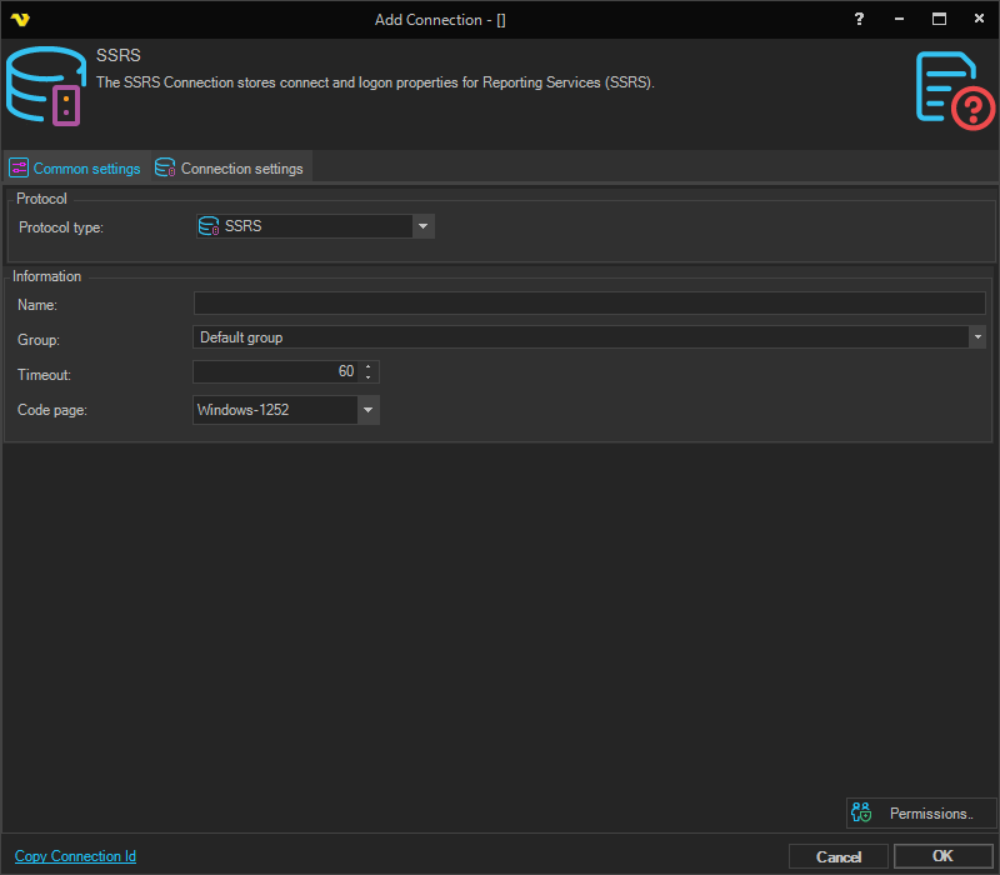
Name
The name of the Connection to uniquely identify it.
Group
The group that the connection is a part of.
Timeout
The connection timeout in seconds. Connection will fail after this time is passed.
Code page
The table of values that describes the desired character set.
Manage Connections > Add > SSRS > Connection settings tab
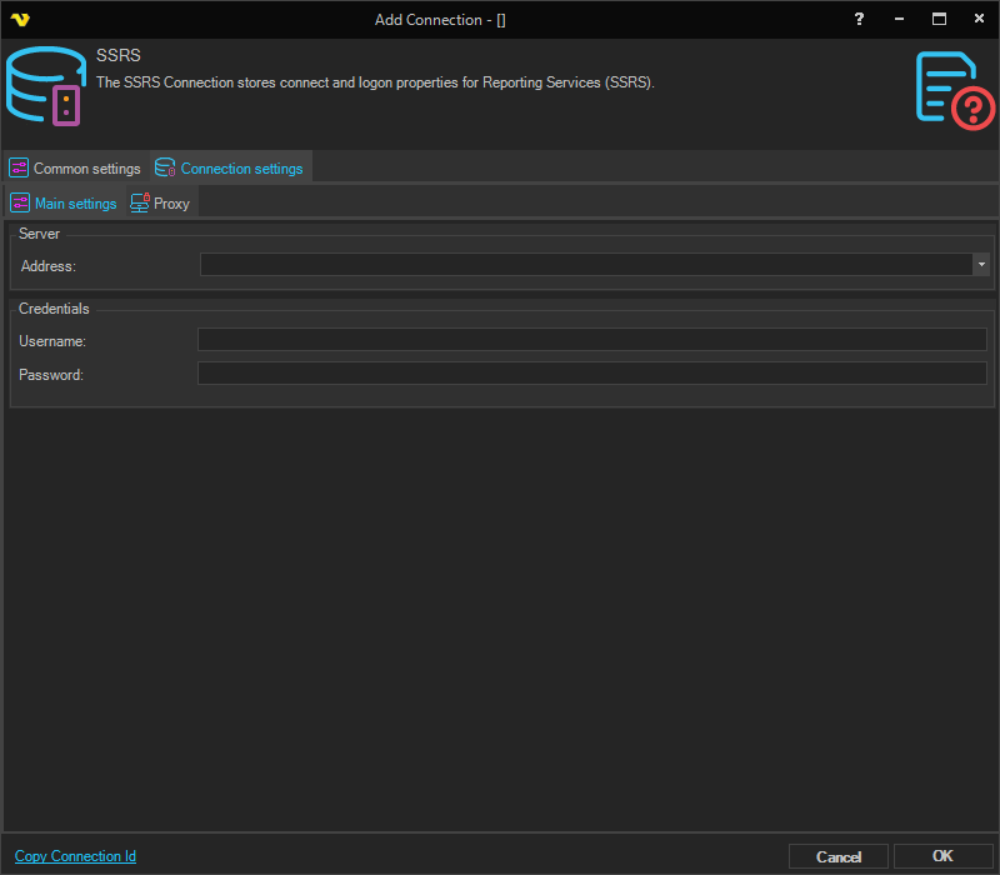
Address
The IP address or DNS name of the SSRS server. Do not include the http:// prefix or a full folder path.
Username
The user name for the SSRS server.
Password
The password for the SSRS server.
Manage Connections > Add > SSRS > Proxy tab
Proxy type
Select the proxy type to be used.
Address
The host name or IP address of the proxy server.
Port
The port of the proxy server.
Use credentials
Enable to provide credentials for authenticating with the proxy server.
Domain
The domain of the proxy server.
Username
The user name to access the proxy server.
Password
The password to access the proxy server.