Connection - XendApp
The XendApp Connection stores connect and logon properties for the device messaging service XendApp.
XendApp is a platform for delivering instant messages to any device (phone/tablet). It is a free service which uses notification services to deliver a message. Registration is done here.
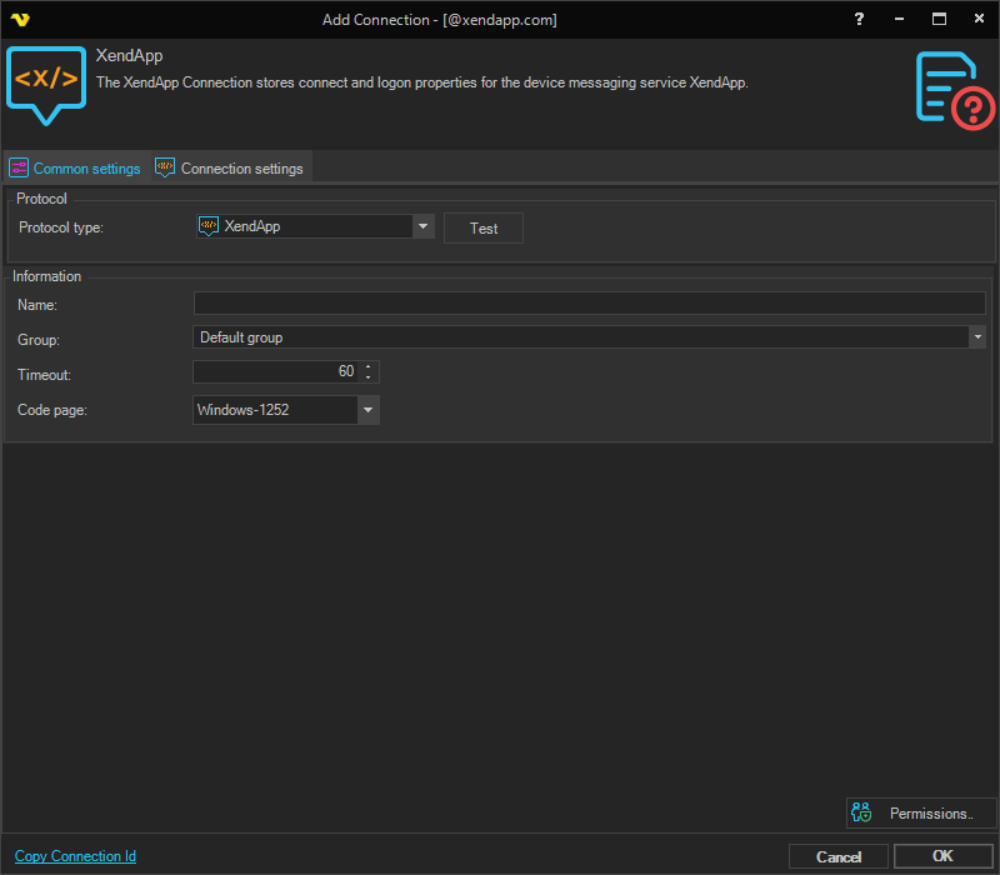
Manage Connections > Add > XendApp > Common settings tab
Test
It is possible to test the connection once you have set all settings. Click the Test button to start the test.
Name
The unique name for the Connection.
Group
The group that the connection is a part of.
Timeout
The connection timeout in seconds. Connection will fail after this time period.
Code page
Code page being used.
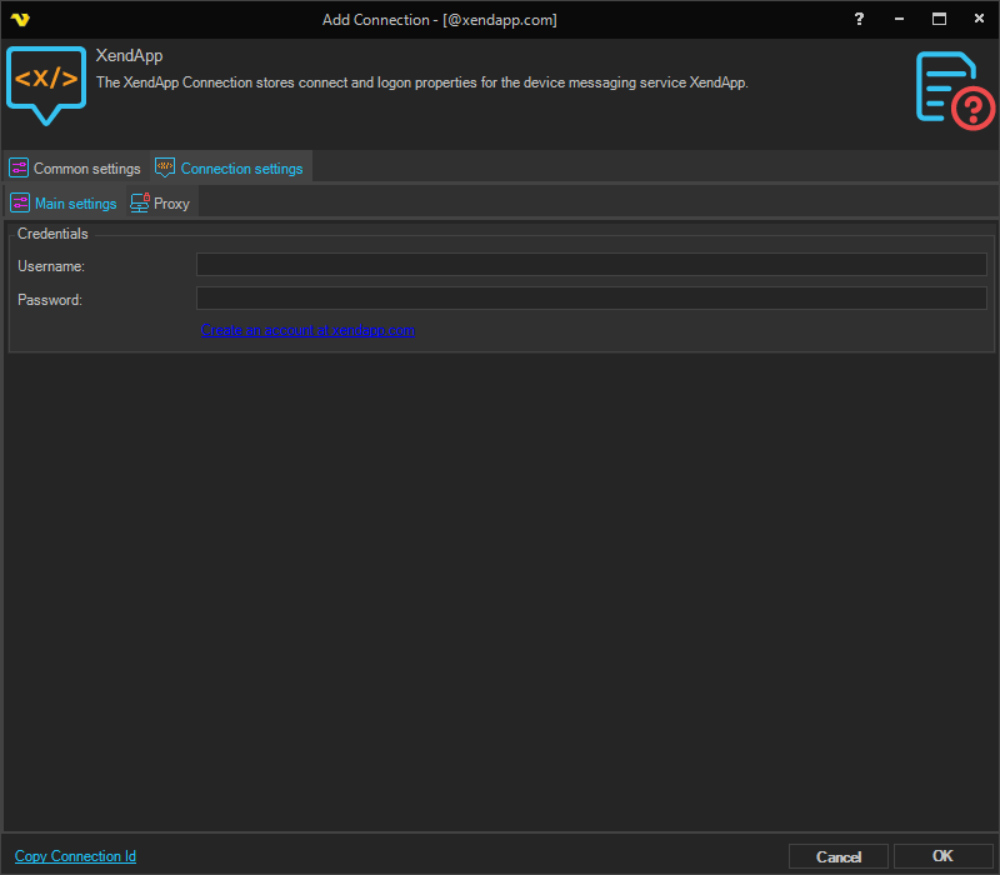
Manage Connections > Add > XendApp > Connection settings tab
Username
The username for the registered XendApp account. Register here for free.
Password
The password for the registered XendApp account. Register here for free.
Create an account at xendapp.com
A link that opens the XendApp registration page where you can create a free account.
Manage Connections > Add > XendApp > Proxy tab
Proxy type
Select the proxy type to be used.
Address
The host name or IP address of the proxy server.
Port
The port of the proxy server.
Use credentials
The credentials that are associated with the account.
Domain
The domain of the proxy server.
Username
The user name to access the proxy server.
Password
The password to access the proxy server.