Connection - WebDAV
The WebDAV Connection stores the address, sign-in and security settings that these Tasks use to connect to a WebDAV server, a web server with the WebDAV extension of HTTP for working with files and folders:
- Net - WebDAV - Download
- Net - WebDAV - Upload
- Net - WebDAV - Copy files
- Net - WebDAV - Delete
- Net - WebDAV - Create folder
- Net - WebDAV - List items
- Net - WebDAV - List folders
WebDAV Connections accept any server certificate for "https://" addresses. The Server does not check the certificate, so it cannot tell the real server from another server that answers at the same address. Use the Connection only where you trust the network path to the server.
Common settings
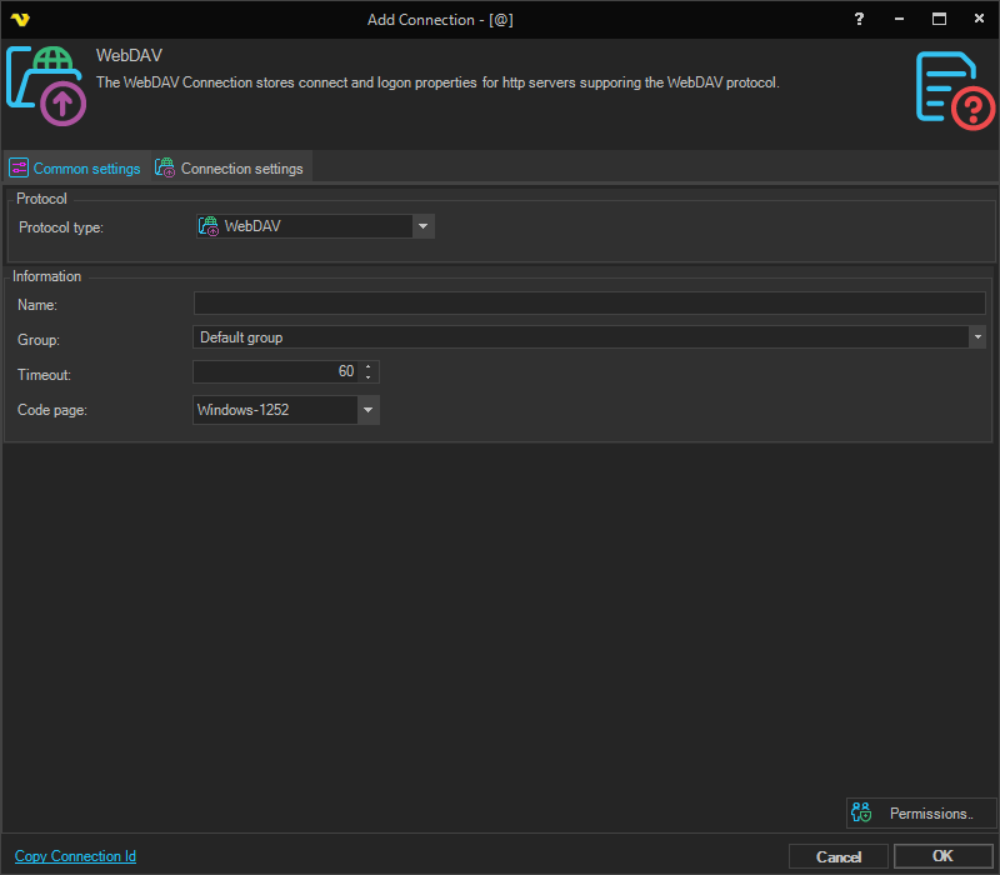
The Common settings and Proxy tabs are the same for every Connection type that has them; see Common settings and Proxy. WebDAV Connections have no Test, and the WebDAV Tasks do not use Timeout or Code page. To limit how long a WebDAV Task runs, use the Task's own timeout.
Main settings
These fields are on Connection settings -> Main settings.
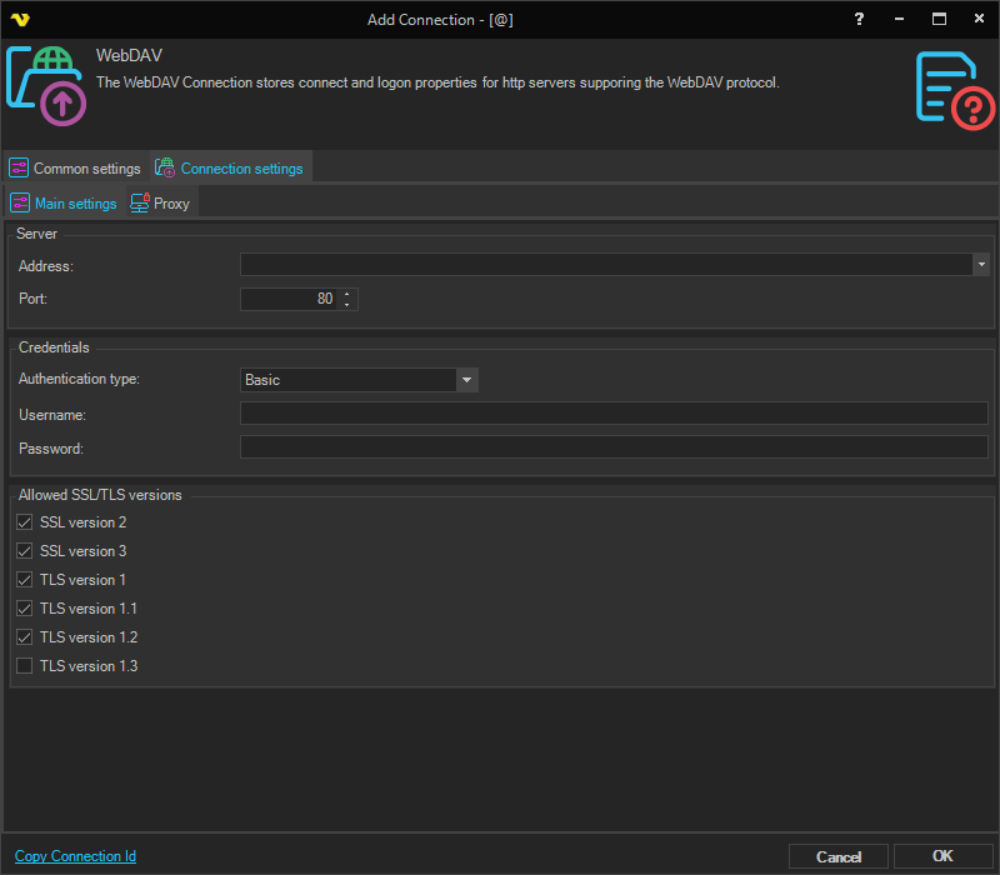
- Address: the base URL of the WebDAV folder, including "http://" or "https://", for example
https://<server>/<folder>. The Tasks add their paths to this URL. To use a port other than the default for the scheme, include it, as inhttps://<server>:<port>/<folder> - Port: the local port on the Server computer that the Server opens its connections to the WebDAV server from. "80" on a new Connection. The port of the WebDAV server comes from Address
- Authentication type: "Basic", the default on a new Connection, "Digest" or "NTLM"
- Username: required. The WebDAV account
- Password: the password of the WebDAV account
- Allowed SSL/TLS versions: the versions the Server may use with an "https://" address. A new Connection allows SSL version 2, SSL version 3, TLS version 1, TLS version 1.1 and TLS version 1.2, and not TLS version 1.3. If you clear all of them, the Server does not use SSL or TLS
"Basic" sends the user name and password in a form that anyone who can see the traffic can read. With an "http://" address, nothing protects them. Because the Server does not check the server certificate, an "https://" address protects them only on a network path that you trust. Use an "https://" address, or choose "Digest" or "NTLM".
SSL version 2, SSL version 3, TLS version 1 and TLS version 1.1 are obsolete. Select only TLS version 1.2 and TLS version 1.3, unless the server cannot use them.
Proxy
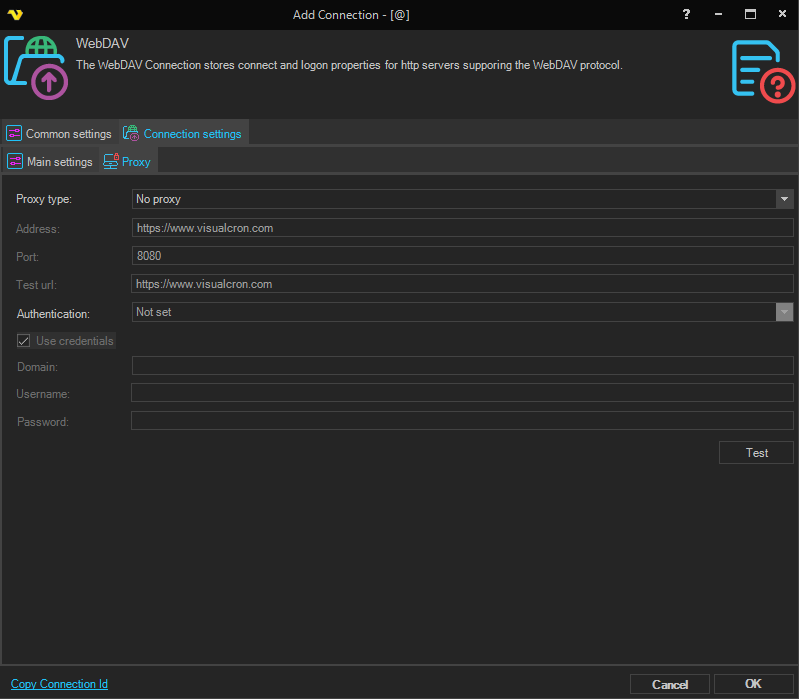
WebDAV Connections can use "HTTP Proxy", "SOCKS4" and "SOCKS5" proxies, and use Authentication. They send the proxy Username and Password when Use credentials is selected, never the WebDAV account.