Connection - IBM Cognos Analytics
The IBM Cognos Analytics Connection stores the address, sign-in and security settings that the IBM Cognos Analytics - Run report and IBM Cognos Analytics - Run job Tasks use to connect to IBM Cognos Analytics.
Common settings
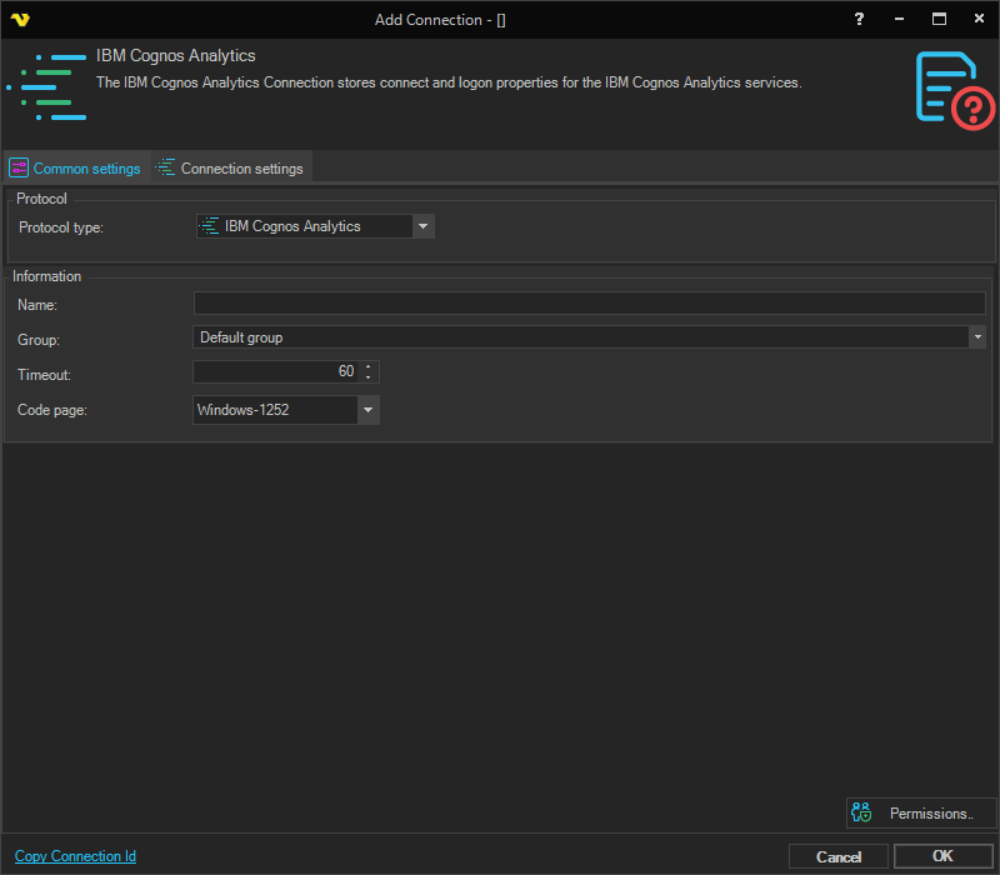
The Common settings tab is the same for every Connection type that has it; see Common settings.
For an IBM Cognos Analytics Connection, no Test button is shown, and Timeout and Code page are not used. The Cognos Tasks use the Task timeout.
Main settings
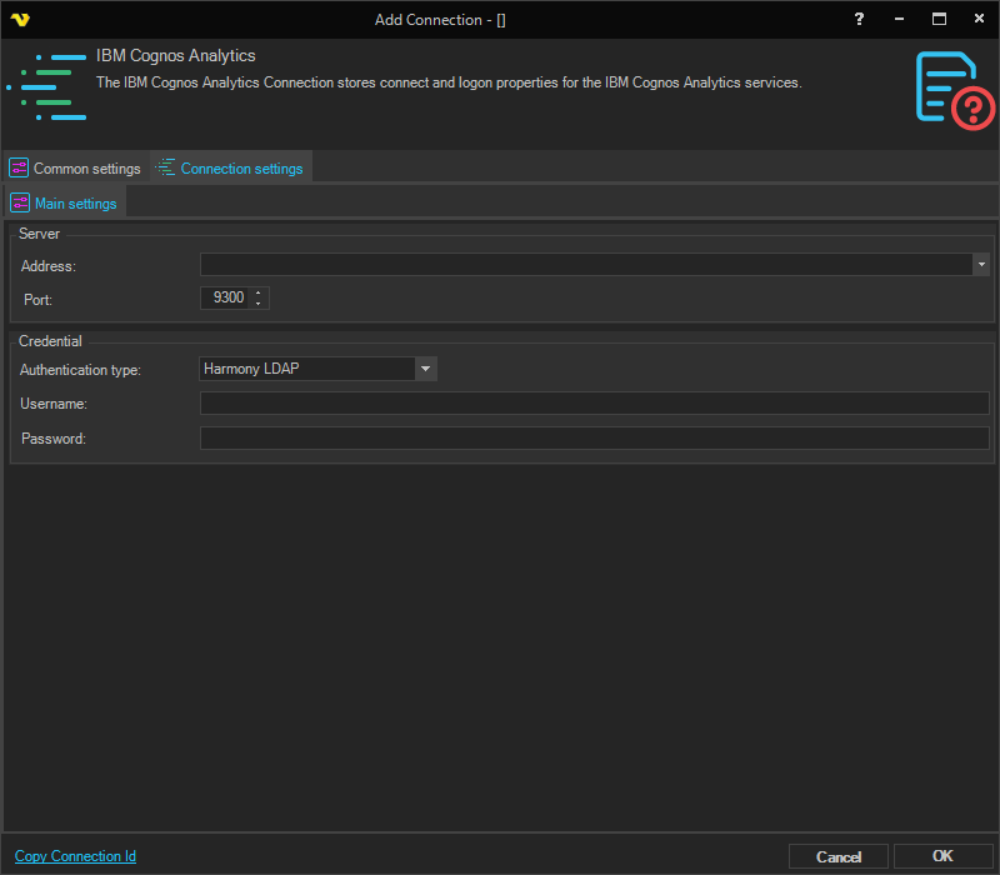
These fields are on Connection settings -> Main settings. Address, Port and Username are required.
warning
The IBM Cognos Analytics Connection connects to the server over HTTP. The user name, the password and the report data are sent without encryption. Use this Connection only on a network that you trust.
- Address: the host name or IP address of the IBM Cognos Analytics server, without
http://, a port or a path. VisualCron adds the scheme, the port and the path of the Cognos dispatcher - Port: the port of the Cognos dispatcher. The default is "9300". The value "0" is not accepted
- Authentication type: how the Tasks log on:
- "Harmony LDAP": log on with Username and Password to the Cognos namespace with the ID "Harmony LDAP", the only namespace supported
- "Anonymous": connect without logging on
- Username: the user name to log on with. It is required, also with "Anonymous"
- Password: the password for that user