Connection - SCP
The SCP Connection stores connect and logon properties for the Secure Copy (SCP) protocol. The SCP protocol is a network protocol, based on the BSD RCP protocol, which supports file transfers between hosts on a network.
SCP uses Secure Shell (SSH) for data transfer and uses the same mechanisms for authentication, thereby ensuring the authenticity and confidentiality of the data in transit. A client can send (upload) files to a server, optionally including their basic attributes (permissions, timestamps). Clients can also request files or directories from a server (download). SCP runs over TCP port 22 by default. Like RCP, there is no RFC that defines the specifics of the protocol.
In VisualCron, the SCP Connection is used in the Net - FTP/FTPS/SFTP/SCP Task.
Manage Connections > Add > SCP > Main settings tab
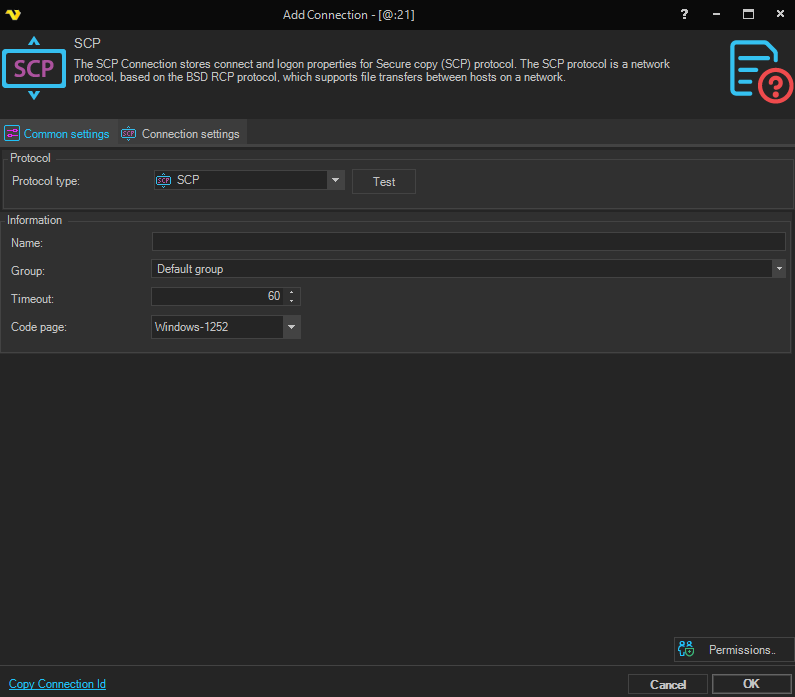
Name
This is a descriptive name of the connection to distinguish from other connections.
Group
The group that the connection is a part of.
Timeout
The connection timeout in seconds. Connection will fail after this time is passed.
Code page
The table of values that describes the desired character set. Currently this is overridden by the code page in the Task.
Manage Connections > Add > SCP > Connection settings tab
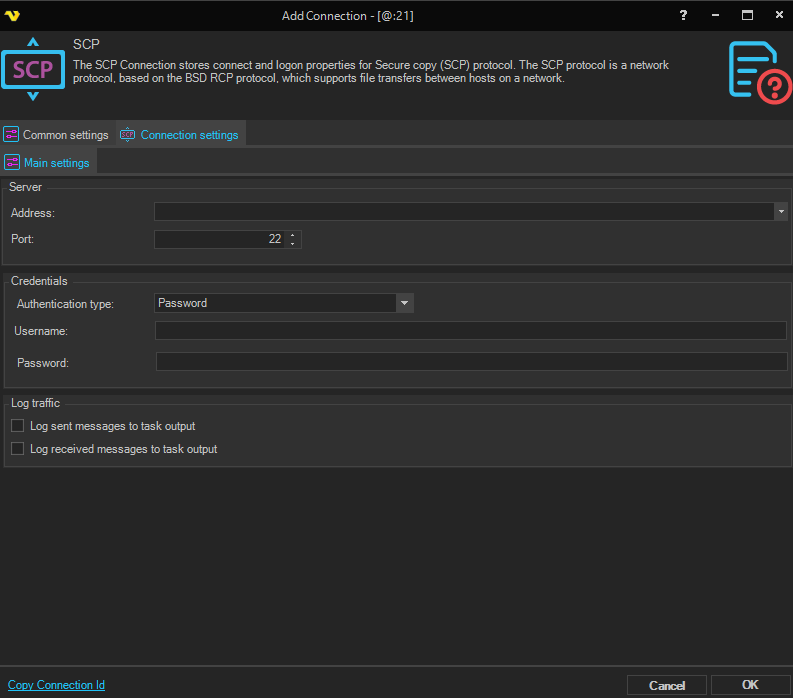
Address
This is the host address to the server. It could be a DNS name or IP number.
Port
This is the remote connection port.
Authentication type
The method used to authenticate with the SCP server.
- Password - authenticate using a username and password
- Public key - authenticate using an SSH private key (password field is hidden and an SSH key selector is shown)
Username
The user name for the connection.
Password
The password for the connection. Only visible when Authentication type is set to Password.
SSH key
The SSH private key used for authentication. Only visible when Authentication type is set to Public key.
Log sent messages to task output
When enabled, sent messages are logged to the task output.
Log received messages to task output
When enabled, received messages are logged to the task output.