Connection - Amazon
The Amazon Connection stores connect and logon properties for Amazon cloud services including Amazon S3, EC2, SNS, SQS, and DynamoDB.
The Amazon Connection is used in the following Tasks:
- Cloud - Upload file(s)
- Cloud - List item(s)
- Cloud - Download file(s)
- Cloud - Create folder
- Cloud - Delete item(s)
- Messaging - SNS - Publish message
- All Amazon EC2 Tasks
- All Amazon DynamoDB Tasks
And the following Triggers
Manage Connections > Add > Amazon > Common settings tab
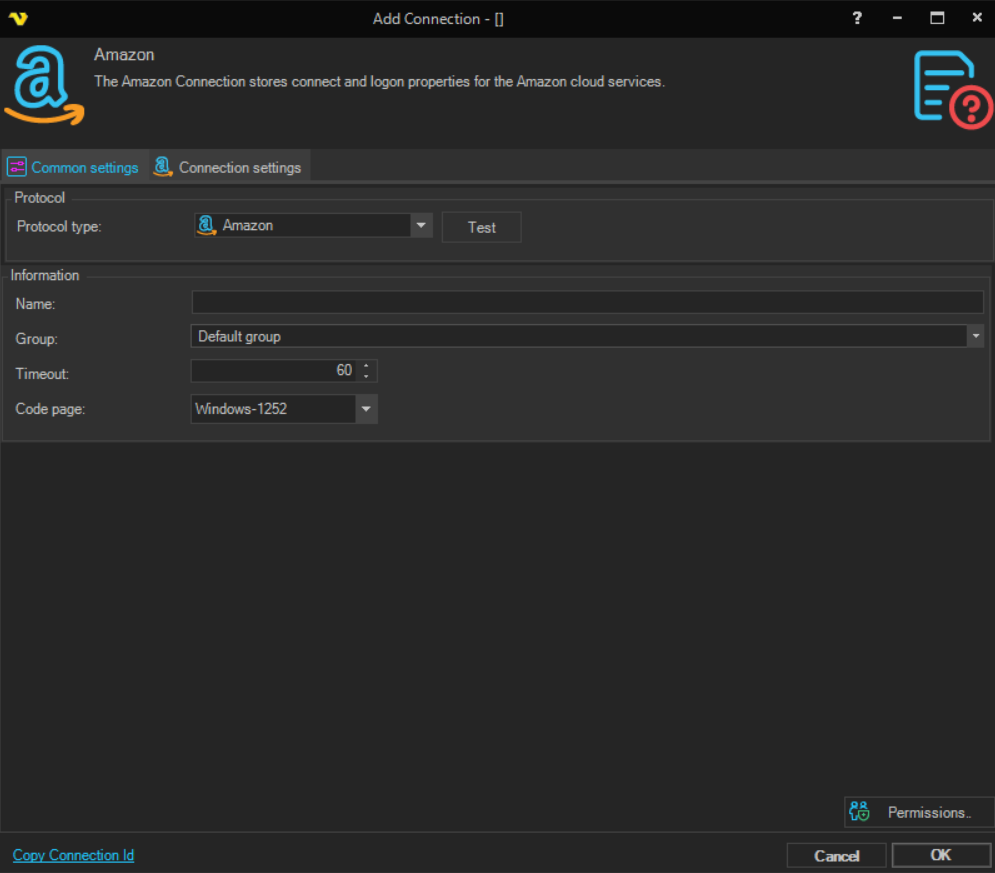
Name
The unique name for the Connection
Group
The group that the connection is a part of.
Timeout
The connection timeout in seconds. Connection will fail after this time period.
Code page
Code page being used.
Manage Connections > Add > Amazon > Connection settings tab
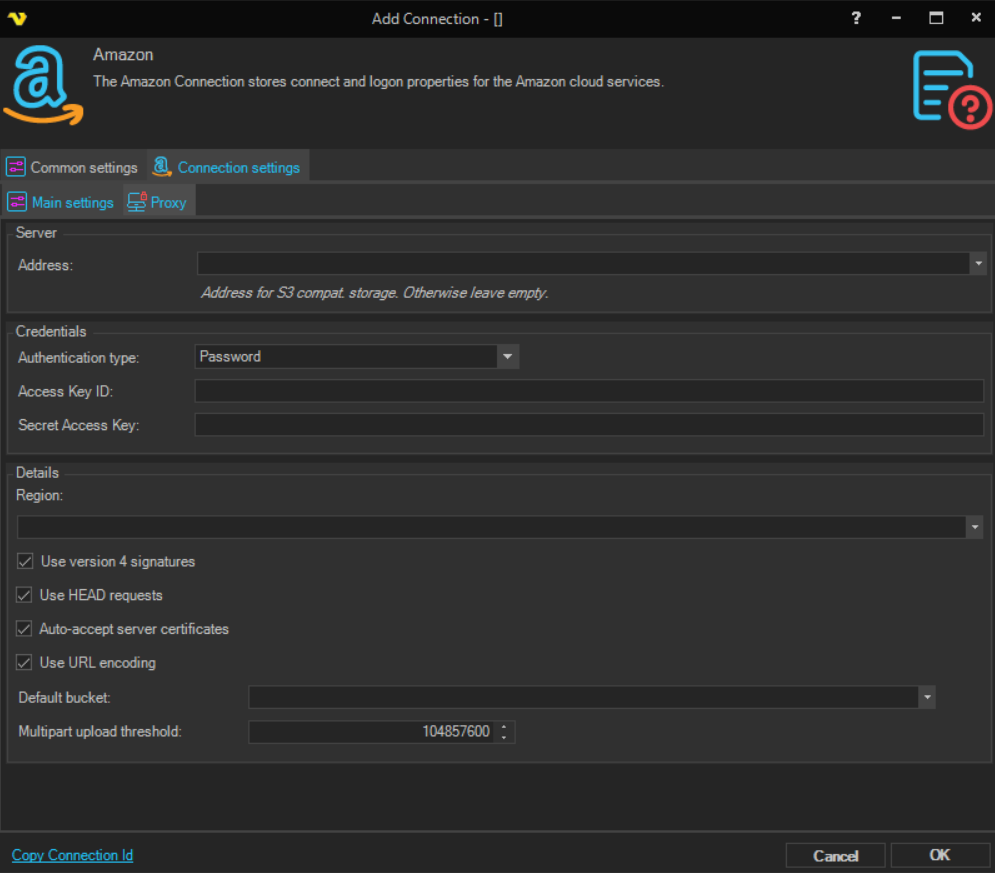
Address
The endpoint address for S3-compatible storage services. Leave empty when connecting to standard Amazon S3.
Authentication type
The authentication method to use. Available options:
- Password - authenticate using an Access Key ID and Secret Access Key
- Public key - authenticate using a certificate; the Access Key ID and Secret Access Key fields are hidden and a certificate selector is shown instead
Access Key ID (Password authentication only)
The AWS Access Key ID for the account.
Secret Access Key (Password authentication only)
The AWS Secret Access Key for the account.
Certificate (Public key authentication only)
Select the certificate to use for authentication.
Region
The AWS region endpoint to connect to. Select from the list of available regions (e.g. us-east-1, eu-west-1).
Default bucket
The default S3 bucket to use when no bucket is specified in a Task.
Multipart upload threshold
The file size threshold in bytes above which uploads are performed using multipart upload. Default: 104857600 (100 MB).
Use version 4 signatures
When checked, uses AWS Signature Version 4 to sign requests. This is required by most AWS regions. Uncheck only if connecting to a region or S3-compatible service that requires Signature Version 2.
Use HEAD requests
When checked, VisualCron uses HTTP HEAD requests to retrieve object metadata. Enable this if the S3-compatible service requires it.
Auto-accept server certificates
When checked, VisualCron automatically accepts server certificates without prompting. Enabled by default.
Use URL encoding
When checked, VisualCron applies URL encoding to object keys. Enabled by default.
Manage Connections > Add > Amazon > Proxy tab
Proxy type
Select the proxy type to be used.
Address
The host name or IP address of the proxy server.
Port
The port of the proxy server.
Use credentials
Enable to provide credentials for authenticating with the proxy server.
Domain
The domain of the proxy server.
Username
The user name to access the proxy server.
Password
The password to access the proxy server.
Amazon SQS
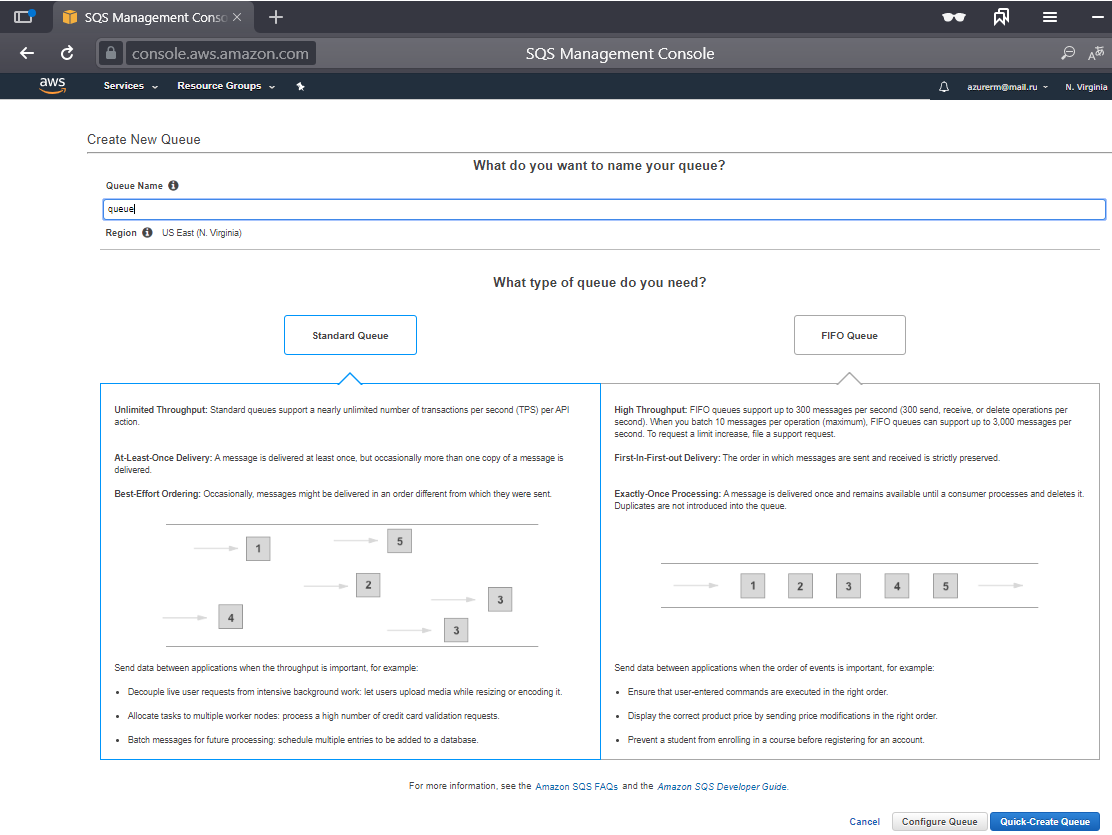
Create SQS queue
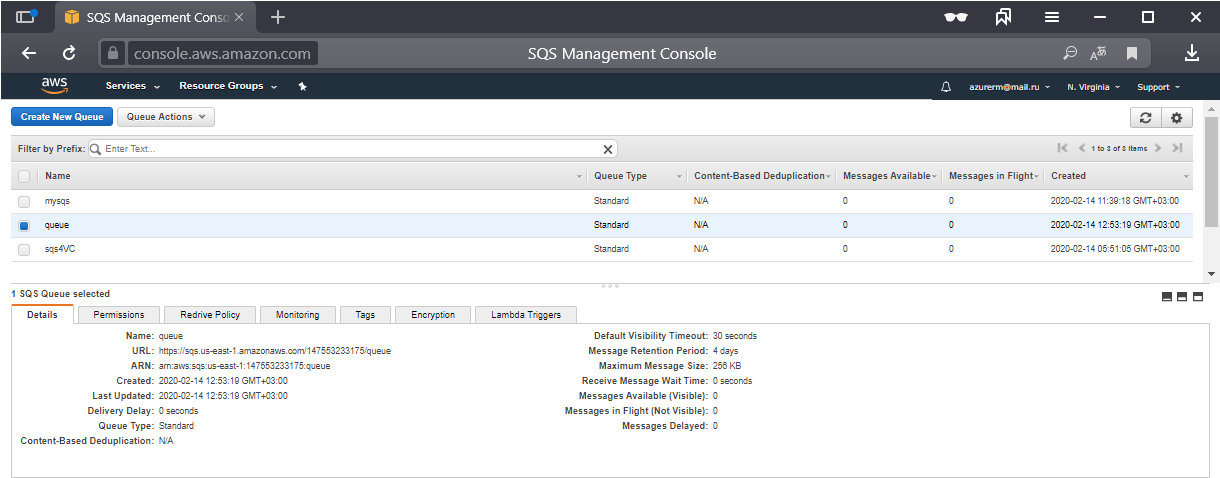
List SQS queus
Troubleshooting
General
Test the S3 explorer if it is working there.
HTTP request failed with code 403 (Forbidden)
Test with the S3 Connection Explorer and look for the error message. This error typically occurs when the AWS user does not have listing permissions on S3 buckets. Add the required bucket listing permission — Tasks will not work properly without it.
SignatureDoesNotMatch
Uncheck or check Use version 4 signatures to toggle the signature version used.
Connection lost (error code is 100353)
Most likely a proxy error. Define a proxy in the Proxy tab of the Connection.
The hostname could not be parsed
Ensure that an Amazon region has been selected in the Region field.
HTTP request failed with code 400 (Bad Request). Error code: AuthorizationHeaderMalformed.
The AWS user is missing the "List buckets" permission.