Connection - Pushbullet
The Pushbullet Connection is used with the free service from Pushbullet to send messages, files or SMS to any device.
The Pushbullet Connection is used in the following Tasks:
- Pushbullet - Send message
- Pushbullet - Send SMS
- Pushbullet - Send link
- Pushbullet - Send file
- Pushbullet - Upload file
Manage Connections > Add > Pushbullet > Main settings tab
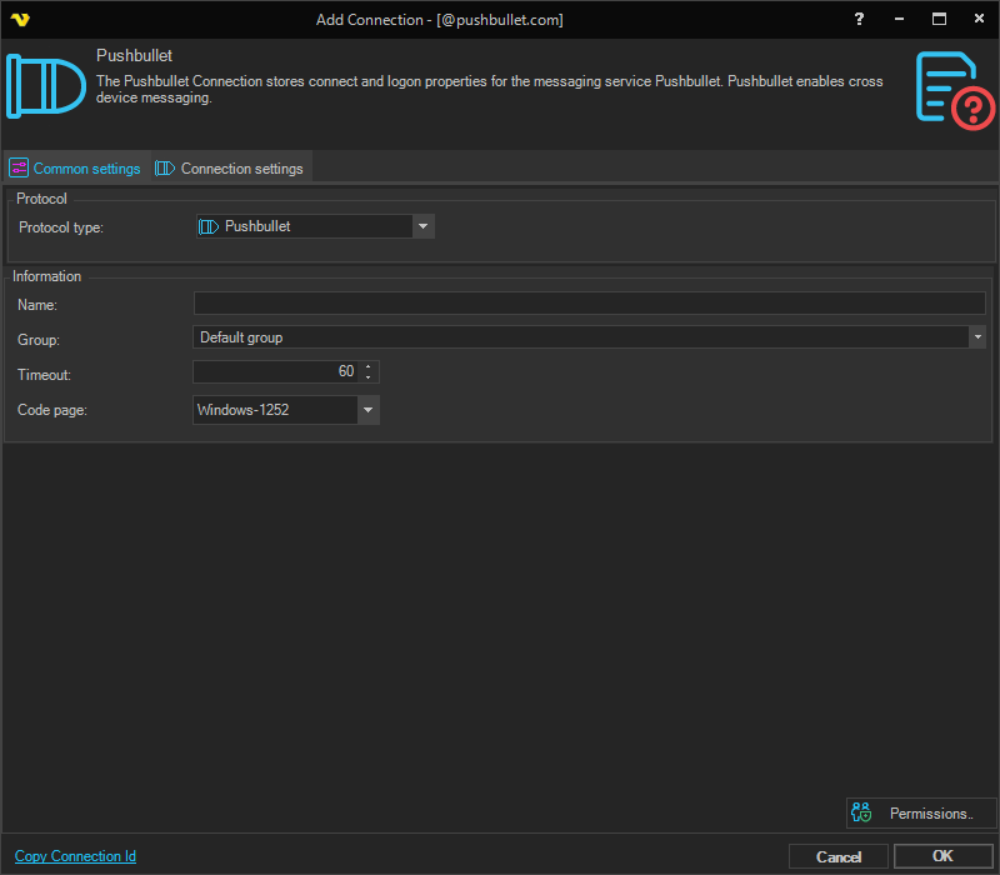
Name
The name of the Connection to uniquely identifying it.
Group
The group that the connection is a part of.
Timeout
The connection timeout in seconds. Connection will fail after this time period.
Code page
Code page being used.
Manage Connections > Add > Pushbullet > Connection settings tab
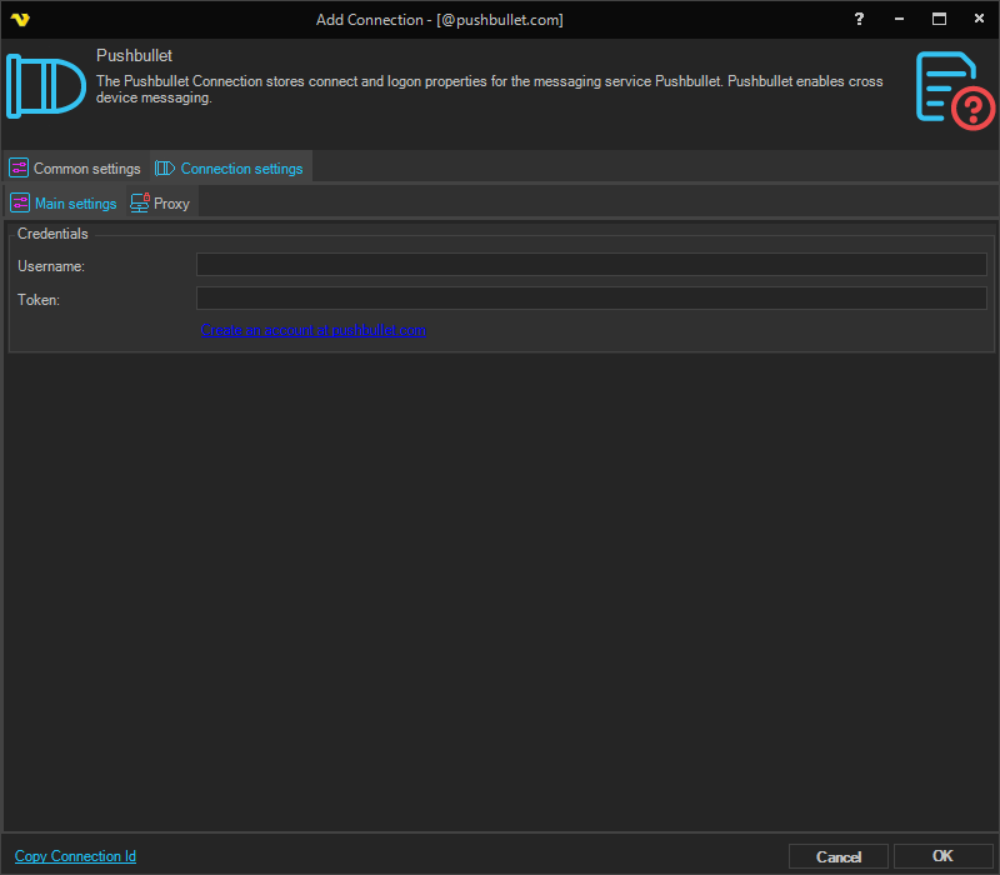
Username
Username for the service.
Token
A string token you get when you create an account at pushbullet.com.
Create an account at pushbullet.com
A link that opens the Pushbullet website where you can create an account and obtain your access token.
Manage Connections > Add > Pushbullet > Proxy tab
Proxy type
Select the proxy type to be used.
Address
The host name or IP address of the proxy server.
Port
The port of the proxy server.
Use credentials
The credentials that are associated with the account.
Domain
The domain of the proxy server.
Username
The user name to access the proxy server.
Password
The password to access the proxy server.