Task Process - Execute Script
The Execute script Task runs a VBScript or JScript with Windows Script Host (cscript.exe //NoLogo) in a hidden window.
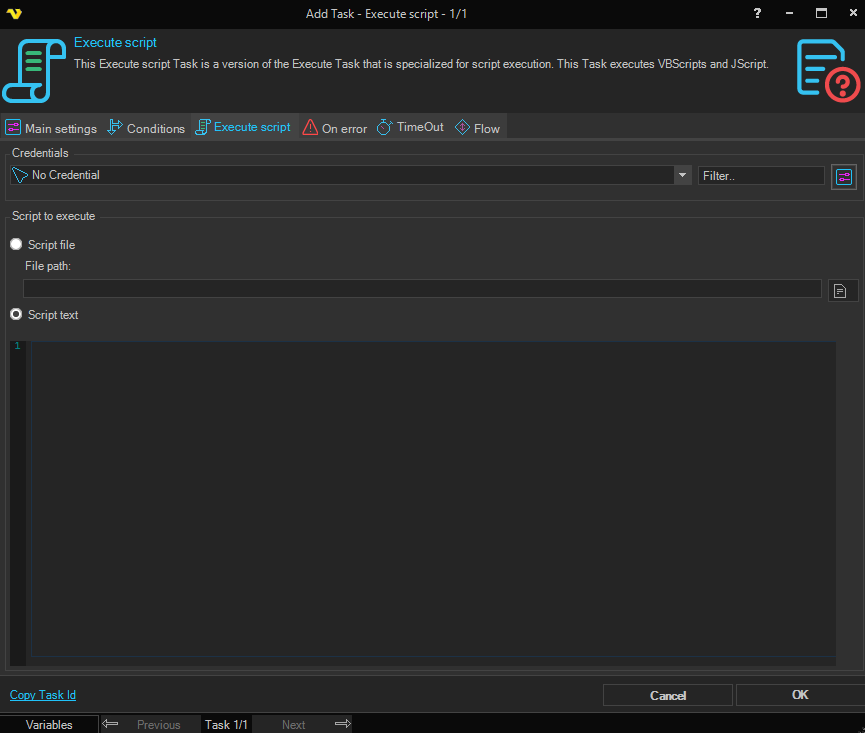
Credentials
The Task runs as the user of the selected Credential. Select a Credential in the combo box, or click the Settings icon to open Manage credentials and add or edit one. With No Credential, the Task runs as the account the VisualCron service runs under. This applies with Load user profile selected on the Credential (the default); without it, the Credential is used only for network access (see Local login and Load user profile).
Script file
Select this option to execute a script from an existing file. When selected, enter the full path to the script file in the File path field. The rightmost button opens a file browser for selection. Use a ".vbs" file for VBScript or a ".js" file for JScript. If the path contains spaces, put it in quotes; any arguments for the script go after the path.
Script text
Selected by default. Type or paste a VBScript into the editor. Inline text is always run as VBScript; to run JScript, save it as a ".js" file and use Script file.
All Execute script Tasks on the Server share one script path, and Script text Tasks share one temporary script file. If two run at the same time and either uses Script text, one can run the other's script, and a script file used by a Script file Task can be deleted. To run scripts that can overlap, use an Execute Task with Command "C:\Windows\System32\cscript.exe" and Arguments //NoLogo "<path to the .vbs file>".
Notes:
By default the Task fails if anything is written to standard error (Contains error output on the On error tab). It also fails if the script's exit code is a failure in the Task's exit code collection; with the default Windows collection, that is any code other than 0 that the collection lists, for example 1. The standard error output shows the line where the script failed.
Troubleshooting
Input Error: There is no script engine for file extension
Check the File path: put a path with spaces in quotes, and use a ".vbs" or ".js" file.